
Identify KARR Hardware and Check Its Firmware Safely
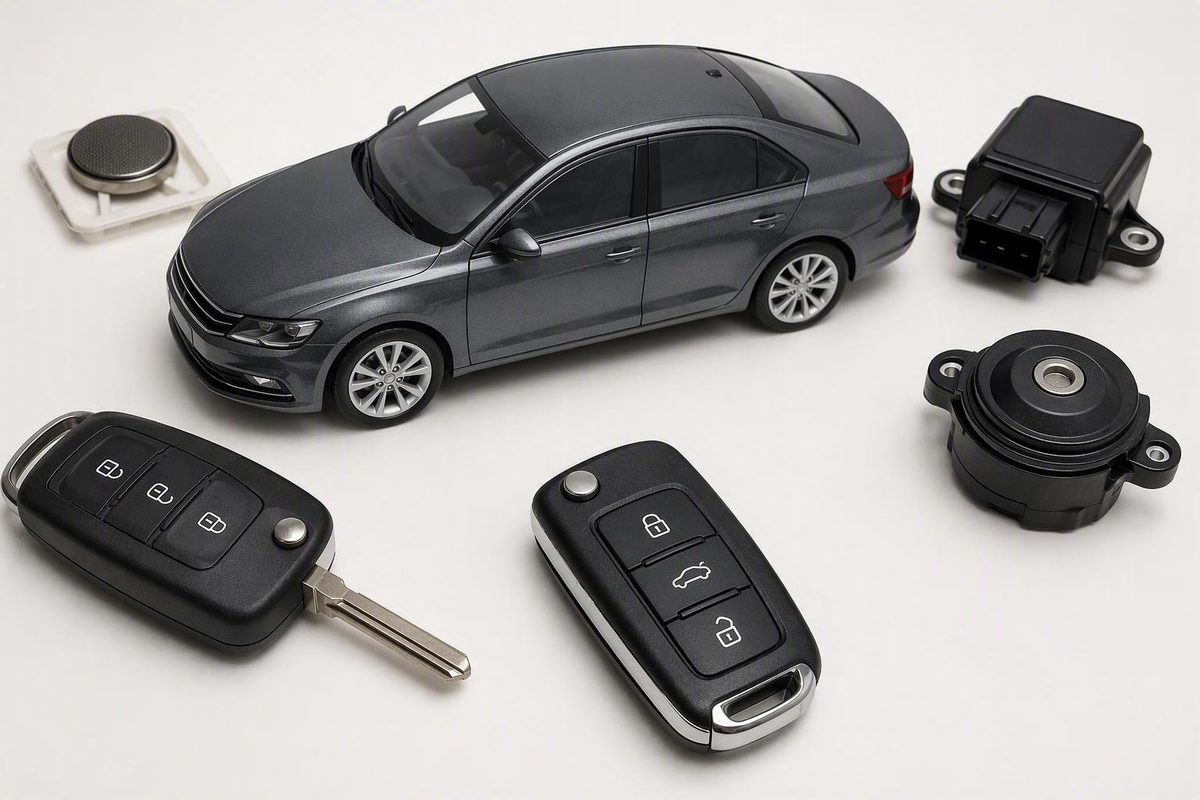
Check stickers, dash hardware, paperwork, app status, and dealer records to identify KARR/SWDS and verify the July 2026 firmware fix safely.
Your car likely has KARR/SWDS anti-theft hardware if you find KARR paperwork, a labeled under-dash module, or the correct vehicle connected through an official KARR app account. A KARR/SWDS window sticker, blinking dash button, extra fob, or added OBD-area wiring is only a clue. Do not unplug anything: confirm the installation through the selling dealer, KARR support, or an automotive-electronics technician, then verify whether the July 20, 2026 firmware update applies.
Enter what you know, check every clue you can verify, and track the update process.
Select the evidence you can verify. Your result updates immediately; model year alone cannot identify KARR.
Other Clues: Stickers, Fobs And Wiring
Optional Vehicle Context
A used car can inherit dealer-installed hardware. Declining a paid package does not prove the module was removed.
More Columns
| Finding | Weight | What It Establishes | Next Action |
|---|---|---|---|
| No visible sticker | Neutral | Nothing by itself | Check records and visible dash area |
| KARR/SWDS decal | Initial clue | Current or past association | Look for named records or hardware |
| Blinking button or LED | Initial clue | Some aftermarket equipment may exist | Photograph controls and labels |
| Extra fob | Initial clue | Possible alarm or remote starter | Search the fob for identifiers |
| OBD-area harness | Initial clue | Added equipment may be connected | Do not unplug; document it |
| KARR/SWDS paperwork | Strong | A named product was offered or recorded | Check its disposition and installation record |
| Labeled KARR/SWDS module | Strong | Related hardware is physically present | Record identifiers and ask about status |
| Official app connection | Strong | Compatible hardware/account association | Check ownership and firmware separately |
| Written dealer/support record | Best | Product association or documented status | Request product and firmware details |
| Technician identification | Best | Physical equipment and wiring identified | Document, update, deactivate, or remove |
The supplied sources do not state universal app button labels. Follow the current prompts in the official KARR app for the confirmed product.
Sources: UC San Diego disclosure; Acrisure/KARR update information; supplied AppleInsider and NBC 7 reporting. About 2.2 million vehicles were reported affected; the owner-applied firmware update was released July 20, 2026.
Check the Glass, Paperwork, and Driver-Side Dash
Start with the driver-side window and nearby glass. Look for a decal marked KARR, KARR Security Systems, or SWDS. Check the lower corners and adjacent windows if the driver’s glass may have been replaced.
A matching decal means the vehicle likely has, or previously had, related equipment. It does not prove that the hardware remains installed, is enabled, has an active service plan, or belongs to your account. Stickers can remain after removal, and hardware can remain after a sticker or window is removed.
Next, search the purchase agreement, buyer’s order, finance paperwork, dealer invoice, due bill, accessory-installation record, repair orders, lease documents, cancellation forms, emails, and text messages. Search digital records for KARR, SWDS, alarm, anti-theft, theft protection, security system, vehicle recovery, and dealer accessory.
Read declined-product forms as carefully as purchased-product entries. Dealer-installed hardware sometimes remained connected when a buyer declined the paid product, according to UC San Diego’s report on the affected systems. “I declined KARR” does not mean “the dealer physically removed KARR.”
Save the full document entry rather than a cropped reference to an alarm. The product name, dealer, disposition, and words such as activated, declined, disabled, cancelled, disconnected, or removed can change the next step. If a document says only “theft protection,” ask the dealer to name the provider and installed components.
Park safely, turn the vehicle off, and use a flashlight to inspect the readily visible area beneath the steering column. Do not remove trim or pull a hidden component into view.
Look for:
- An added push button or blinking indicator
- A module carrying a KARR, SWDS, model, serial, FCC ID, or IMEI label
- Added wiring attached to the factory harness
- An add-on harness or device near the OBD connector
- Wire taps, splices, or a separate ground
- Multiple aftermarket boxes mounted together
- A small plastic key or shorting piece fitted to a module
A generic box, button, LED, extra fob, or Bluetooth signal does not identify KARR by itself. The equipment could be another alarm, remote starter, inventory tracker, dash camera, fleet device, insurance telematics unit, or an audio or lighting accessory. KARR installations also vary by vehicle, dealer, installer, product generation, case shape, wiring, and mounting position.
Photograph unfamiliar equipment in place. Take a wide image showing where it is mounted and close-ups of visible labels, barcodes, connectors, model numbers, serial numbers, FCC IDs, and IMEIs. Do not tug on a box to expose its rear label.
Stop if identification requires removing panels, probing or cutting wires, unplugging connectors, or pulling down a concealed module. Documented installations have routed a factory starter circuit through added alarm hardware, leaving the vehicle unable to start when that circuit was opened. That example is vehicle-specific, but it makes trial-and-error disconnection unsafe.
Strong Evidence Requires a Name, Record, or Official Connection
Treat the findings as a confidence ladder rather than six independent yes-or-no tests.
Initial clues include a window decal, added LED, dash button, extra fob, unfamiliar wiring, generic module, OBD-area harness, or Bluetooth broadcast. They justify further checking but do not identify the system.
Stronger evidence includes paperwork naming KARR or SWDS, clearly labeled hardware, or a successful connection between the correct vehicle and an official KARR app account.
Best available confirmation comes from written dealer records, official KARR support, or identification by a qualified automotive-alarm or automotive-electronics technician.
An official app account displaying the correct vehicle strengthens the identification. Merely downloading the app proves nothing. A failed connection also proves nothing because compatibility, account permissions, activation, power, firmware, or device status could be responsible.
Do not repeatedly guess at pairing procedures if you lack an existing account. Ask KARR which ownership and connection process applies to the suspected product.
Ask the Dealer to Search the VIN Across Its Records
Contact the dealer that originally sold the vehicle when new and the dealer from which you bought it, if they are different. A used vehicle may have passed through several sellers.
Send this request:
Please search this VIN in your sales, finance, accessory-installation, repair, deactivation, and removal records. Was any KARR, SWDS, alarm, tracker, theft-protection, or vehicle-recovery product installed? If so, please provide the exact product or program name, installation date, whether it was enabled or disabled, and any documentation showing deactivation or physical removal.
Request the response in writing. “It should be disabled” does not establish whether the module remains connected, a service plan is active, or another person controls the account.
You can also contact official KARR support at 800-395-KARR (5277), option 1, then 1, or support@karrsecurity.com. Have the full VIN, vehicle year, make and model, dealer names, purchase date, photographs, paperwork wording, and visible model, serial, FCC ID, or IMEI available.
A VIN may help support find associated records, but the supplied evidence does not establish a universal public VIN lookup or guarantee that a VIN alone can reveal every installation, activation, account, or firmware status. If the records are incomplete, physical identification may still be necessary.
Ask these questions separately:
- Is the VIN associated with a KARR or SWDS product?
- What is the exact product or program name?
- Is the installed device enabled or disabled?
- Is the service active, cancelled, expired, or absent?
- Is an app account associated with the vehicle?
- Who currently controls that account?
- Does ownership information need to be changed?
- Does the July 20, 2026 firmware update apply?
- Can the installed firmware version be confirmed?
- Is there written proof of deactivation or physical removal?
If neither the dealer nor KARR can identify visible equipment, use a technician who specializes in automotive alarms, trackers, remote starters, or vehicle electronics.
Installed, Enabled, Subscribed, and Linked Mean Different Things
Finding a module answers only whether hardware appears to be present. It does not establish whether the device works, is updated, has a paid plan, or belongs to the current owner.
| Status | What “Yes” Means | What It Does Not Prove |
|---|---|---|
| Hardware installed | A related component remains in the car | Powered, enabled, updated, or subscribed |
| Device enabled | Some installed functions are activated | Hardware removed or every circuit inert |
| Plan active | A related service is in force | Current owner controls the account |
| Account linked | Current owner has recognized access | Plan active or firmware current |
A used-car owner may inherit equipment installed for a dealer or previous owner. Hardware can also remain after the paid offering was declined, as AppleInsider’s reporting explains.
Ask what disabled means in the specific record. It might describe a service, account, feature, or device state rather than physical disconnection. Likewise, service cancelled, account closed, hardware disconnected, and hardware removed are different outcomes.
The July 2026 Firmware Fix May Apply Even if Service Is Disabled
UC San Diego researchers disclosed on July 21, 2026 that about 2.2 million cars with dealer-installed KARR/SWDS alarms shared one Bluetooth key. The weakness could let someone nearby unlock doors or kill the engine. Reports differed over whether the cited issue could affect a moving vehicle, and the supplied reporting said there was no documented criminal exploitation against owners at that time.
Acrisure released an owner-applied firmware update on July 20, 2026. Reporting advised owners of affected devices to install it even when a system had been disabled; NBC 7 covered that update guidance.
The supplied source material does not provide the exact current app button labels or a verified six-screen sequence. Those details should not be guessed because app versions and compatible products may differ. Use the update option and prompts shown in the official KARR app for the confirmed vehicle, or obtain the current product-specific instructions through the official KARR website or support.
The safe six-stage update path is:
- Confirm that the hardware is KARR/SWDS and determine the exact product.
- Establish control of the official account linked to the correct vehicle.
- Ask support or consult current official guidance to confirm that the update applies.
- Open the official KARR app, select the correct vehicle, and use the firmware-update option it presents.
- Keep the phone and vehicle in the state required by the on-screen prompts until the process finishes; do not disconnect the module during the update.
- Confirm that the app reports completion or current firmware, then save a screenshot or support confirmation.
If the app presents no firmware option, fails to connect, or does not confirm completion, treat the firmware status as unknown. A missing menu or failed connection is not proof that the update is unnecessary or already installed. Contact support with the exact product identifiers and app behavior.
Removal Requires Restoration of Any Altered Factory Wiring
After identifying the product, choose whether to keep and update it, correct account ownership or service status, or remove it professionally.
Do not unplug or force out an unknown module. Owner-documented installations have included a factory starter wire cut and routed through the added system; restoring that circuit was necessary for the vehicle to start after removal. The layout is not universal, but it shows why an alarm module may not be a plug-and-play accessory.
Ask a qualified technician to document:
- The identified components and product numbers
- Modules, antennas, buttons, LEDs, or sensors removed
- Whether a starter-interrupt circuit was present
- How modified factory wiring was restored
- Whether other aftermarket equipment remains
- Whether the vehicle starts, locks, unlocks, and operates normally afterward
If you want deactivation rather than removal, obtain written confirmation describing precisely what was changed.
Common Results and Their Next Steps
A used car has no window decal: Absence of the sticker does not rule out KARR. Search historical records, identify previous dealers, inspect visible under-dash equipment, and use a specialist if records are unavailable.
You declined the dealer package: Ask whether the dealer removed the hardware, disabled it, or merely left the paid service inactive. Request the work order.
You found an unbranded module or OBD harness: Photograph all visible identifiers. Do not call it KARR solely because it is near the steering column or diagnostic connector.
The app cannot find the device: The result is inconclusive. Compatibility, account permissions, activation, power, firmware, or device condition could cause the failure.
The vehicle appears in another person’s account: Contact official support, state that you are the current owner, and ask what proof is required to review and correct ownership.
The dealer says it is disabled but hardware remains: Ask whether the unit is powered or connected, what function was disabled, and whether the firmware update applies. Use a specialist if the answers remain vague.
The most reliable determination combines a product name with labeled hardware, written records, an official app connection, or professional identification. A sticker, button, extra fob, box, or wireless signal alone is not enough.