
Chevy Malibu Key Fob Not Working? Diagnose It Before Replacing It
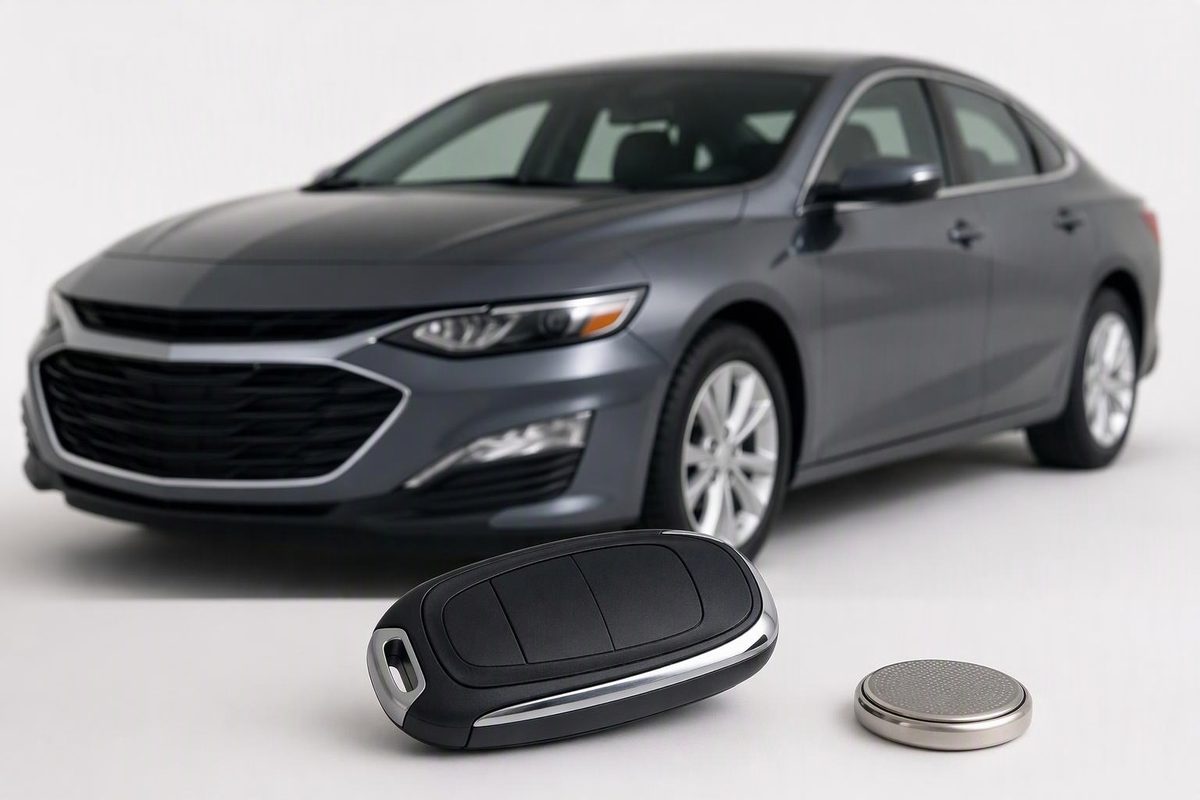
Troubleshoot your Malibu’s remote, check the correct battery, find model-specific backup starting steps, and know when programming or service is needed.
Start by testing a known-working spare, checking the fob battery, and separating an unlock problem from a starting problem. A Malibu that will not remote-start does not necessarily have a failed fob. If you are locked out or cannot start, go to section 3 for emergency entry and backup starting.
Before opening the remote, identify your model year, ignition type, and fob design: separate remote, folding-key remote, or smart fob with a removable mechanical key. Find your year and model in GM’s owner-manual finder. If your car is a Malibu Limited, select its own manual rather than assuming the same-year standard Malibu instructions apply.
1. Find out which function has stopped working
Park safely and test the lock and unlock buttons close to the car. Then check door-handle entry, if equipped, and normal starting separately. Chevrolet’s Malibu manuals recommend checking distance, location and the remote battery before seeking service. 2024 Malibu owner’s manual, p. 7
| What you observe | Best next check |
|---|---|
| The spare works, but the usual fob does not | Check the usual fob’s battery installation and visible damage before buying a replacement. |
| Both fobs fail | Check vehicle power and possible interference; two failed remotes alone do not prove a receiver fault. |
| Buttons work, but door-handle entry does not | Check keyless-entry operation and settings before attempting programming. |
| Doors unlock, but push-button starting shows “No Remote Detected” | Try the exact model’s backup fob pocket. |
| Only remote start fails | Check the remote-start sequence and conditions below. |
| One door fails with both the fob and interior lock switch | Ask for diagnosis of that door’s locking system rather than replacing the fob first. |
Move the fob away from your phone and wireless-earbud charging case, then retry. Chevrolet identifies these as possible sources of signal interference. If the car can be driven safely, testing somewhere else can help distinguish a location-dependent problem from a persistent one. Chevrolet keyless-entry troubleshooting
Stop point: If neither fob works and the dashboard, lights or interior locks also appear dead or unusually weak, have the vehicle’s 12-volt battery and power supply checked before paying for fob programming.
2. Check or replace the correct battery
The factory remotes documented in the 2012, 2015, 2017 and 2024 Malibu manuals use CR2032 batteries, but their opening methods differ. Match your fob to its manual—especially if it is an aftermarket replacement.
| Documented factory fob | Opening method and battery orientation |
|---|---|
| 2012 separate remote | Separate at the side notch with a flat, thin object. Install the CR2032 positive side up. |
| 2015 folding-key remote | Extend the blade and pry off the battery cover with a finger. Install the CR2032 positive side up. |
| 2017 removable-key smart fob | Remove the key; separate the halves with a flat tool near the key slot. Positive side faces the back cover. |
| 2024 removable-key smart fob | Remove the key; insert a flat tool at the bottom center. Do not use the key slot. Positive side faces the back cover. |
Sources: 2012 manual, pp. 2-4–2-5, 2015 manual, pp. 2-8–2-9, 2017 manual, pp. 37–38, and 2024 manual, pp. 12–13.
Before removing the cell, photograph its orientation and check the holder’s polarity markings. Avoid touching the circuitry or levering the battery out with metal. For the 2024 fob, Chevrolet also specifies positioning the silicone mat without gaps or wrinkles and pressing the halves straight together. Keep new and used coin cells away from children; seek immediate medical attention if one is swallowed. 2024 manual, pp. 12–13
If the problem began immediately after replacement, reopen the fob and check:
- The cell’s full code and polarity.
- Whether it is seated securely under its retaining contacts.
- Whether the button mat and case align correctly.
- Whether a second fresh, correct-specification cell changes the result.
The documented battery-replacement procedures above end with reassembly—not a programming step. Do not assume a failed battery swap requires a “reset.” See the more detailed checks for a key fob that fails after a battery change.
3. Get inside and use the correct backup start
The mechanical key provides emergency door access; it is not the same function as remote unlocking or electronic starting authorization.
On the 2024 Malibu, press the release button and remove the mechanical key. Hold the driver’s door handle open, insert the key into the slot beneath the lock-cylinder cap, lift upward, and move the cap rearward to remove it. Use the exposed cylinder to unlock the door. Mechanical unlocking does not disarm the alarm; starting the vehicle is one documented way to disarm it. 2024 manual, pp. 15 and 20
For push-button starting, the backup pocket’s fob orientation varies:
- 2015 keyless-access Malibu: center-console transmitter pocket, buttons facing the front of the vehicle. 2015 manual, p. 2-8
- 2017 Malibu: center-console transmitter pocket, buttons facing the rear. 2017 manual, p. 37
- 2024 Malibu: center-console remote-key pocket, buttons facing the rear. 2024 manual, pp. 11–12
For these documented examples, place the fob in the designated pocket, select Park, press the brake and press ENGINE START/STOP. This procedure is intended for a weak fob battery or signal interference. For another year, use the pocket location and illustration in its own manual—not an arbitrary cupholder or a generic “hold it against the start button” trick.
Stop point: If a 2024 Malibu will not start with the spare or with the fob in its backup pocket, Chevrolet directs the owner to service. A security light that remains on during a failed start is another reason to have the theft-deterrent system checked. 2024 manual, pp. 20–21
4. Rule out feature settings before programming
Buttons work, but keyless entry does not
On an equipped 2024 Malibu, keyless unlocking can be disabled independently. Four quick turn-signal flashes when you try an exterior handle indicate disabled access. If you see those four flashes, switch access back on with the vehicle off by holding Lock and Unlock together for approximately three seconds; two quick flashes confirm enabled access. The same button combination can also disable access, so check the confirmation flashes. This is a feature toggle, not fob programming. Use it only where your model’s manual documents it. 2024 manual, p. 9
Only remote start does not work
Test remote start outdoors, not in an enclosed garage: engine exhaust contains carbon monoxide. 2024 manual, p. 179
For the 2024 Malibu, press and release Lock, then immediately hold Remote Start for at least four seconds or until the turn signals flash. Remote start is blocked by conditions including an open hood, hazard flashers, a check-engine light, a remote inside the vehicle, being outside Park, or already using the permitted starts. Check those conditions rather than condemning a fob that still unlocks the car. 2024 manual, pp. 13–14
A replacement fob needs programming
There is no universal Malibu relearn. The 2012 manual directs replacement-remote programming through a dealer. The 2024 manual provides an owner add-a-fob procedure with two recognized remotes, plus a roughly 30-minute procedure when two are unavailable; the latter is not available in Canada and invalidates previously known remotes before they are relearned. 2012 manual, p. 2-4, 2024 manual, pp. 10–11
Do not start a timed relearn merely to troubleshoot an existing fob. If fresh-battery and spare-fob checks do not resolve the fault, ask a Chevrolet dealer or qualified automotive locksmith to check the fob and vehicle before programming. Give them the model year, ignition type, exact dashboard message, and the results of your spare and backup-pocket tests.