
Choose a Key Fob Programming Tool by Vehicle and Job
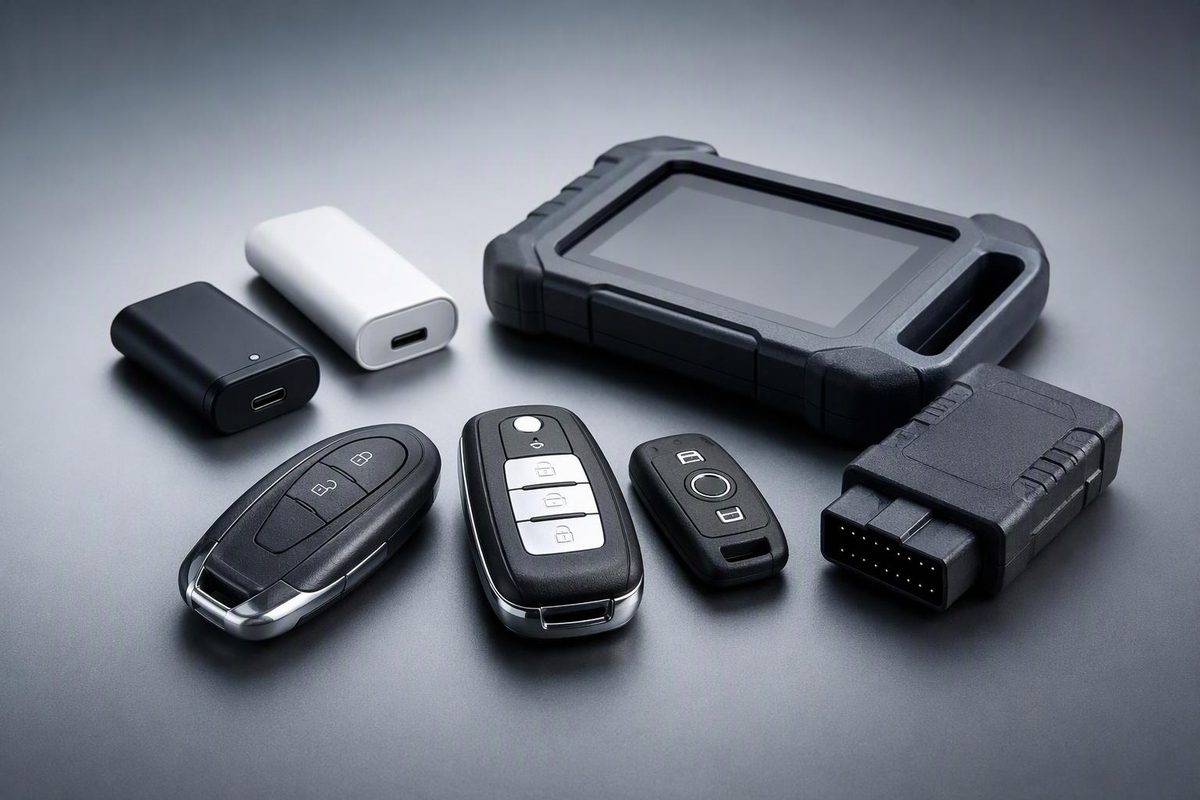
Compare consumer pairing dongles and professional key programmers. Check exact vehicle coverage, working-key requirements, accessories and ongoing costs.
Choose a key fob programming tool by the exact vehicle and task—not the number of brands on the box. A tool that can add a spare key may not support an all-keys-lost job. A device that prepares a replacement fob may still need a separate vehicle-learning step.
For one supported vehicle, a consumer pairing dongle is worth considering first. For repeated work across vehicles, compare dedicated key programmers and diagnostic/programming tablets. Do not buy an ordinary OBD-II code reader on the assumption that it can register keys.
Define what you need the tool to do
Before comparing products, record:
- Vehicle year, make, model, market and VIN.
- Ignition type: a key turned in a cylinder or push-button start.
- Replacement fob part number and identifying markings, such as its FCC ID where applicable.
- How many existing keys still start the vehicle—not merely unlock it.
- Whether the job is adding a spare, replacing a lost fob or recovering from all keys being lost.
Keep three functions separate: remote locking, immobilizer/start authorization, and mechanical emergency entry. Ask whether the tool covers both the remote buttons and start authorization. Cutting an emergency blade is a separate service; a programming tablet does not cut it.
If you have not yet established whether your vehicle needs equipment at all, start with our DIY-versus-equipment programming guide. The selection checks below apply once a tool is actually needed.
Compare the right type of tool
Consumer pairing dongle: check its vehicle and reuse limits
A consumer dongle can be a focused purchase for a supported car rather than a workshop investment. For example, Car Keys Express’s Universal EZ Installer connects to the diagnostic port and uses a phone app. Its product page says it can pair multiple keys to one vehicle, not multiple vehicles, and excludes cars with an aftermarket-installed security system or remote starter. Those limits matter more than the word “universal.”
Before buying this type of device, verify the exact package’s working-key requirements, compatible replacement fobs, phone/app requirements and return terms. Do not assume that support for adding a spare also means support when no working key remains.
Dedicated key programmer: distinguish fob creation from vehicle learning
Some devices combine several key-related jobs. Autel’s MaxiIM KM100, for example, lists Autel IKEY generation, chip reading/writing and cloning, frequency detection, and immobilizer learning through OBD. These are separate capabilities—not interchangeable descriptions of “programming.”
A claim that a tool can generate a universal replacement key is not enough. Confirm that it can also learn that key to your exact vehicle, using the hardware and access included in your purchase.
Diagnostic/programming tablet: inspect the bundle
A broader tablet may suit repeated key work plus vehicle diagnosis. Autel’s MaxiIM IM508S combines all-system diagnostics with key and remote learning. It includes an XP200 programmer, while Autel notes that some capabilities require other accessories and that programming functions are most extensively covered with the separately available XP400 Pro and its accessories.
Compare the complete required bundle, not just the tablet name. Ask whether your job needs an additional programmer, adapter or work on a removed electronic module.
Ordinary OBD-II adapter: connection is not key-programming coverage
An OBD plug alone proves little. The OBDLink MX+ product page describes diagnostic scanning, code clearing and live monitoring, with support for third-party apps. That description is not confirmation of key registration for your vehicle. Require explicit support from the software you intend to use.
Verify coverage at the function level
Look for a result covering the tool model, vehicle year, key system and requested function. Autel’s coverage interface separates “Add key,” “All keys lost,” “Remote learning” and other functions; it also distinguishes OBD support from on-bench/boot support. A vehicle appearing under one function does not establish support for another.
Ask the manufacturer or authorized seller for written confirmation:
Does this exact tool and bundle support adding this replacement fob to my vehicle, with my number of working keys? Is the procedure through OBD, or does it require module removal? What accessories, software version and security authorization are required?
Stop if the answer is only “supports Ford,” “works on most cars” or “has immobilizer functions.” If the coverage lookup is unavailable, get confirmation before paying rather than treating a missing result as support.
Check access, ongoing costs and failure support
Before checkout, establish:
- Access: Can you obtain every required account or credential? Autel’s U.S. KM100 and IM508S pages identify these products as designed for professional locksmiths and NASTF-registered Vehicle Security Professionals, and advise checking local licensing requirements. Confirm what authorization your particular job requires before buying.
- Ongoing costs: What updates are included, what renewal costs apply, and which functions remain usable after expiry? The KM100 page lists one year of free software updates; do not infer another tool’s terms from that offer.
- Complete job cost: Include the correct fob, blade cutting, required accessories and any authorization charges—not just hardware.
- Failure support: Who helps if pairing stops, and can the tool be returned after activation or vehicle binding?
Read the exact procedure before connecting. Car Keys Express’s EZ Installer help page warns that some pairing processes erase previous keys or remotes and require them to be paired again. Check the instructions for your particular device and vehicle, gather all required working keys, and understand any erasure warning first.
For a single job, choose the least complicated tool with confirmed coverage and obtainable access. If either remains uncertain—or the job requires module work beyond your skills—use a qualified automotive locksmith or dealer instead of buying a more expensive tablet on speculation.
Manufacturer-listed product features and purchase conditions checked October 31, 2026.