
Toyota Tundra Key Fob Programming: DIY or Professional?
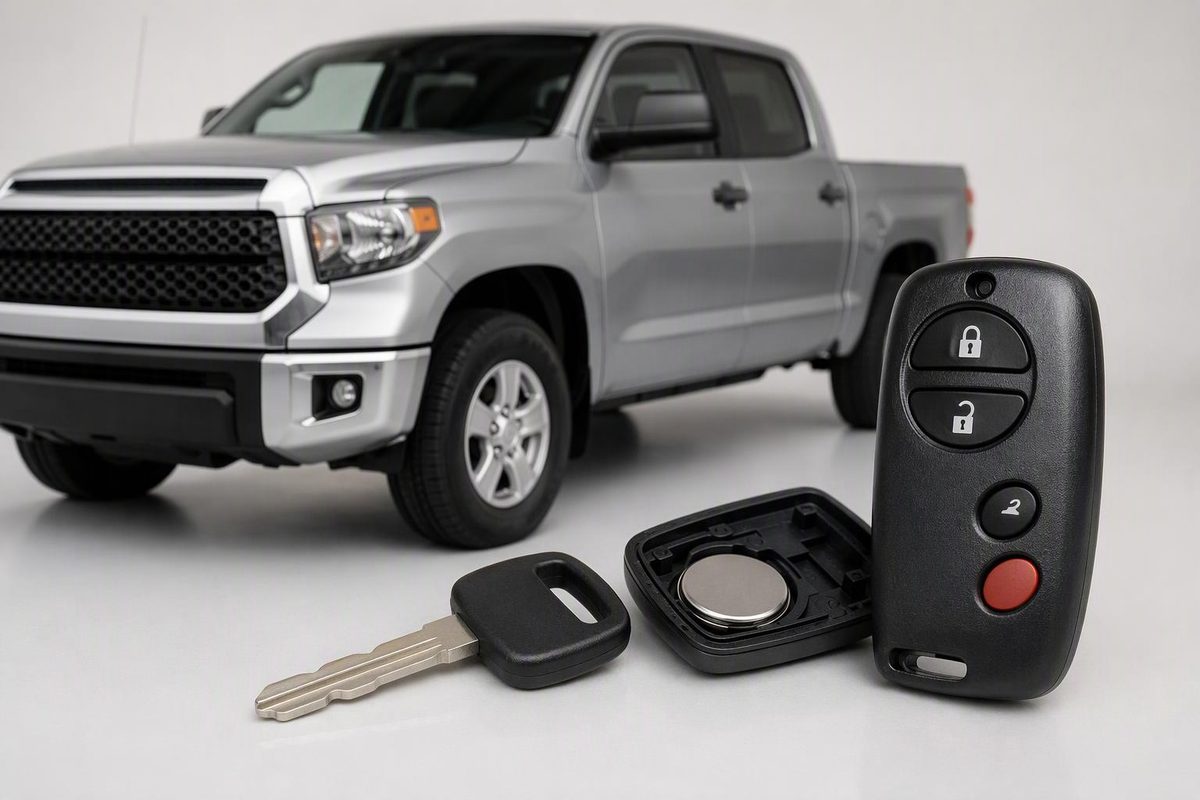
Identify your Tundra’s key system, follow the documented 2004 Double Cab remote procedure, and know when professional programming is needed.
Some early Tundra remote-locking systems support DIY programming; that does not mean you can program every Tundra ignition key or smart fob the same way. The truck’s model year, cab style and installed keyless-entry system determine the procedure.
For example, Toyota’s 2004 Double Cab repair instructions provide an onboard remote-registration sequence. By contrast, Toyota’s U.S. bulletin for 2022–2025 Tundra smart keys specifies diagnostic equipment and security-authorized registration. These are different jobs—not variations of one universal “Toyota reset.” (2004 repair-manual excerpt, Toyota smart-key bulletin, revised February 2025)
Identify the truck and the job first
Before buying a replacement, record:
- Model year, VIN and cab style.
- Whether you turn a key in the ignition or press an engine-start button.
- The original remote’s FCC ID and Toyota part number, if readable.
- Whether any existing key still starts the truck.
- Whether the keyless-entry system is factory-installed, a Toyota accessory or aftermarket.
Have the seller or programmer confirm compatibility from those details—not just the remote’s shape. NorthCoast Keyless lists several different factory and dealer-installed remotes for the 2006 Tundra, so the model year alone is insufficient. (2006 system listings)
Keep three functions separate:
| Function | What it does | What successful testing proves |
|---|---|---|
| Remote locking | Operates the lock/unlock buttons | The vehicle recognizes the remote transmitter |
| Immobilizer authorization | Allows the engine to start with a registered transponder key | The vehicle accepts that key for starting |
| Mechanical entry | Uses a cut blade in the door lock | The blade fits; it does not establish electronic registration |
The early remote procedure below registers remote locking only. It does not authorize an immobilizer-equipped replacement key to start the engine. Toyota’s 2022 manual likewise distinguishes the mechanical key from the electronic key and explains that an unregistered transponder prevents starting. (Remote-programming limits, 2022 owner’s manual, pages 73 and 108–110)
If an existing fob stopped working, check it before programming
Try the spare and note separately whether each key unlocks the truck and starts it. If the spare works, check the failing fob’s battery, contacts and case assembly before paying for registration.
Toyota’s 2022 manual identifies reduced detection range, failed remote/proximity operation and an unlit key LED as possible depleted-battery symptoms. It also directs owners to check whether Smart Key has been disabled or battery-saving mode is active. A failed button press alone does not prove lost programming. (2022 owner’s manual, pages 108 and 532)
Use our Toyota key-fob battery replacement guide to identify the cell and opening method. If trouble began immediately after a battery swap, start with battery-installation checks.
2004 Double Cab remote programming
Use this sequence only for a confirmed compatible factory keyless-entry system on a 2004 Tundra Double Cab. Toyota documents it in repair manual RM1091U. NorthCoast Keyless also publishes a lock-switch sequence for the 2006 Double Cab, but obtain the matching instructions for your truck rather than extending this procedure to other years, cab styles or accessory systems. (Toyota repair instructions, 2006 supplier instructions)
Park safely, gather all remotes and read the sequence before starting. This uses add mode, not erase/rewrite mode.
- Remove the key from the ignition. Open and unlock the driver’s door; close all other doors.
- Insert the key into the ignition and remove it without turning it.
- Within 40 seconds, use the driver’s power-lock switch for five lock/unlock cycles, starting with lock, at roughly one-second intervals. Close and reopen the driver’s door.
- Within the next 40 seconds, perform another five lock/unlock cycles. Insert the key, turn it from LOCK to ON and back to LOCK once, at approximately one-second intervals without cranking, then remove it.
- Within about three seconds, the locks should cycle once to confirm add mode. If they do not, stop: the vehicle has not entered programming mode.
- Within 40 seconds, press LOCK and UNLOCK on the remote together for about one second, release them, then within three seconds press and hold LOCK for about two seconds.
- One lock/unlock cycle confirms acceptance; two indicate failure. If registration fails, restart the procedure from the beginning. To register another compatible remote after a successful registration, repeat step 6 within 40 seconds.
- Open another door or insert the key into the ignition to exit, then test every remote.
Toyota’s repair instructions specify one ignition cycle for add mode and two for rewrite mode. They also warn that adding beyond four registered codes can displace older codes. Do not experiment with extra ignition cycles or assume every existing remote will remain usable; test them afterward. (Sequence, mode selection and memory limits)
Later Tundras: arrange equipment-based programming
For later trucks, expect a Toyota dealer or suitably equipped automotive locksmith rather than the early door/lock sequence. Year-specific supplier instructions identify professional programming for the 2007 Tundra, 2013 Tundra and 2020 Tundra. Confirm the exact equipment coverage before booking.
For 2022–2025 Tundra and Tundra Hybrid smart keys, Toyota’s documented U.S. process uses Techstream/GTS+ and a TIS passcode. Touching a new fob to the start button is only one step inside that authorized process; doing it alone does not program the fob. For 2026 and newer model years, have the provider verify the current vehicle-specific requirements. (Toyota bulletin, pages 1, 3 and 24–30)
When requesting a quote:
- Say whether you need remote pairing, start-key registration or both.
- Disclose lost keys and bring every key you want retained.
- Confirm acceptance of customer-supplied or previously used fobs before buying one.
- Ask for the total including the fob, blade cutting, programming, lost-key removal and any mobile visit.
All keys lost is not a routine spare-key addition. Toyota’s 2022–2025 bulletin warns that a Smart Code Reset permanently invalidates all registered keys; its missing-key erasure procedure requires every key to be retained to be present and identified during the procedure. Ask the technician to explain the selected procedure before authorizing it. (Toyota reset and erasure warnings)
If your 2022–2024 truck was originally delivered with only one smart fob, ask a Toyota dealer to check the VIN for an outstanding Second Key Delivery Program 23TJ01 before purchasing another. Toyota’s October 24, 2024 notice includes certain Tundra/Tundra Hybrid vehicles and provides an additional smart key free for eligible vehicles—not every truck in those model years. (Toyota program notice)
Before leaving the appointment, test remote locking, starting and the cut emergency blade separately. A working lock button is not proof that the replacement key can start your Tundra.