
Use Apple Car Key, but Keep a Physical Backup
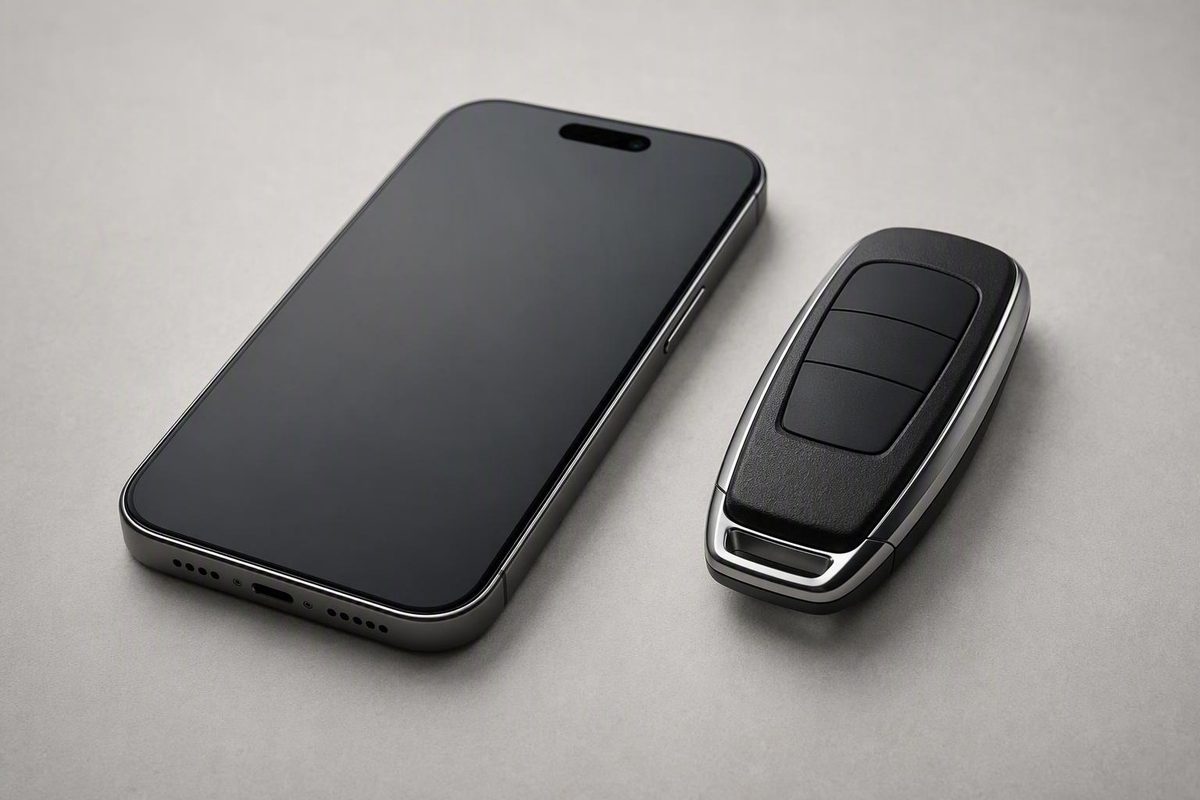
Apple Wallet can handle daily driving, but a separate fob covers dead phones, device loss and failed pairing. Compare the cost before going phone-only.
Use Apple Wallet Car Key every day if it works reliably with your car, but do not discard your independent physical credential. If an activated spare for your vehicle really costs $20–$40, it pays for itself as soon as it prevents one phone-related lockout worth more than that. The evidence does not establish how often such failures occur, and it provides no verified nationwide locksmith or towing price, so the decision turns on your quoted spare price and the consequences of being stranded.
Compatibility varies by vehicle, configuration, market, device, software and connected-service terms. Apple’s Car Key setup and use guidance tells owners to confirm vehicle-specific support with the manufacturer or dealership.
Why Phone-Only Driving Looks Reasonable
The received view has a strong case. On a compatible vehicle, Apple Wallet Car Key can handle ordinary locking, unlocking and starting without another object in your pocket. A UWB-enabled implementation can unlock as you approach, authorize driving while the device stays in a pocket or bag and lock as you walk away. That can be as effortless as a passive fob.
Express Mode also removes routine Face ID, Touch ID or passcode prompts. Apple Watch can become another convenient credential, and supported digital sharing can give another driver access without physically exchanging a fob. Access may later be revoked.
A depleted battery is not always an immediate lockout. A supported car key may continue to work temporarily through Power Reserve after an eligible iPhone needs charging. Core lock, unlock and start transactions can also work without cellular service or Wi-Fi after setup. Apple’s Car Keys architecture presentation distinguishes those offline transactions from server-dependent provisioning, sharing and management.
For tested local driving, leaving the fob at home can therefore be reasonable. If someone can bring it and a delay has little consequence, carrying it on every short trip may offer limited practical value.
That is where the consensus is right: Apple Wallet can replace routine use of a fob. It does not follow that it replaces the need for an independent recovery credential.
Digital-Key Expansion Does Not Remove Phone Failure
Automakers continued expanding Wallet support in July 2026. MacDailyNews reported Volkswagen’s addition of Apple Wallet Car Keys on July 2. Apple added Lucid and Xiaomi to the Wallet Car Key lineup on July 9 ahead of iOS 27.
The timing does not prove unreliability, but it does expose the distinction between adding a new credential and building a complete fallback system. On July 1, Lucid acknowledged another key-fob firmware update intended to address persistent Gravity faults. Its digital-key rollout was therefore not occurring on top of a universally dependable physical fallback.
Wallet keys also do not eliminate every vehicle-side security or recognition issue. Depending on the implementation, digital keys use NFC, Bluetooth and UWB communication paths. Those technologies can improve distance measurement and credential protection, but they add a phone, operating system, provisioning process and account relationship to the chain. They do not make the vehicle immune to radio attacks, vehicle-network attacks or recognition errors.
The available evidence contains no controlled failure-rate comparison between Apple Wallet keys and physical fobs. It would be an overclaim to say either is universally more reliable. The narrower verdict is that a phone-only arrangement creates failure cases that a separately carried fob or key card can cover.
Set your spare price, phone habits and lockout consequences; the calculator will tell you which side wins for your inputs.
This calculator does not invent a failure rate. It compares your actual spare quote with the cost and consequences you assign to one phone-related lockout.
| Failure or Use Case | Wallet/Watch Response | Independent Fob or Card | Effect on Decision |
|---|---|---|---|
| Phone battery reaches shutdown | Power Reserve may work temporarily; behavior varies | Remains available if carried and functional | Favors backup |
| No usable reserve power | Access or drive authorization may be unavailable | Provides a separate credential | Favors backup |
| Phone lost or badly damaged | Watch may help if separately configured | Independent if stored separately | Favors backup |
| Wallet, pairing or OS trouble | Digital credential may be missing or unusable | Can preserve access | Favors backup |
| No cellular service or Wi-Fi | Existing core key transactions can work offline | Usually no added advantage for this failure alone | Neutral |
| Daily passive entry | UWB can keep the device in a pocket or bag | Also convenient but adds an object to carry | Favors Wallet |
| Planned digital sharing | Permissions may be shared and revoked | Requires physical transfer | Favors Wallet |
| Valet or service handoff | Recipient support and policy vary | Simple, familiar transfer | Favors backup |
| Remote or time-critical trip | Failure can leave the home spare unreachable | Immediate fallback when carried separately | Favors backup |
Source: figures and failure modes in this article. The $30 default is the midpoint of the stated $20–$40 range; locksmith, towing and failure-rate figures are unknown and are not supplied.
A Dead Phone Is Only One Failure Mode
Power Reserve is a temporary bridge, not an unlimited emergency key. On some implementations, normal passive entry may stop and the driver must present the phone directly to an exterior NFC reader, then place it at a designated interior reader to authorize driving. The exact sequence depends on the phone and vehicle.
Once usable reserve power is exhausted, or if the combination does not support the required fallback, the digital credential may no longer provide entry or drive authorization. A charged Apple Watch can help if it was configured separately, but it remains another battery-powered device in the Apple ecosystem.
Physical damage is more decisive. A cracked or water-damaged phone may be unusable even while its battery retains power. A lost phone removes the device and its credential from immediate control. Marking it as lost disables Wallet items on that device, but it does not automatically revoke keys previously shared with other people.
Software can fail while the hardware remains powered. A restart loop, Wallet problem, operating-system fault or failed interaction with the vehicle can remove practical access. Pairing may also disappear after a replacement phone, account change, vehicle reset or software update.
Owner reports illustrate both outcomes without establishing a failure rate. In a BMW discussion about Apple Wallet keys, some drivers reported daily phone-only use, while others retained a plastic key card or brought the fob for service. A separate BMW i4 digital-key discussion includes both long periods of reliable use and temporary recognition or post-update problems. These anecdotes cannot be generalized to other vehicles.
A physical fob has its own failure modes. Its battery can weaken, its electronics can be damaged and the car can fail to recognize it. Some vehicles provide a mechanical insert or a weak-battery starting procedure, but mechanical door access does not necessarily authorize driving. A rarely used spare should be tested, and key-fob battery lifespan and warning signs should not be ignored.
The vehicle’s 12-volt battery is a separate failure state. Neither a Wallet key nor a working fob necessarily resolves it; the owner’s manual governs emergency entry, power restoration and towing.
The Best Backup Uses a Different Failure Domain
An effective backup must be available and independent of the primary credential. Two Apple devices may be convenient, but they can share charging, account and software dependencies.
| Backup | Main Strength | Main Limitation |
|---|---|---|
| Physical fob | Independent of the phone and Apple account | Must be carried, powered and tested |
| Vehicle key card | Compact and often needs no user charging | Reader positions and activation vary |
| Apple Watch | Convenient second configured device | Still powered and ecosystem-dependent |
| Shared digital key | Permissioned access with possible revocation | Requires compatible, completed setup |
| Fob at home | Retains a recovery credential | Provides no immediate roadside access |
A separately carried physical fob covers phone loss, severe phone damage, complete depletion and many software failures. Its value depends on location: a fob hundreds of miles away is a retained spare, not a roadside fallback.
A vehicle-specific key card can provide similar independence in a thinner format. It must be activated and tested, and the driver must know the exterior and interior reader positions. Availability and procedures vary by vehicle.
Apple Watch is useful when the phone is buried in a bag or temporarily inaccessible. It is weaker redundancy if the watch and phone are charged together, carried together or lost together. Adding a key to the iPhone should not be treated as proof that unlocking and starting work from the watch.
A shared digital key is valuable when a trusted person already has a working credential and can reach the vehicle. It is a poor emergency plan if the intention is to create and deliver the key only after becoming stranded, particularly where network service is unavailable.
The Spare-Fob Cost Must Be Compared With One Real Incident
The cited material does not provide a dependable national price for an emergency locksmith, tow or replacement fob. It also does not supply an annual probability of a Wallet lockout. An expected-cost claim using precise failure percentages would therefore be invented.
The defensible comparison is a break-even test. The one-time spare cost is justified if the value of lockouts it prevents exceeds that price. For one prevented incident, the formula is: break-even lockout cost equals the activated spare-fob price.
If your spare quote is within the stated $20–$40 range, one avoided event only has to exceed $20–$40 in combined call-out charges, towing and lost time. If your vehicle requires a much more expensive programmed fob, use that actual quote instead. Do not assume the quoted range applies to every make, model or key type.
The location of the spare changes the calculation. A fob at home may avoid replacement-key costs but still leave you paying for transport, delivery or lost time. A carried fob can prevent those immediate consequences, provided it is stored separately from the phone.
Carry the Fob When Delay Has Serious Consequences
Phone-only use is most defensible for tested local trips with easy recovery. It becomes less defensible as distance, isolation or time pressure increases.
| Situation | Credential Plan | Reason |
|---|---|---|
| Local commute | Tested Wallet key; spare accessible at home | Recovery may be manageable |
| Road or remote trip | Carry a separate fob or key card | Home backup may be unreachable |
| Service or valet | Bring an accepted physical credential | Handoff policies and compatibility vary |
| Time-critical journey | Carry an independent credential | A short delay can have high consequences |
For service, ask the facility what it accepts. A digital share may work, but staff may require a transferable physical credential. The same applies to valets and informal handoffs: compatible hardware, software, accounts and completed provisioning cannot be assumed.
Digital sharing is better when permissions and later revocation matter. A fob is better when the recipient needs an immediately understood credential. Neither option is universally superior.
Test More Than the Driver’s Door
Before relying on Apple Wallet as the primary key, verify the exact model year, trim, production date, market, vehicle software, iPhone model, iOS version and connected-service requirements. Broad brand-level compatibility is not enough.
Determine whether the vehicle uses NFC presentation, UWB passive entry, Bluetooth-range controls or a combination. Identify the exterior reader and the interior position used for drive authorization. If the car supports passive entry, do not assume it also has an NFC fallback.
Test the complete sequence with the physical fob available nearby: lock the car, move far enough away for the session to end, return, unlock, enter, authorize driving and lock it again. Repeat with network connections disabled to verify offline core operation. Test the designated NFC positions even if passive entry normally works.
Verify Power Reserve behavior for the exact phone-and-car combination. Establish which functions remain, whether passive entry stops, where the phone must be presented and what happens after reserve power is exhausted.
Also test Apple Watch independently. A visible key in Wallet does not by itself prove that both entry and driving authorization work.
Finally, ask whether a physical fob is required for initial pairing, adding a replacement phone, recovering after a reset, service programming or deleting vehicle-side keys. Apple’s Car Key security documentation explains that automakers control owner-pairing methods and may require physical fobs for sensitive recovery actions.
Phone-Only Use Needs a Deliberate Limit
Use the Wallet key alone when it has been repeatedly tested, the trip is local and retrieving the spare would be tolerable. Keep the activated spare available rather than selling, discarding or deauthorizing it merely because daily phone access feels reliable.
Carry that spare—or a tested vehicle key card—on road trips, in remote areas, for service and valet handoffs, and whenever a short lockout would disrupt work, childcare, medication access or another fixed commitment. Store it separately so one lost bag does not remove every credential.
Apple Wallet Car Key can be the better daily key. The backup fob is not competing for that role; it is insurance against a different failure domain.