
Mazda3 Key Fob Not Working? Check the Function That Failed
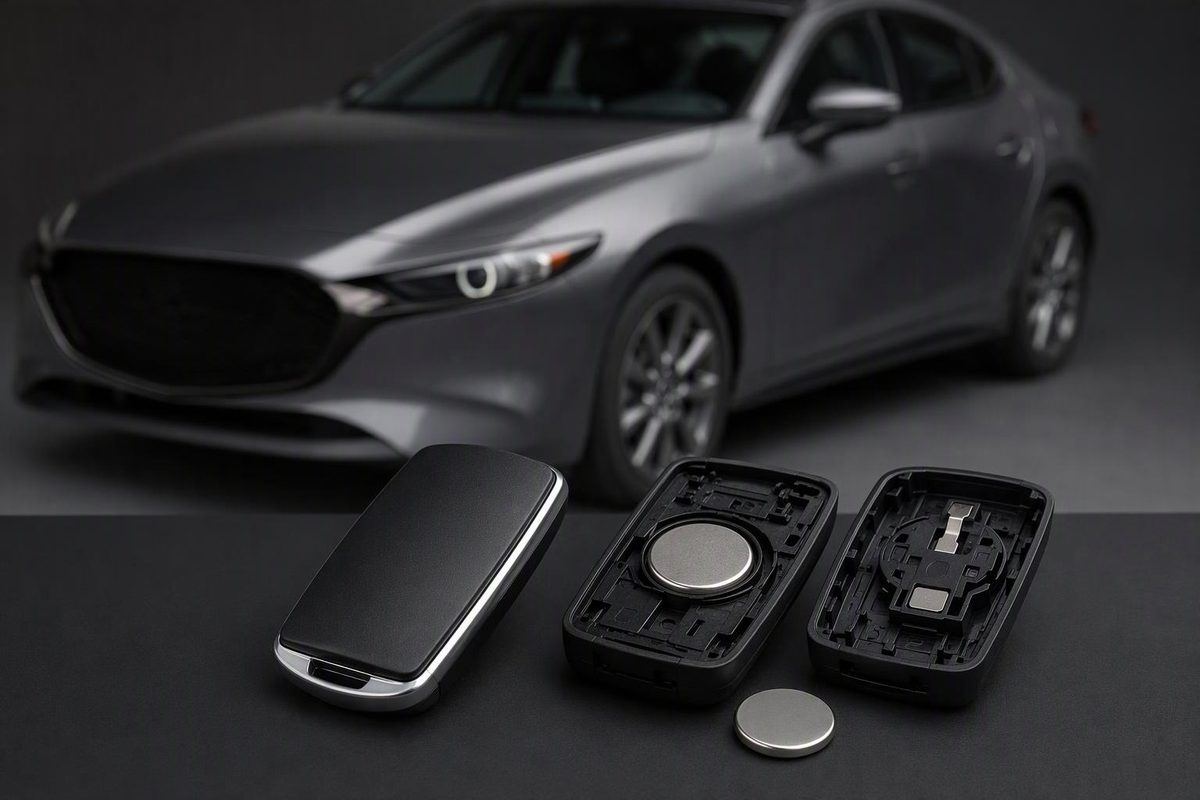
Diagnose Mazda3 remote and key-not-detected faults, verify CR2025 vs CR2032, check power-saving mode, and use model-specific backup starting steps.
Start by separating three problems: the remote buttons do not work, the door handle does not recognize the key, or the engine will not start. Those symptoms do not automatically mean the fob needs replacement or programming.
Identify your Mazda3’s model year, market and fob design before opening it. The procedures below use U.S. Mazda manuals for 2017, 2020 and 2026 as examples—not one instruction set for every Mazda3.
Locked out or unable to start?
Use the auxiliary key for entry
For the 2020 U.S. Mazda3 fob, press the release knob and remove the lower cover, then take out the auxiliary metal key. Pull the driver’s door handle, insert the key into the cylinder and turn it toward unlock. Return it to its original position before removing it. This mechanically unlocks the driver’s door; it does not repair remote operation. See Mazda’s key-removal instructions and auxiliary-key entry procedure.
For another year or a different handle design, follow that vehicle’s manual rather than prying off trim by guesswork.
Use the documented dead-battery start
For the 2020 U.S. push-button-start Mazda3:
- Apply the parking brake. With an automatic transmission, select Park and hold the brake pedal firmly. With a manual, hold the clutch fully down and keep the brake applied.
- Check that the start-button indicator flashes green.
- Align the center of the Mazda emblem on the fob with the center of the start button while the indicator flashes.
- Once the indicator turns steady green, press the start button. Keep the required pedal depressed until the engine has completely started.
Keep other keys, metal objects and electronic access devices away from the fob during this attempt. Mazda says to repeat the procedure if the green indicator does not illuminate, then seek dealer inspection if it still fails. An amber flashing start-button indicator also calls for inspection. See Mazda’s starting precautions and 2020 backup-start instructions.
The contact orientation differs on the illustrated 2017 fob: Mazda specifies touching the back of the key to the start button with the lock-button side facing up. Use its 2017 instructions, not the newer emblem instruction. This method does not apply to a conventional ignition-key Mazda3.
1. Compare the failed fob with a working spare
Test one key at a time, keeping the other away from the vehicle. For remote-button testing, switch the ignition fully off; the 2020 manual says the keyless-entry system does not operate in other ignition positions.
| What you observe | What to check next |
|---|---|
| Spare works normally; original does not | Original fob’s battery, installation, power-saving mode or damage |
| Buttons work, but passive entry and normal starting do not | Power-saving mode on an equipped fob; interference |
| Both keys fail, but the vehicle’s electrics appear normal | Operating conditions, interference or a vehicle-side fault; normal-looking lights alone do not rule out a 12-volt battery problem |
| Both keys fail and the dashboard/interior electrics are weak or dead | Have the vehicle’s 12-volt battery and power supply checked before buying fobs |
| One door remains locked after an all-door unlock command while others unlock | Investigate that door’s lock rather than assuming the entire fob is dead |
These comparisons narrow the fault; they do not identify a failed receiver or antenna by themselves. Driver-door-only unlocking can be a normal setting, so confirm you have requested all-door unlocking before treating it as a fault. Mazda’s door-lock guidance
Move the fob away from your phone, metal case and other electronics. If you can safely move the car, test somewhere else. Mazda specifically lists phones, metal objects, nearby radio equipment and aftermarket electronics as possible causes of interference. The 2020 manual also describes a key suspend function: if a key left inside the vehicle has been temporarily disabled, press Unlock on that key inside the vehicle to restore its functions. Mazda’s keyless-system precautions and suspend function
2. Check power-saving mode if the buttons still work
The 2020 Mazda3 manual describes a transmitter power-saving function that disables advanced keyless entry and normal push-button-start recognition while leaving the remote buttons operational. In that mode, the fob’s indicator does not flash when a button is pressed.
That combination—working remote buttons, no indicator flash, failed proximity functions—is more useful than “no light” alone, which can also indicate a battery problem.
If your exact manual includes this feature, turn it off using Mazda’s sequence:
- Press a fob button and confirm that the operation indicator does not light or flash.
- Press Lock four times within three seconds to illuminate the indicator.
- While the indicator is lit—it stays lit for five seconds—press and hold Lock for at least 1.5 seconds.
- Retest the buttons, passive entry and normal starting.
This is a power-saving toggle, not a programming reset. Do not repeat it blindly: a similar sequence enables the mode. Mazda’s power-saving instructions
If only the 2020-style touch-sensitive door handle fails, remove gloves and dirt, avoid touching the lock and unlock sensing areas simultaneously, then release the sensor and wait about three seconds before retrying. Mazda’s handle-sensor checks
3. Replace the correct battery—not whichever coin cell fits
Reduced range, inoperative buttons or a low-key-battery message justify checking the cell. Match the fob to the manual illustration and verify the installed battery’s full code, especially if someone previously replaced it.
| Documented U.S. Mazda3 example | Specified battery | Installation |
|---|---|---|
| 2017 illustrated fob | CR2025 | Positive side up; preserve the rubber ring beneath the battery cap |
| 2020 illustrated fob | CR2032 | Positive side up; reinstall the battery cap and both covers |
| 2026 illustrated fob | CR2032 | Positive side up; follow the matching cover-release procedure |
Use a tape-wrapped flathead screwdriver only at the locations shown in the matching manual. Mazda warns against touching circuitry, bending terminals or getting dirt inside. Keep loose coin cells away from children.
If it stopped working immediately after replacement, reopen it carefully and verify the cell code, polarity, seating, battery cap and case alignment. Try another fresh cell of the specified type before paying for programming. Stop if you find damaged contacts, corrosion or a broken case. See our after-battery-change checks for a focused checklist.
4. Know when to stop and seek service
The cited Mazda battery-replacement procedures end with reassembly; they do not prescribe a pairing reset. Do not treat an unrelated door-opening or ignition-cycling sequence as a universal Mazda3 fix.
Seek diagnosis when a correctly installed fresh battery and the applicable mode/interference checks do not help, both keys fail, or the documented backup start fails. Have vehicle power checked as part of that diagnosis rather than assuming it is healthy because the dashboard lights up.
Engine authorization is separate from remote locking: the immobilizer allows starting only with a recognized key. Mazda directs immobilizer faults and lost-key code resetting to an Authorized Mazda Dealer, with all remaining keys brought along for the reset. Those are electronic-code service tasks, not the power-saving button toggle. Mazda’s immobilizer guidance
Before authorizing a replacement, provide the model year, VIN, battery code, spare-key results, exact warning message and whether backup starting works. Ask for the existing fob and vehicle-side system to be checked first.