
Honda Pilot Key Fob Battery: Match the Remote Before Replacing It
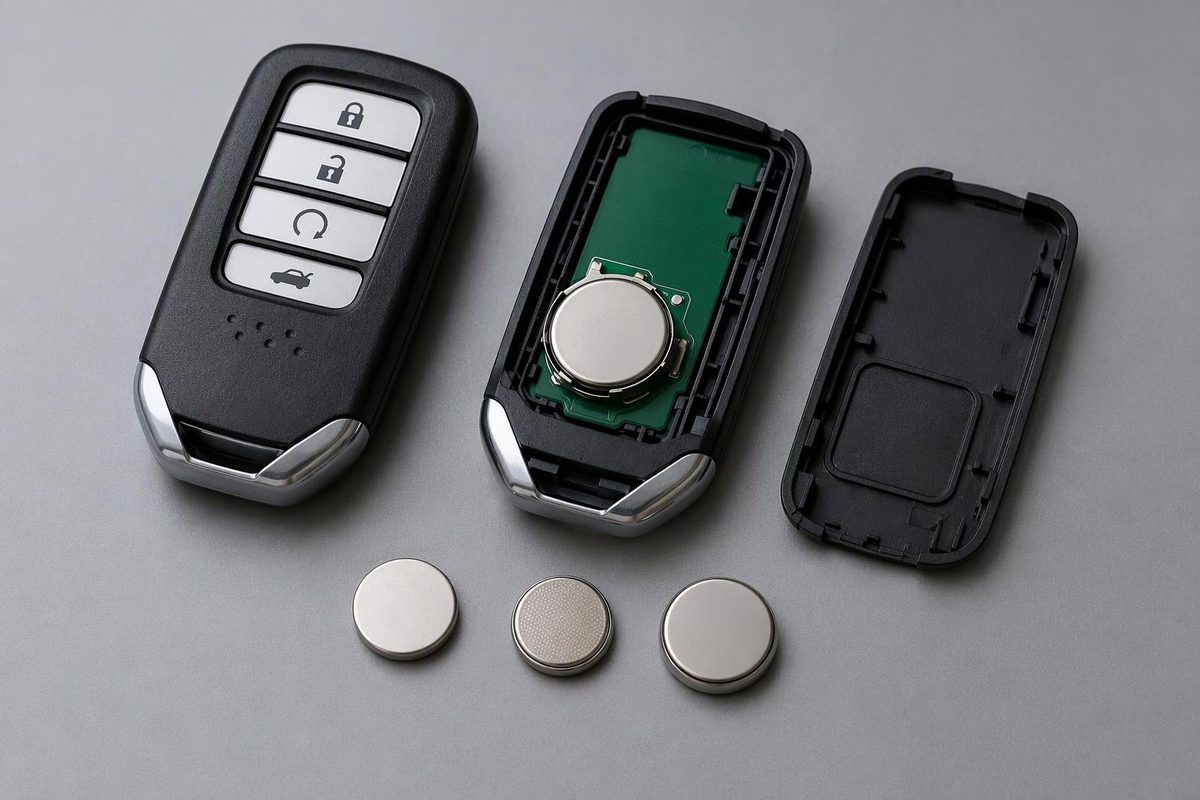
Identify your Honda Pilot remote’s CR2032, CR1616 or CR2025 battery, follow the matching replacement steps, and check a fob that still won’t work.
There isn’t one battery for every Honda Pilot key fob. Honda documents a CR2032 for the 2023 and 2025 keyless remotes, while older Pilot designs use CR1616 or CR2025 cells. Match your physical remote—not just the vehicle name—before buying a battery or opening the case.
Which battery does your Pilot remote take?
These documented examples help identify the design; they are not a complete year-by-year compatibility chart.
| Pilot remote | Battery | Identification and source |
|---|---|---|
| 2023 and 2025 keyless remote | CR2032 | Removable built-in metal key; Honda’s 2023 instructions and 2025 instructions specify this cell. |
| Older integrated key-and-remote design | CR1616 | Honda dealer parts data lists CR1616 fitment for 2005–2015 Pilots. Confirm against your exact remote and manual, especially with a replacement remote. |
| 2004 separate remote with a round rear battery cover | CR2025 | The 2004 Honda owner’s manual specifies CR2025 and a coin-operated cover. |
If your remote differs, check your vehicle’s manual and the markings inside the battery compartment. For an aftermarket remote, use its manufacturer’s specification. Record the old cell’s full code and photograph its orientation before removing it; if a previous replacement may have been wrong, check the manual rather than copying it.
Stop if the opening method below does not match your remote. A round battery cover, a screw-fastened key head and a removable-key smart fob open differently.
Replace the battery using the matching method
Work over a clear tabletop so loose buttons or a small screw cannot disappear. Keep both new and used coin cells away from children: Honda warns that swallowing one can cause severe internal burns or death. Seek immediate medical attention for suspected swallowing. Follow local battery-disposal rules. Honda battery safety guidance
Removable-key smart fob: documented 2023 and 2025 designs
You need a CR2032, a soft cloth and a small flat-tip screwdriver.
- Remove the built-in metal key.
- Hold the remote with the buttons facing down, as specified in the 2025 instructions.
- Wrap the key grip in a cloth and gently pry at the designated slot to separate the cover. Keep the buttons in place.
- Photograph the battery orientation. Use a cloth-wrapped flat-tip screwdriver at the battery’s edge to lift it out.
- Install the new CR2032 with the correct polarity, following the compartment markings and manual illustration.
- Align and close the cover, then reinstall the metal key.
Honda specifies this opening method and correct-polarity replacement in its 2023 and 2025 manuals. Don’t force the shell closed if the cell or buttons are displaced.
Screw-fastened remote-head key: 2009–2015 design
For the remote-head design identified by specialist instructions as FCC IDs KR55WK49308 or CWTWB1U545:
- Remove the small rear screw with a correctly fitting Phillips screwdriver.
- Remove the back cover and lift out the internal remote module.
- Release the module’s plastic cover tabs to reach the battery.
- Record polarity, remove the old cell and slide the matching CR1616 under the two side tabs before seating it beneath the remaining tab.
- Close the module and return it face-down to the key shell. Align and close the back cover, then reinstall the screw.
These steps are described in KeyBatteryFinder’s 2009–2015 Pilot guide; the battery specification is corroborated by the Honda dealer parts listing above. If the screw starts to strip or the module will not release gently, stop rather than forcing it.
Separate remote with a round rear cover: 2004 design
Use a coin to turn the round cover counterclockwise. Replace the battery with a CR2025, positive (+) side facing up. Align the cover’s triangle mark with the remote’s circle mark, seat the cover and turn it clockwise. This is Honda’s procedure for the 2004 remote—not the opening method for a newer smart fob.
Test before considering programming or replacement
With the vehicle parked and access secured, test lock and unlock. On equipped vehicles, also test proximity entry and normal starting separately.
If the remote still fails:
- Recheck installation: exact cell code, polarity, seating and any displaced buttons. Try another fresh cell of the correct type.
- Compare the spare: if it works, focus on the affected remote. If neither works, don’t assume both coin cells are responsible; vehicle-side diagnosis may be needed.
- Separate the symptoms: remote locking, mechanical entry and authorization to start are different functions. A battery swap is not replacement-key programming.
The cited 2023 and 2025 Honda battery procedures do not include a pairing or reset step. Don’t start a generic ignition-cycling sequence simply because you changed the cell.
If a weak smart-fob battery prevents normal starting, use your year’s backup-start instructions. For example, the 2016 Pilot Owner’s Guide says to touch the remote’s back to the flashing ENGINE START/STOP button, then press the button within 10 seconds with the brake depressed. That is a backup-start procedure, not a reset.
For a damaged or persistently unresponsive remote, see Honda Pilot key-fob replacement and programming before buying a replacement.