
How to Replace a Pilot Key Without Buying the Wrong Fob
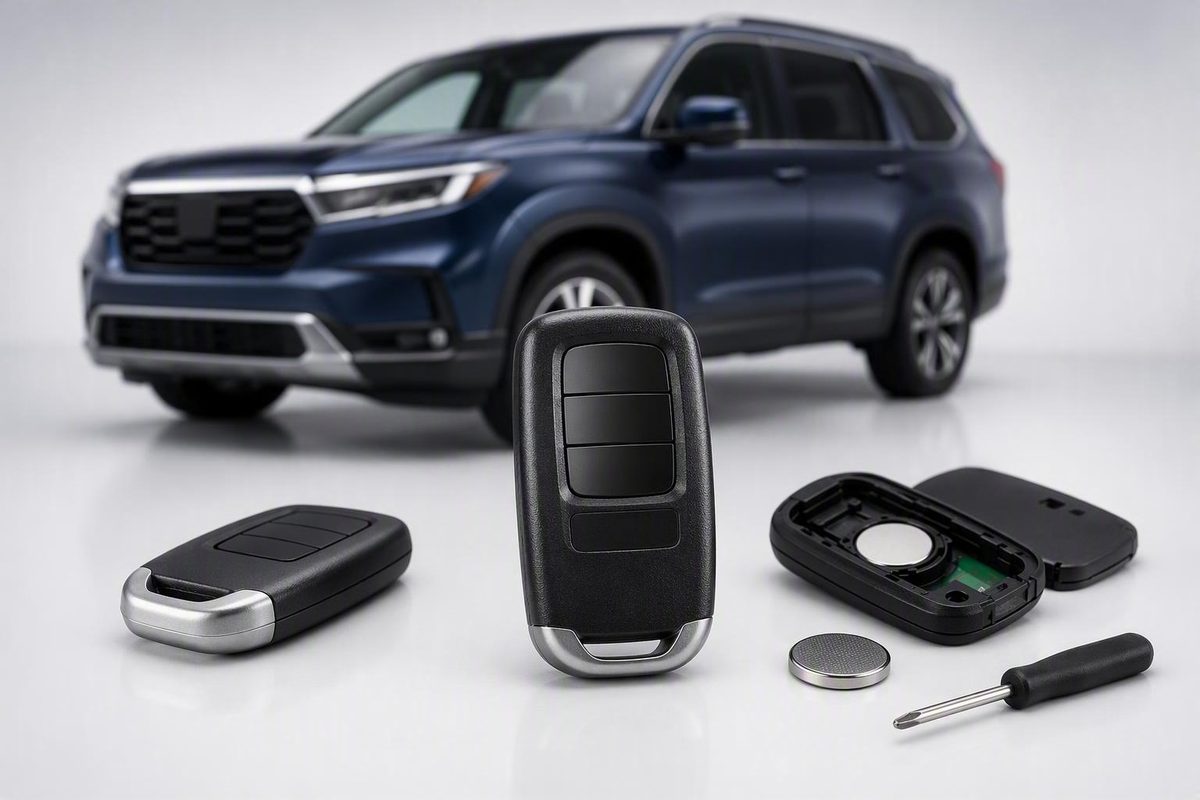
A Honda Pilot key fob replacement is not simply a matter of finding a remote that looks right. A complete job may involve four separate decisions:
- Whether the complete fob actually needs replacement
- Which hardware matches the vehicle
- Who can pair the remote and register its immobilizer credential
- Whether the mechanical emergency key must also be supplied and cut
The answers vary by Pilot configuration, ignition system, and installed features. A low online price can become an expensive mistake if the fob has the wrong electronics, lacks required buttons, cannot be registered, or arrives with an uncut emergency blade.
The safest approach is to diagnose the existing key first, collect multiple compatibility identifiers, and compare complete installed prices—not just product-page prices.
Start Here: Do You Need a Battery, Shell, Blade, or Complete Fob?
Begin by identifying what has failed. A weak battery, cracked case, missing blade, and defective circuit board require different repairs.
Use this repair-versus-replace decision path:
- Reduced range, intermittent response, or a key-not-detected message: Check the coin-cell battery first.
- The key still starts the Pilot and its buttons work, but the case is cracked: Consider replacing only the shell.
- The emergency key is damaged or missing: Ask whether a replacement blade can be supplied and cut without changing the electronics.
- The fob is lost, electronically damaged, irreparable, or confirmed incompatible: Replace the complete fob.
- A fresh battery does not solve the problem: Test another recognized key if one is available, then investigate both fob-side and vehicle-side causes.
Check the battery before buying a fob
A weak coin cell can cause reduced range, inconsistent button response, failed passive entry, or a key-detection warning. Use the battery specification printed on the old battery or shown in the applicable vehicle information. Do not assume that every Pilot fob takes the same battery.
Open the case carefully and record the battery number, polarity, and position before removing it. If the battery cannot be identified, match the fob by its exact identifiers rather than selecting a battery from a generic Pilot list. For more general diagnostic context, see this guide to key-fob battery warning signs and replacement.
Changing the coin cell normally should not erase the existing programming, according to general Honda key-fob guidance published by Piedmont Honda. If the fob stops working immediately after a battery change, recheck polarity, seating, contact tabs, and case closure before assuming that programming was lost.
Replace the shell when the electronics still work
A cracked housing, broken key-ring loop, collapsed button cover, or loose case does not automatically justify replacing the electronics. If the circuit board, transponder, and button contacts remain functional, a compatible shell may restore the key.
The replacement shell must accept the correct blade and align with the existing switches. Transfer the circuit board and any separate transponder component carefully. A shell that looks correct but presses the wrong switches can create new problems.
Test the key before and immediately after the transfer. Confirm engine starting, every remote button, and passive-entry functions if equipped. Keep the old shell until the replacement has passed all tests.
Replace or cut the emergency blade separately
Many proximity fobs contain a hidden mechanical key that can operate the driver’s-door lock when electronic entry is unavailable. Its function is separate from the fob’s electronics.
A missing or damaged blade may be replaceable without changing the fob. The replacement will generally be supplied as an uncut blank and must be matched to the vehicle. Ask whether the provider can duplicate a working blade or cut one using vehicle information, what ownership documentation it requires, and whether the blade and cutting are included in the quote. A third-party Pilot replacement guide likewise treats battery, case, blade, and complete-fob replacement as separate remedies and notes that a new blade requires professional cutting.
Do not treat an included blank as a finished backup. Until it has been cut and tested in the door, it is only an uncut piece of hardware.
Replace the complete fob only when justified
Complete replacement makes sense when:
- The fob has been lost
- Its circuit board or transponder is damaged
- Water or impact damage has made operation unreliable
- The remote is incompatible with the vehicle
- Internal damage cannot be repaired economically
- Battery and vehicle-side checks indicate that the fob is the likely failure
A commercial smart-key guide reports a Start/Stop switch issue associated with certain 2016–2017 Pilots. Treat that report as a reason to request vehicle-specific diagnosis—not as proof that the switch is causing a particular warning—because the available source is not official Honda service documentation (retailer guide discussing the reported issue).
Identify Your Pilot’s Key System Before Shopping
Pilot keys fall into broad functional categories. Use these for orientation, not as a definitive year-by-year fitment table.
Separate remote: A handheld remote controls locks or other convenience functions, while a separate mechanical key starts the vehicle.
Remote-head or transponder key: The blade and remote buttons share a housing. A transponder inside the key must be recognized by the immobilizer before the engine can start.
Proximity smart key: The fob communicates with a keyless-access and push-button-start system. Depending on the vehicle, it may also support passive entry, remote start, power-liftgate control, panic, or driver-memory functions.
Older keyed-ignition systems and newer push-button systems are useful broad categories, but exact requirements depend on the vehicle. A seller’s model-year classification is not official Honda fitment confirmation.
One replacement may require three separate jobs
A complete replacement can involve:
- Remote pairing: Enables lock, unlock, panic, liftgate, or other remote buttons.
- Immobilizer registration: Authorizes the transponder or smart-key credential so the engine can start.
- Mechanical-key cutting: Shapes the emergency blade to operate the physical lock.
These jobs are related but not interchangeable. A provider may quote “programming” without stating whether that includes remote pairing, immobilizer registration, or both. A product may include an emergency blade even though cutting is excluded.
This distinction explains why a replacement can lock and unlock a Pilot but still fail to start it. In that situation, the remote-control portion may have been paired while the immobilizer credential remains unauthorized. Pilot owners have described this split in older-system troubleshooting discussions, but the correct remedy depends on the vehicle and hardware rather than a universal forum procedure (Pilot owner discussion).
Button count is part of compatibility
Smart-key listings may differ by:
- Lock and unlock buttons
- Panic button
- Remote-start button
- Power-liftgate button
- Driver 1 or Driver 2 designation
- Driver-memory support
Do not assume that an extra button is harmless or that a missing button can be ignored. The visible configuration may correspond to different electronics or vehicle options.
The available evidence does not include a manufacturer-verified Pilot parts and service table, so a definitive year-by-year fitment matrix would be misleading. Verify the exact vehicle and original key instead.
The Compatibility Checklist: What Must Match
Use this master checklist when contacting a seller, locksmith, or dealership.
Honda Pilot replacement-fob checklist
Vehicle and original-key identification
- [ ] Complete VIN
- [ ] Model year
- [ ] Trim level
- [ ] Keyed ignition or push-button start
- [ ] FCC ID from the original fob
- [ ] Honda part number from the original fob
- [ ] Transmitter frequency, if shown
- [ ] Exact button count, symbols, and order
- [ ] Remote-start support
- [ ] Power-liftgate support
- [ ] Driver-memory support
- [ ] Driver 1 or Driver 2 designation
- [ ] Mechanical keyway or blade type
Product condition and included parts
- [ ] New OEM, new aftermarket, used OEM, or refurbished OEM
- [ ] Seller’s OEM claim independently checked
- [ ] Battery included or excluded
- [ ] Emergency blade included or excluded
- [ ] Blade cut or uncut
- [ ] Used fob unlocked, reset, or reusable as required
- [ ] Written warranty
- [ ] Return deadline
- [ ] Cutting or programming exclusions
Service scope
- [ ] Remote-button pairing included
- [ ] Immobilizer registration included
- [ ] Emergency-key cutting included
- [ ] Used-fob unlocking available if needed
- [ ] Customer-supplied hardware accepted
- [ ] Failed-attempt or diagnostic fee disclosed
- [ ] Missing-key deletion available if requested
- [ ] Written compatibility confirmation obtained
Why appearance and model year are not enough
Two remotes can share the same case while using different frequencies, keyways, electronics, or feature configurations. One third-party Pilot catalog separates products by FCC ID, part number, frequency, button count, condition, and keyway, and warns that visually identical fobs may not be equivalent (third-party Pilot catalog).
Model year alone is therefore insufficient. Matching the FCC ID is important, but the available evidence does not show that FCC ID alone guarantees compatibility. The part number, features, button arrangement, keyway, and vehicle configuration still need to agree.
If you still have an original fob
Photograph:
- The front and back
- Every button
- The label and printed identifiers
- The emergency blade
- Any Driver 1 or Driver 2 marking
Record the FCC ID and part number exactly, including spaces, suffixes, and revisions. Compare the replacement’s button layout function by function instead of merely counting buttons.
If the label has worn away, provide the VIN and photographs to a Honda parts department or qualified automotive locksmith. A retailer may also offer VIN-based lookup, but that is retailer fitment assistance rather than manufacturer confirmation.
If every original fob is missing
Start with the VIN. Ask a Honda parts department or qualified automotive locksmith to identify the required hardware and feature configuration. Tell the provider whether the Pilot has:
- Push-button start
- Remote start
- A power liftgate
- Driver-position memory
- A numbered driver-key arrangement
Do not order from a photograph alone. If an online retailer identifies the product using the VIN, request the FCC ID, part number, button configuration, condition, and programming requirements in writing before paying.
Treat retailer fitment ranges as leads, not proof
Captured retailer examples associate KR5V2X V44 with some 2016–2018 five-button Pilot fobs and KR5V44 or KR5T44 with some 2019–2022 products. Those examples can narrow a search, but they do not establish that every Pilot in those years uses those identifiers. The same captured catalog distinguished four- and five-button products within overlapping years and showed different FCC IDs and part numbers (retailer listings).
Before ordering, send the seller your checklist and ask:
Please confirm in writing that this exact fob is compatible with my VIN, including engine starting, immobilizer registration, remote start, power liftgate, driver-memory functions, and mechanical keyway. If it cannot be programmed after a documented attempt, may I return it?
The written answer and return policy may be more valuable than a small difference in hardware price.
OEM, Aftermarket, Used, or Refurbished: Which Fob Should You Buy?
There is no universally best category. Compare total installed cost, condition, return rights, warranty, programmability, and the service provider’s willingness to stand behind the result.
| Fob type | Potential advantages | Main risks | Questions to ask |
|---|---|---|---|
| New OEM | New condition; original-design hardware; potentially simpler single-provider warranty | Usually higher purchase price; seller’s “OEM” claim still requires verification | Is it genuine, new, complete, and correct for the VIN? |
| New aftermarket | Often lower hardware price; multiple sellers may stock it | Quality and compatibility vary; programmer may not guarantee it | Has the provider programmed this exact brand and identifier before? |
| Used OEM | Original hardware at a potentially lower price | May remain associated with another vehicle; wear and unlocked status may be unknown | Can it be reused, and who guarantees unlocking and registration? |
| Refurbished OEM | Original hardware may have been restored; potentially cheaper than new | Refurbishment quality varies; product was previously used | What was replaced, tested, and warrantied? |
New OEM
A correctly identified new OEM fob may provide a straightforward route when the supplier will also register, cut, and warranty it. Do not rely only on the word “OEM” in a listing. Ask for the Honda part number, packaging status, condition, and written return terms.
A higher bundled price may reduce risk when one provider supplies the hardware and performs the work. That is only a potential advantage, however. Verify in writing who pays for diagnosis, replacement hardware, repeat programming, cutting, and labor if the first attempt fails.
New aftermarket
Aftermarket hardware can reduce the purchase price, but the programmer may treat compatibility as the customer’s responsibility. Ask whether the dealership or locksmith has successfully registered that exact brand or identifier to the same type of Pilot system.
Several captured 2019–2022 aftermarket listings showed hardware prices of approximately $30–$50, but the displayed products were unavailable when captured, and compatibility, cutting, batteries, programming, taxes, and current pricing were not established. Treat these as undated listing examples, not current offers or complete replacement prices.
A cheap remote can become the more expensive option if the provider charges an attempt fee when registration fails.
Used OEM
A used OEM fob may remain associated with its previous vehicle. Depending on the hardware, it may need professional unlocking, resetting, or “virginizing” before it can be registered again. Not every fob can be reused, and not every provider offers or guarantees that service. A commercial smart-key guide likewise warns that used units may require unlocking, but this remains provider- and hardware-dependent rather than a universal Honda rule.
Before buying, ask a local programmer:
- Can you work with a used fob for this exact Pilot?
- Must it be unlocked first?
- Can you perform or verify that work?
- Do you charge if registration fails?
- Will you guarantee the result?
Do not accept “tested” as a complete answer. A fob may transmit or illuminate an indicator yet still be unsuitable for registration to another vehicle.
Refurbished OEM
“Refurbished” can mean anything from cleaning and battery replacement to component-level repair. Ask what was replaced, what was tested, and whether programmability is guaranteed.
In an undated captured seller listing, a refurbished five-button Driver 2 fob identified as KR5V2X V44 for 2016–2018 Pilots was advertised at $33.77. The listing included a new uncut emergency key but excluded the CR2032 battery, cutting, and professional programming. Price and availability may have changed, and the listing does not prove compatibility beyond the seller’s stated application (captured product listing).
That example shows why product price and ready-to-use price are different numbers.
Compare accountability, not just hardware
A package supplied and programmed by one provider can make responsibility clearer, but only if the written warranty covers the relevant hardware and labor.
With customer-supplied hardware, responsibility can become divided:
- The seller blames the programmer
- The programmer blames the fob
- The return window expires
- Cutting makes the product nonreturnable
- Attempt fees remain due without a working key
Before ordering online, obtain the programmer’s approval of the exact listing. Save the product description, compatibility confirmation, warranty, and return policy.
What Honda Pilot Key Fob Replacement Really Costs
The useful comparison is an itemized out-the-door total. A low-cost fob plus separate programming and cutting charges should not be compared directly with a complete supplied-and-programmed package.
Total-cost worksheet
| Cost item | Quote 1 | Quote 2 | Quote 3 |
|---|---|---|---|
| Replacement fob or key hardware | |||
| Remote-button pairing | |||
| Immobilizer registration | |||
| Emergency-key blade | |||
| Emergency-key cutting | |||
| Coin-cell battery | |||
| Used-fob unlocking or reset | |||
| Diagnostic or programming-attempt fee | |||
| Mobile-service or travel fee | |||
| All-keys-lost surcharge | |||
| Towing, if actually required | |||
| Shipping | |||
| Taxes | |||
| Written warranty included? | |||
| Out-the-door total |
Online listings commonly show hardware prices rather than complete installed prices. A photograph containing a blade or battery does not prove that either is included, cut, installed, or ready for use.
Why published price examples vary so much
Pilot-specific owner reports illustrate variation but do not establish a normal national range. In one forum discussion, a participant reported paying about $135 to a locksmith for a 2011 Pilot key, fob, and programming. In the same discussion, an owner seeking a second key for a 2023 Pilot reported programming quotes from $100 to $500, while another participant described a quote of $100 for the fob plus $150 for programming. These are pseudonymous anecdotes involving different vehicles, locations, providers, and scopes of work (Pilot owner price discussion).
For another illustration, a mechanic responding through JustAnswer estimated approximately $60–$80 to program a 2017 Pilot replacement fob. That was an individual, nonofficial estimate—not Honda pricing or a universal rate (JustAnswer mechanic’s estimate).
Piedmont Honda published a general modern-Honda estimate of $150–$400 for an OEM fob plus $100–$200 for programming and key-cutting labor in June 2026. Those figures are dealership-published guidance, not Pilot-specific pricing, a national average, or a guaranteed quote (dealership estimate).
Get at least two quotes with the same scope
A dealer quote may include an OEM part, VIN verification, immobilizer registration, and cutting. A locksmith’s quote might cover programming only. An online listing may cover nothing but an unprogrammed fob.
Use this script:
I have a [year] Honda Pilot [trim] with [keyed ignition/push-button start]. I have [number] working keys and need [a spare/to replace one lost key/all-keys-lost service].
Please provide an itemized out-the-door quote showing whether it includes:
- The exact replacement hardware
- Remote-button pairing
- Immobilizer registration for engine starting
- Emergency blade and cutting
- Battery
- Tax
- Mobile travel
- Diagnostic or failed-attempt fees
- Written warranty
- Removal of the missing credential from the authorized-key list
If I supply the fob, will you confirm compatibility in advance, and what happens if it cannot be programmed?
Also ask whether the quote changes if the Pilot cannot be driven, no working key remains, or a used fob requires unlocking.
Dealer, Automotive Locksmith, or DIY Programming?
A Honda dealership and a qualified automotive locksmith can both be reasonable options. Neither is universally cheaper, and neither should be assumed capable of every Pilot system without confirmation.
Honda dealership
A dealership may be attractive when:
- You want the provider to identify and supply the hardware
- System coverage is uncertain
- You prefer one party to handle parts, registration, and cutting
- A previous programming attempt failed
- You want VIN-based parts identification
Ask whether the quoted part is new OEM, whether cutting is included, whether every retained key must be present, and what happens if diagnosis reveals a vehicle-side fault instead of a defective fob.
Qualified automotive locksmith
The important qualifier is suitably equipped: general residential locksmith work does not establish automotive programming capability.
Ask:
- Does your equipment support my exact Pilot configuration?
- Can you add a key while one recognized key remains?
- Can you perform all-keys-lost service?
- Does your service include immobilizer registration?
- Can you cut and test the emergency blade?
- Can you unlock or reset this exact used fob?
- Will you work with customer-supplied hardware?
- Is successful programming guaranteed?
- Is there a diagnostic or attempt fee if the fob is incompatible?
Automotive editorial guidance notes that dealerships and many automotive locksmiths have equipment for transponder-key programming, while owner programming is not available for every vehicle or key. Capability should be confirmed before purchasing hardware (Edmunds replacement-key guide).
DIY is limited by what “programming” means
Generic online instructions often describe cycling the ignition and pressing remote buttons. Such procedures may apply to certain remote-control functions or older systems. They should not be treated as a universal Pilot method, and successful lock-button pairing does not prove that the immobilizer credential has been registered.
The available instructions conflict on ignition positions, timing, and applicable vehicles. For that reason, this guide does not reproduce a single step-by-step sequence.
Modern smart-key immobilizer registration generally requires compatible diagnostic equipment. That does not necessarily mean dealership-only service; an appropriately equipped automotive locksmith may be able to perform the work.
Tool coverage must also be verified. In one owner-forum report, a programmer expected to support the previous Pilot generation failed on a fourth-generation vehicle. That is a single anecdote, not a complete tool-compatibility test, but it shows why generic coverage claims are insufficient (reported scanner failure).
Before buying a DIY tool, obtain written confirmation that it supports:
- The exact vehicle configuration
- Add-a-key and, if needed, all-keys-lost procedures
- The specific smart-key or transponder system
- Immobilizer registration rather than remote pairing alone
- The intended replacement fob
- Any required software, credentials, or subscriptions
Choose the Right Workflow: Spare, One Lost Key, or All Keys Lost
The process changes depending on how many recognized keys remain.
Workflow 1: Add a spare while every current key is present
This is the best time to act. A working key helps identify the hardware, keeps the vehicle mobile, and gives you time to compare providers.
- Photograph both sides of the working fob.
- Record its FCC ID, part number, button layout, and driver designation.
- Collect the VIN, trim, ignition type, and feature information.
- Decide which hardware category you are considering.
- Ask the programmer to approve the exact product before ordering.
- Obtain an itemized quote for hardware, pairing, registration, and cutting.
- Bring every current key to the appointment.
- Test the new key and every retained key before leaving.
A spare with an uncut emergency blade is not a complete mechanical backup. Include cutting unless you knowingly accept that limitation.
Workflow 2: Replace one lost key while another still works
Do not delay simply because the remaining key works. Losing it would turn a routine replacement into an all-keys-lost job.
- Secure the retained key.
- Record its identifiers and the VIN.
- Tell the provider that another credential is missing.
- Ask whether the missing credential can be removed from the authorized-key list.
- Bring every retained key to the appointment.
- Ask whether retained keys must be enrolled together during the procedure.
- Confirm that the replacement will support every required feature.
- Test every key after programming.
Deleting a missing credential is a security question, not merely a convenience. Do not assume deletion happens automatically. Ask what the procedure will do and request that the answer appear on the work order.
Some programming sessions may require retained keys to be enrolled together. The evidence does not establish universal erasure behavior or a fixed maximum number of keys across all Pilot systems, so bring every key rather than relying on a generic rule.
Workflow 3: Recover when every key is lost
Mobile service may be available. Towing is possible in some situations but is not always required.
- Contact a Honda dealership and at least one automotive locksmith that handles all-keys-lost Honda work.
- Provide the VIN, vehicle configuration, location, and ignition type.
- Ask whether the work can be completed where the Pilot is parked.
- Confirm the identification and proof of ownership required.
- Verify hardware availability before arranging towing or travel.
- Request separate prices for the fob, registration, blade, cutting, mobile service, and any all-keys-lost surcharge.
- Confirm how many new keys will be created and which old credentials will remain authorized.
- Test electronic entry, engine starting, and the mechanical blade before accepting the work.
Do not approach newer Pilot systems using assumptions drawn from older keyed-ignition procedures or generic scanner advertising. Verify actual software and tool coverage with the provider.
Bring this preparation packet
For any workflow, assemble:
- Complete VIN
- Registration or other ownership evidence requested by the provider
- Government-issued photo identification
- Every retained key and remote
- Photographs and identifiers from the original fob
- Trim, ignition type, and feature list
- Online product listing if supplying hardware
- Written compatibility confirmation
- Itemized quote
- Seller’s return and warranty terms
What to Verify Before Paying—and What to Test After Programming
A replacement is not complete merely because the doors unlock. Verify the product, service scope, and finished functions in stages.
Before ordering the fob
Using the master checklist above, confirm:
- Exact vehicle fitment
- FCC ID, part number, and frequency when available
- Button symbols and supported functions
- Driver designation where applicable
- Mechanical keyway
- Product condition
- Battery and blade inclusion
- Whether the blade is cut or blank
- Used-fob lock or reset status
- Warranty and return deadline
- Whether cutting or programming affects return rights
- Who pays if programming fails
Save a copy or screenshot of the listing. Product descriptions, availability, and return terms can change.
Before the programming appointment
Confirm that the provider can:
- Program that exact fob
- Pair all supported remote functions
- Register its immobilizer credential
- Cut the correct blade
- Handle customer-supplied hardware
- Unlock a used fob if required
- Remove a missing credential if requested
- Re-enroll retained keys when necessary
- Explain diagnostic and failed-attempt charges
- Provide a written warranty
If a provider says only that it can “program Honda keys,” request confirmation for the exact vehicle and system.
After programming
Test the replacement and every retained key one at a time.
Starting and recognition
- Start the engine normally.
- Turn it off and restart it.
- Confirm passive recognition if equipped.
- Check that no immobilizer, key-not-detected, or keyless-start warning remains.
Remote buttons
- Lock
- Unlock
- Panic
- Power liftgate, if equipped
- Remote start, if equipped
Proximity functions
- Passive entry at the driver’s door
- Passive entry at other supported doors
- Touch-lock or walk-away behavior, if applicable
- Starting with the fob in its normal cabin position
Driver functions
- Driver 1 or Driver 2 identification
- Seat-memory response
- Mirror-memory response
- Other applicable key-linked settings
Mechanical backup
- Remove the emergency blade.
- Insert it into the driver’s-door lock.
- Confirm that it turns and operates the lock.
- Check for binding or an incomplete cut.
Range and retained keys
- Test remote operation from a reasonable distance.
- Compare its performance with a known working fob.
- Test every retained key for remote operation and engine starting.
If the buttons work but the engine does not start, do not accept that programming is complete. Remote pairing and immobilizer registration are separate. The replacement is not a usable ignition key until the vehicle authorizes its credential.
Keep the invoice, packaging, FCC ID, part number, any supplied key-code information, and programming documentation. These records can simplify the next replacement.
Honda Pilot Key Fob Replacement FAQs
Can I program a Honda Pilot key fob myself?
Possibly, but only for limited functions on certain systems. Generic ignition-cycle procedures may pair remote buttons on some older vehicles. They should not be assumed to register the immobilizer transponder or work across all Pilot configurations.
Modern smart-key registration generally requires compatible diagnostic equipment. Before attempting DIY work, verify the vehicle, key type, procedure, and tool coverage. A successful door-lock pairing does not prove that the key can start the engine.
Why does my replacement key unlock the Pilot but not start it?
Remote-button pairing and immobilizer registration are separate functions. The replacement may control the locks while its transponder or smart-key credential remains unauthorized for engine starting.
Ask whether immobilizer registration was completed. Also confirm that the key contains the correct transponder and is compatible with the vehicle rather than relying only on appearance or FCC ID.
Will changing the Honda Pilot key-fob battery erase its programming?
Use the battery specification found in the fob or applicable vehicle information, install it in the correct orientation, and avoid damaging the contacts.
If the key stops working after replacement, check battery polarity, seating, freshness, and contact pressure. Persistent trouble may require diagnosis, but it does not automatically mean the programming was erased.
Can a locksmith replace and program a Honda Pilot key fob instead of a dealer?
A qualified automotive locksmith may be able to supply the key, register the immobilizer, pair remote functions, cut the emergency blade, and provide mobile service. Capability depends on the vehicle, equipment, software access, and whether the job involves adding a key or recovering after all keys are lost.
Ask the locksmith to confirm support for the exact system. A Honda dealership is another option, particularly when you want one provider to identify, supply, program, and warranty the hardware. Compare itemized quotes rather than assuming either provider is always cheaper.
Can a used or refurbished Honda Pilot fob be programmed to another vehicle?
Sometimes, but not automatically. A used fob may remain associated with its previous vehicle and may require unlocking, resetting, or virginizing. Some hardware cannot be reused, and some providers will not attempt or guarantee customer-supplied used fobs.
Before buying, have the programmer review the FCC ID, part number, button configuration, condition, and seller’s unlocked-status claim. Confirm the return policy and ask whether an attempt fee remains due if registration fails.
Action plan: Diagnose the problem before buying anything. Collect the VIN and every available identifier from the original fob, then verify the complete button and feature configuration. Obtain itemized quotes from providers that support the exact Pilot system. Choose hardware based on total installed cost, warranty, and return protection—not the lowest listing price. Bring every retained key, ask whether a missing credential can be removed, and test every electronic and mechanical function before leaving.