
Can You Program Your Car’s Fob Yourself—or Do You Need a Professional?
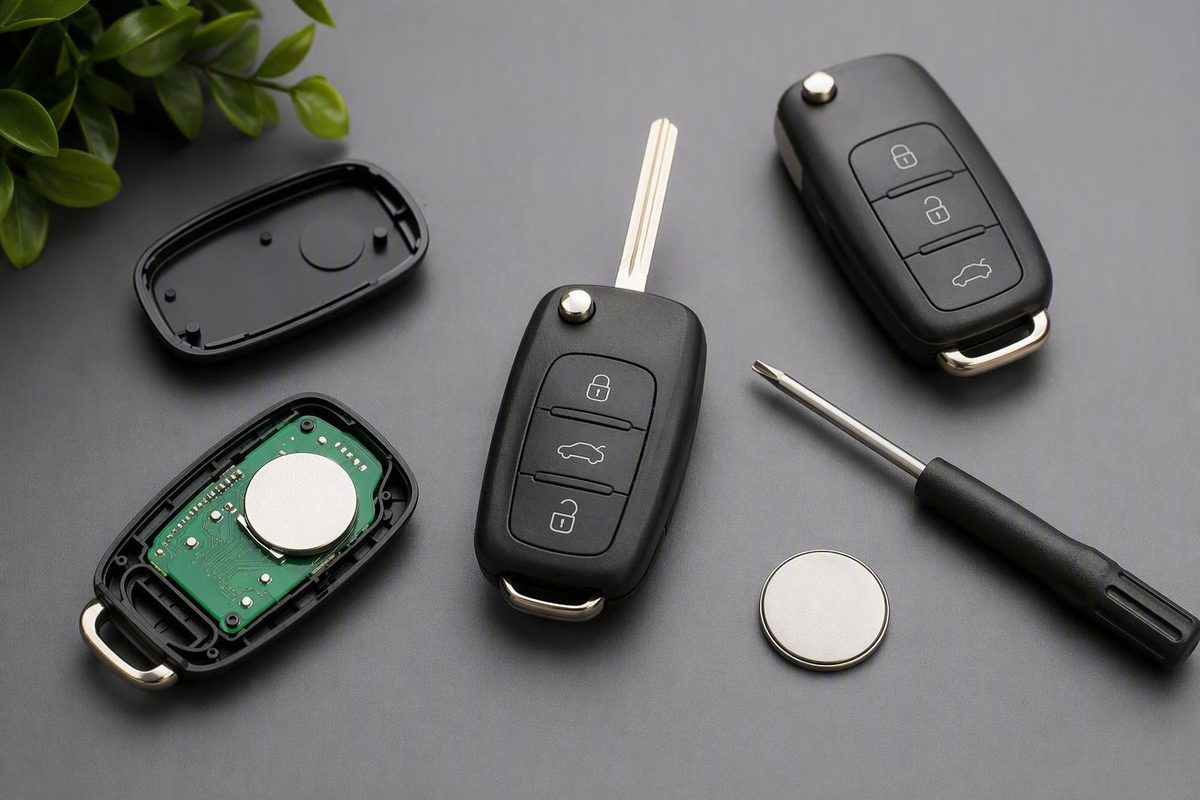
Use vehicle-specific instructions to check DIY eligibility, verify compatibility and working-key requirements, troubleshoot failures or select a provider.
There is no safe universal sequence for key-fob programming. The correct method depends on the exact vehicle, credential type, security system, number of working keys, and whether the task involves remote buttons, engine-start authorization, or both.
Some vehicles have an owner-supported onboard procedure. Others require diagnostic equipment, security access, or professional service. This guide helps you choose the correct path; it does not replace the instructions for your specific vehicle.
Before cycling the ignition, pressing button combinations, or buying a look-alike replacement, identify the system you actually have.
Start Here: Choose the Right Programming Path
Use this decision tree before attempting a key fob program:
-
Identify the vehicle precisely - Year - Make - Model - Trim - Market or region - Ignition type: conventional key, electronic turn-to-start key, or push-button start - Relevant factory options, including passive entry or remote start
-
Identify the credential - Remote-only fob - Transponder key - Remote-head or flip key - Proximity or smart key - Replacement shell only
-
Count the credentials that currently work - More than one working key - One working key - No working keys - Remote buttons work, but no key starts the engine
-
Define the work required - Mechanical blade cutting - Remote-button pairing - Transponder or immobilizer enrollment - Smart-key registration - A combination of these tasks
-
Find instructions for that exact configuration - If the owner’s manual or official manufacturer information provides an onboard procedure matching the vehicle and credential, DIY may be appropriate. - If no exact procedure is documented, do not substitute instructions from a similar model or year.
-
Escalate when appropriate - The system requires diagnostic equipment or security access you do not have. - Every working key has been lost. - The vehicle is in an immobilizer-related fault or rejects all credentials. - The instructions specify professional programming. - A confirmed procedure repeatedly fails. - Hardware compatibility cannot be established.
Basic remote-only systems are generally the strongest candidates for owner pairing. Transponder and smart-key systems are more likely to require specialized access, but the key type alone does not decide the issue. Push-button start increases the likelihood of specialized requirements without proving that DIY is impossible. Commercial programming directories accordingly ask users to search by make, model, and year and acknowledge that some vehicles require professional equipment (Locksmith Keyless programming guidance).
Do not rely on rules such as “anything before this year is DIY” or “every newer car must go to a dealer.” Requirements may differ between years, trims, regions, ignition systems, and credentials that appear similar.
How to locate the controlling instructions
Use this retrieval process:
- Find the VIN and confirm the vehicle’s year, model, trim, market, and ignition type.
- Open the owner’s manual supplied with the vehicle or locate the manual through the manufacturer’s owner-support website.
- Search the index for Keys, Key Fob, Keyless Entry, Remote Keyless Entry, Smart Key, Passive Entry, Transmitter, or Immobilizer.
- Confirm that the procedure covers the correct task: remote synchronization, engine-start enrollment, or both.
- Check whether the instructions require existing recognized keys, diagnostic equipment, or all remotes to be present.
- If the owner’s manual contains no procedure, consult official manufacturer service information or ask a qualified provider to confirm support for the exact configuration.
Practical rule: Attempt DIY only when authoritative documentation confirms an onboard procedure and you have the compatible credential and required working keys. Otherwise, ask a qualified automotive locksmith or dealership about the exact vehicle.
Identify What You Are Actually Programming
“Key fob” can describe several different devices. Classifying yours correctly prevents a common mistake: successfully pairing the door buttons while overlooking the credential needed to start the engine.
Remote-only fob
A remote-only fob can control convenience functions such as:
- Lock
- Unlock
- Panic alarm
- Trunk or liftgate release
- Factory remote start, where supported
It does not necessarily contain the credential that authorizes engine starting. A vehicle may use a separate metal key containing a transponder.
Transponder key
A transponder key contains an electronic credential that must be recognized before the vehicle authorizes starting. The blade may mechanically turn the ignition while the vehicle still refuses to start because the electronic credential has not been accepted.
That symptom directs attention toward the transponder or immobilizer layer, although it does not by itself prove which component has failed.
Remote-head key
A remote-head key combines multiple elements in one housing:
- Remote-control buttons
- A mechanical blade
- Potentially a transponder credential
A flip key is a common physical variation. Sharing one housing does not necessarily make blade cutting, button pairing, and transponder enrollment a single operation.
Proximity or smart key
A proximity or smart key may support passive entry, proximity detection, and push-button starting where the vehicle is equipped for those features.
Smart-key registration often involves more than ordinary remote-button synchronization. The exact process still depends on the vehicle platform rather than the “smart key” label alone.
Shell versus complete fob
A replacement shell is the outer housing. It is not equivalent to a complete fob containing the required electronics and credential.
If a damaged case is being replaced, determine which original components must be transferred before discarding the old housing. Construction varies by product, so follow instructions for that exact key rather than assuming every component is integrated in the same way.
Treat programming as separate possible jobs
| Task | What it changes | What successful operation looks like |
|---|---|---|
| Mechanical blade cutting | Physical fit in a lock or ignition cylinder | The blade operates the applicable lock or cylinder |
| Remote pairing | Lock, unlock, panic, trunk, or related commands | The vehicle responds to the buttons |
| Immobilizer enrollment | Engine-start authorization | The vehicle accepts the credential and starts |
| Smart-key registration | Proximity-based access and starting | Passive entry and push-button start operate |
These functions may overlap, but do not assume they do. Remote pairing and immobilizer enrollment can be separate procedures, so a fob may unlock the doors but still fail to start the engine (AutoPi’s programming overview).
Verify Compatibility Before Buying or Programming
Two fobs can look identical while using incompatible transmitters, frequencies, chips, or vehicle configurations. Appearance and button layout are screening clues, not proof of compatibility.
Complete this worksheet before ordering or opening a nonreturnable package:
| Compatibility field | Vehicle or original fob | Replacement candidate |
|---|---|---|
| Year | ||
| Make | ||
| Model | ||
| Trim | ||
| Market or region | ||
| Conventional or push-button ignition | ||
| Factory passive entry | ||
| Factory remote start | ||
| Original part number | ||
| FCC ID or regional equivalent | ||
| Radio frequency | ||
| Transponder or chip type | ||
| Button count and icons | ||
| Emergency blade type | ||
| New, used, refurbished, or shell-only |
Use labels and parts information that are accessible without damaging the fob. If identifying a component would require opening a sealed or unfamiliar housing, first confirm that disassembly is permitted and necessary.
Compare electronic identifiers
When available, compare:
- Manufacturer part number, including suffixes
- FCC ID or applicable regional approval identifier
- Radio frequency
- Transponder or chip family
- Button count and arrangement
- Supported factory options
- Region or market
- Ignition and entry system
Provide the VIN and full vehicle configuration when asking a manufacturer parts department or programming provider to identify a replacement. A seller’s vehicle selector can narrow the options, but it should not override information for the exact vehicle. Retail fit tools may request the year, make, model, trim, and options because the complete configuration affects product selection (Batteries Plus vehicle-fit page).
Know what the listing includes
Listings may describe substantially different products:
- Complete fob: Housing and electronics, with the applicable credential where included
- Shell: Housing only
- Uncut key: A blank blade that still requires cutting
- Pre-cut key: A blade cut to supplied authorized information
- Photo-cut key: A blade cut using an image of an existing key
- Used fob: Electronics previously associated with another vehicle
- Refurbished fob: Previously used electronics offered after inspection or repair
- Aftermarket replacement: Non-original-manufacturer hardware intended for a stated application
Do not assume a used fob is always reusable or never reusable. Transferability depends on the vehicle and credential, whether the particular unit can be reset, and whether a supported enrollment process exists. Confirm eligibility before purchase.
Stop before programming if:
- The part numbers or electronic identifiers conflict.
- The listing relies on appearance alone.
- The frequency or intended market is uncertain.
- The seller cannot confirm whether the product is a shell or complete fob.
- The required chip type is unknown.
- The replacement does not support the vehicle’s relevant options.
- Reuse eligibility for a used fob cannot be established.
Programming cannot convert fundamentally incompatible hardware into the correct credential.
Check the Working-Key Requirement and Protect Existing Fobs
The number of recognized keys you currently possess can change the available programming path.
Scenario 1: You are adding a spare
Adding a spare while recognized credentials remain is often more straightforward than an all-keys-lost job. Some vehicles allow another key to be added through an onboard process when the required working credentials are available.
The exact number must be verified. Do not infer it from the manufacturer, model year, or a procedure for a similar vehicle.
Scenario 2: You have only one working key
One working key may or may not satisfy the onboard enrollment requirement. If the documented procedure requires more recognized credentials than you possess, repeated attempts will not change that prerequisite.
Ask a provider whether the additional key can be enrolled without removing the credential that already works.
Scenario 3: You have lost every working key
An all-keys-lost case is not simply a spare-key procedure without the spare. It may require security authorization, immobilizer access, key-code information, or diagnostic equipment.
Use a qualified automotive locksmith or dealership that can:
- Confirm support for the exact vehicle and security system
- Explain whether it handles all-keys-lost enrollment
- State what identification and ownership documents it requires
- Confirm whether the vehicle must be present
- Explain whether mobile service is available
- Identify any towing requirement
- Itemize hardware, cutting, programming, travel, and other charges
A mobile automotive locksmith may be able to work where the vehicle is located, but platform coverage must be confirmed. Locksmith service guidance commonly asks customers for the VIN, vehicle details, number of working keys, and information about aftermarket security equipment before assessing the job (Fuquay Lock & Key’s process overview).
Protect credentials that already work
Some programming sessions replace the stored credential list rather than simply adding one item. Guidance from commercial programming providers therefore recommends bringing all existing remotes because some systems may remove previously programmed units during the session (Keyless Entry Remote programming guidance).
Before starting:
- Gather every existing key and remote.
- Read the entire vehicle-specific procedure.
- Check whether all credentials must be enrolled during the same session.
- Confirm what happens to a credential omitted from the procedure.
- Label each key so it can be tested afterward.
- Do not experiment on the only working key with unverified instructions.
If authoritative instructions explicitly say that the new credential is added while existing credentials remain stored, follow those instructions. Otherwise, having every credential available is the safer preparation.
Prepare Safely and Follow Only Vehicle-Specific Instructions
Begin with the owner’s manual. Check headings such as:
- Keys
- Key Fob
- Remote Keyless Entry
- Keyless Access
- Transmitter
- Smart Key
- Immobilizer
- Passive Entry
- Remote Start
If the manual does not provide an owner procedure, use official manufacturer service information or ask a qualified provider. A third-party page can help identify questions to ask, but it should not replace instructions for the exact vehicle—particularly when the page supplies only a generic process or sells the relevant hardware.
Preparation checklist
Before beginning a supported DIY procedure, have:
- The exact vehicle-specific instructions
- A confirmed compatible fob or key
- Every working key or remote required by the procedure
- Vehicle documentation
- The VIN
- A correctly cut blade, if blade operation is part of the process
- A known-good fob battery installed with the correct orientation
- Adequate vehicle electrical power
- A stable power supply only if the official procedure calls for one
- Enough uninterrupted time to complete and test the procedure
General programming guidance recommends confirming the vehicle’s 12-volt condition and using stable support only where the applicable procedure calls for it (AutoPi’s preparation and programming guidance).
Do not attach charging or support equipment unless you understand how to use it safely and the vehicle instructions permit it.
The general phases—not a universal sequence
A supported onboard procedure commonly follows four broad phases:
- Enter the documented programming mode.
- Enroll or synchronize the specified credential.
- Exit programming mode correctly.
- Test the new credential and every existing one.
The exact ignition cycles, timing windows, button presses, door states, and key order vary. A generic sequence can fail, omit existing remotes from a replacement list, or address the wrong programming layer.
Do not borrow a sequence merely because it covers:
- The same manufacturer but a different model
- The same model but a different year
- The same year but a different trim or market
- Keyed ignition when the vehicle uses push-button start
- A remote-only fob when the replacement also requires a transponder
- A factory system when the vehicle has aftermarket equipment
If the exact procedure fails repeatedly, stop. Recheck compatibility, fob-battery condition, vehicle power, working-key requirements, and the programming layer being attempted. Continuing until the vehicle battery is depleted will not correct incompatible hardware.
Diagnose a Fob That Will Not Pair or Start the Car
A failed result does not automatically prove that the instructions were wrong. Compatibility, power, hardware condition, vehicle-side equipment, and the distinction between remote pairing and engine-start enrollment all matter.
| Symptom | Areas to check | Best next step |
|---|---|---|
| No button response | Battery installation, battery condition, compatibility, internal damage, incomplete remote pairing | Verify power and identifiers; repeat only the exact documented remote procedure |
| Reduced or intermittent range | Weak battery, poor contact, worn buttons, transmitter condition, vehicle-side reception | Test with a known-good battery and compare another working fob |
| Buttons work but engine will not start | Missing or incompatible transponder, immobilizer not enrolled, blade or ignition issue | Investigate engine-start authorization instead of repeating button pairing |
| “Key not detected” message | Weak battery, incompatible key, incomplete registration, detection issue, incorrect backup-start placement | Follow the manual’s backup-detection instructions and verify registration |
| Replacement not recognized | Wrong part number, frequency, chip, region, configuration, or unsupported enrollment method | Stop and verify hardware and system requirements |
| Old remotes no longer work | Programming session may have replaced the stored list | Check whether all remotes must be enrolled together |
No button response
Check:
- Is the battery the specified type?
- Is it installed in the correct orientation?
- Are the contacts secure and undamaged?
- Is the battery known to be good?
- Is the fob visibly damaged?
- Do the part number, FCC ID, frequency, and button configuration match?
- Did the procedure address remote functions?
- Did the vehicle enter the documented programming mode?
Reduced or intermittent range
Short or inconsistent range calls for battery and hardware checks before reprogramming.
Compare the suspect fob with another recognized fob under the same conditions.
Buttons work, but the engine does not start
This is a strong clue that only the remote-control layer is operating. Working buttons show that the vehicle is responding to remote commands; they do not prove that the engine-start credential has been accepted.
Check whether:
- The replacement contains the required credential.
- The chip type matches the application.
- Immobilizer enrollment was completed.
- The blade operates correctly, where applicable.
- The vehicle displays a security or key warning.
Do not continue repeating the remote-button routine when engine-start enrollment is the unresolved task.
Key not detected
A key-detection warning can be associated with a weak fob battery, incompatible smart key, incomplete registration, or a vehicle-side detection problem. Consult the owner’s manual for the backup detection or starting method before concluding that all programming has been lost.
Replacement not recognized
Return to the compatibility worksheet and recheck:
- Part number and suffix
- FCC ID or regional identifier
- Frequency
- Chip type
- Region
- Ignition configuration
- Passive-entry and remote-start options
- Whether the credential was previously used
- Whether diagnostic registration is required
If a critical identifier cannot be confirmed, stop. Programming equipment cannot correct the wrong frequency or a missing credential.
Old remotes stopped working
The session may have replaced the stored remote list. Review the exact procedure to determine whether all remotes must be registered together. Do not assume the old units suffered simultaneous hardware failure.
Account for aftermarket equipment
Aftermarket alarms and remote-start systems may change the relevant controls, symptoms, or service path. Tell the provider what equipment is installed, including the brand and model when known.
Escalate instead of repeating attempts when:
- Hardware identifiers conflict.
- Circuitry or battery contacts are visibly damaged.
- The immobilizer rejects the credential.
- No working key remains.
- The exact documented procedure fails under the specified conditions.
- A security or immobilizer-related warning persists.
- Aftermarket equipment makes the controlling system unclear.
- Professional security access or diagnostic equipment is specified.
Programming-related symptoms can overlap with battery failure or physical fob damage, so “key not detected,” unresponsive buttons, poor range, or failure to start should not automatically be attributed to lost programming (Lockout Locksmith’s symptom overview).
Compare DIY, Locksmith, Dealership, and Retail Programming
Choose a service channel by capability and total job scope—not by a blanket claim that one option is always cheaper, faster, or better.
| Option | Best fit | Questions to ask |
|---|---|---|
| DIY onboard procedure | The exact vehicle supports owner programming, hardware is compatible, and the required keys are available | Does the procedure cover remote pairing, immobilizer enrollment, or both? Can stored credentials be removed? |
| Automotive locksmith | Possible mobile service, cutting, pairing, transponder enrollment, smart-key registration, or all-keys-lost work | Do you support this exact configuration? Can you work on-site? What ownership documents are required? |
| Dealership | Manufacturer-specific parts identification, software access, or technical support | Must the vehicle be present? Are the fob, cutting, and programming separate charges? |
| Retail store | Supported replacement products and location-specific cutting or programming | Is this vehicle supported at this store? Is outside hardware accepted? Must the vehicle be present? |
Also compare:
- Exact vehicle coverage
- Equipment and software access
- Mobile availability
- Whether the vehicle must be present
- Ownership-verification requirements
- Customer-supplied hardware policy
- Warranty or rework policy
- Treatment of an incompatible supplied fob
DIY
DIY is appropriate only when:
- An authoritative onboard procedure exists for the exact vehicle.
- The replacement is confirmed compatible.
- You have the required recognized credentials.
- The instructions explain what happens to existing credentials.
- No unsupported tool or security bypass is required.
DIY is not necessarily free. The total can include the replacement fob, blade cutting, battery, compatible programming equipment, subscriptions, shipping, or professional recovery after an unsuccessful attempt.
Automotive locksmith
An automotive locksmith may offer:
- Mobile service
- Mechanical blade cutting
- Remote pairing
- Transponder enrollment
- Smart-key registration
- All-keys-lost service
Coverage varies. Ask about the exact year, model, ignition type, credential identifier, and all-keys-lost status. A general statement that a provider “programs fobs” does not establish support for your vehicle.
Dealership
A dealership is another professional route, particularly where manufacturer-specific identification, software access, or technical support is required.
That does not establish that a dealer is always the only option, more capable in every case, or more expensive after every charge is included. Ask whether customer-supplied hardware is accepted and what happens if it proves incompatible.
Retail programming
Some retailers provide cutting and programming only for supported products, vehicles, and locations. The vehicle may need to be present.
Confirm before traveling:
- Exact vehicle eligibility
- Exact fob eligibility
- Whether outside hardware is accepted
- Whether blade cutting is offered
- Whether immobilizer enrollment is included
- Whether smart keys are supported
- Location-specific restrictions
- Appointment requirements
For example, Batteries Plus states that the vehicle must be brought to the store and that its cutting and programming service is unavailable in New Jersey, illustrating why location-specific confirmation matters.
Request an itemized quote
Published online price ranges vary widely, often come from commercial providers, and may not explain whether hardware, cutting, travel, taxes, or security access are included. Do not treat one advertised range as a dependable national price.
Use this template:
Please quote key or fob service for a [year, make, model, trim, market] with [keyed/push-button] ignition. I have [number] working keys. The replacement is [new/used/OEM/aftermarket], part number [number], FCC ID [ID].
Please itemize:
- Replacement fob or key
- Emergency blade
- Blade cutting
- Remote-button pairing
- Transponder or immobilizer enrollment
- Smart-key registration
- Mobile callout
- Towing
- Diagnostic or security-access charges
- Taxes
- Emergency, weekend, or after-hours fees
- Warranty or rework policy
Please confirm whether the vehicle must be present, whether you accept customer-supplied hardware, and whether every existing key or remote must attend.
What to bring
Confirm requirements with the provider in advance. Depending on its policy, you may be asked to bring:
- The vehicle
- Replacement fob or key
- Every existing key and remote
- VIN
- Government-issued identification
- Proof of ownership or authorization
- Registration or equivalent documents
- Details of aftermarket alarm or remote-start equipment
- Notes from prior diagnosis or failed programming
Test the Complete System Before Calling the Job Finished
A single lock cycle, chirp, or confirmation flash is not enough to verify the complete system. Test every intended access and starting function, along with every credential that worked before the session.
Remote buttons
- [ ] Lock works
- [ ] Unlock works
- [ ] Driver-only and all-door unlocking behave as expected
- [ ] Panic alarm works
- [ ] Trunk or liftgate release works
- [ ] Factory remote start works, if equipped
- [ ] Remote start shuts down and hands off as described in the manual
- [ ] Power sliding-door or auxiliary buttons work, where equipped
Smart-key functions
- [ ] Passive entry works at each supported door
- [ ] Proximity locking works, if equipped
- [ ] The vehicle consistently detects the key
- [ ] No unexpected “key not detected” warning appears
- [ ] Push-button starting works
- [ ] The vehicle shuts down normally
- [ ] The documented backup-detection method works, if it can be tested safely
Mechanical functions
- [ ] The emergency blade unlocks the applicable door
- [ ] The blade turns the ignition cylinder, if applicable
- [ ] The blade inserts and withdraws without binding
- [ ] The blade is securely retained in the fob
Do not force a blade that binds.
Range and repeatability
Test the replacement from a reasonable outdoor operating distance rather than only from inside the vehicle. Try each primary button more than once.
Existing credentials
Retest every credential that worked before programming:
- [ ] Existing remote 1
- [ ] Existing remote 2
- [ ] Existing transponder key
- [ ] Existing smart key
- [ ] Valet or emergency key, where applicable
A confirmation flash or door-lock cycle may indicate successful remote pairing. It does not establish that the immobilizer will authorize engine starting. Test that function separately.
Record the outcome by layer:
| Layer | Passed functions | Failed functions |
|---|---|---|
| Remote controls | ||
| Immobilizer or engine start | ||
| Smart-key proximity | ||
| Mechanical blade | ||
| Vehicle-side reception or detection |
This record gives a locksmith, dealership, or retailer a clearer starting point than “the fob does not work.”
Frequently Asked Questions
Can I program a key fob myself without going to a dealership?
Sometimes. DIY is reasonable when the owner’s manual or official manufacturer information provides an onboard procedure for the exact vehicle and credential—and you have compatible hardware plus the required working keys.
A dealership is not the only professional option. A qualified automotive locksmith or supported retailer may also be able to help. If the vehicle requires diagnostic equipment, has no working key, rejects all credentials, or provides no owner procedure, use a qualified provider instead of a generic sequence.
Why does my key fob unlock the doors but not start the engine?
The remote-button portion may be paired while the transponder or immobilizer credential is absent, incompatible, or not enrolled. Door access and engine-start authorization can be separate systems.
Verify the credential type, electronic identifiers, and immobilizer-enrollment requirement instead of repeating the lock-and-unlock pairing procedure.
Will programming a new key fob erase my existing keys or remotes?
It can under some procedures, while other systems add a credential without removing existing ones.
Read the exact instructions before beginning. Unless authoritative documentation says otherwise, gather every existing credential and test each one after the session.
What should I do if I have lost every working key?
Treat the situation as an all-keys-lost service rather than an ordinary spare-key addition. Contact an automotive locksmith or dealership that confirms support for the exact vehicle and can explain whether mobile work is available or the vehicle must be transported.
Ask in advance what identification and ownership documents are required. Request an itemized quote covering hardware, blade cutting, remote pairing, immobilizer enrollment, travel or towing, taxes, and emergency fees.
How much does key-fob programming cost?
The total depends on the vehicle, credential type, number of working keys, hardware source, required programming layers, provider, location, travel, towing, taxes, and service timing.
Commercial estimates also differ in what they include. Compare itemized quotes for the same scope, making sure each states whether it covers the fob, emergency blade, cutting, remote pairing, immobilizer enrollment, smart-key registration, and rework if supplied hardware is incompatible.
The safest action sequence is straightforward: identify the exact vehicle and credential, verify the replacement through its electronic identifiers, determine whether the job involves remote pairing, immobilizer enrollment, or both, and confirm the working-key requirement in authoritative documentation. Attempt DIY only when that exact procedure is supported. Otherwise, obtain itemized quotes from qualified providers, bring every requested key and ownership document, and test the complete access and starting system before considering the job finished.