
Choose the Right Way to Register Your Altima’s Key
Check the battery and exact fob compatibility first; use DIY only with a verified kit, or turn to a locksmith or dealer when support is unclear.
You may be able to program a Nissan Altima key fob yourself, but only when the programming-device manufacturer confirms support for your exact vehicle, fob, and required functions. There is no evidence-supported, device-free sequence that applies to every Altima. Check the fob battery first, identify the vehicle and remote, and then choose a verified-compatible DIY kit, a qualified automotive locksmith, or a Nissan dealer.
The short answer: do not use a generic Altima programming sequence
“Programming” can describe several different jobs:
- Replacing the fob’s coin-cell battery
- Resynchronizing an existing remote
- Registering lock, unlock, trunk, or panic buttons
- Authorizing a transponder to start the vehicle
- Registering proximity and starting functions for an Intelligent Key
A method that handles one task may not handle the others.
The DIY method discussed here comes from a Dorman product video hosted by AutoZone. It is not an official Nissan service instruction. The transcript instructs users to test each remote by starting the vehicle as normal Nissan Keyless Entry Programming For Altima And Pathfinder - AutoZone.
That missing application information is decisive. The transcript alone cannot establish that the procedure is appropriate for a particular Altima. If you cannot obtain compatibility documentation for the exact kit, do not attempt the procedure. Use a Nissan dealer or a qualified automotive locksmith instead, especially if no working key remains.
Rule out a battery problem before paying for programming
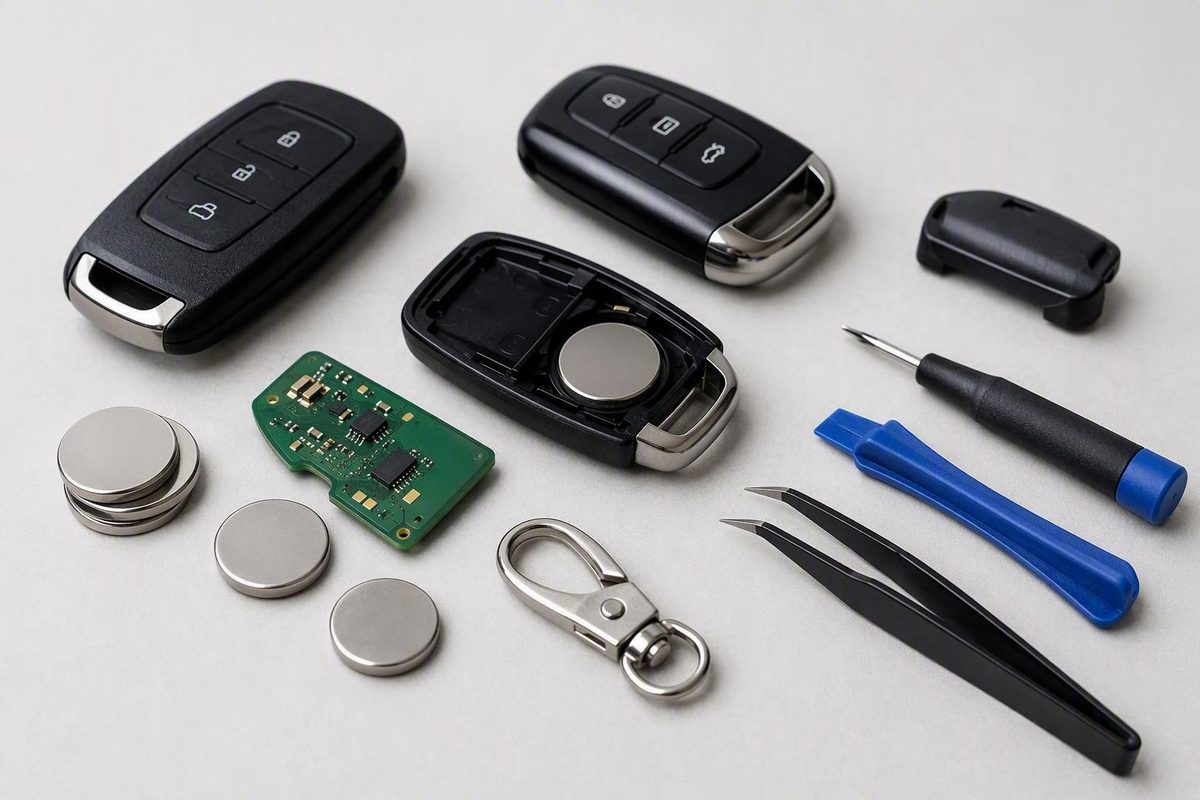
If an existing fob suddenly stops working or develops inconsistent range, replace its battery before purchasing another remote. Open the case carefully, read the battery number stamped on the old coin cell, install the same type, and preserve the original polarity.
This is the least expensive first test. Kelley Blue Book reports that key-fob coin cells generally cost $10 or less, substantially less than replacing and programming a complete fob (Kelley Blue Book, accessed September 17, 2026).
A fresh battery does not guarantee that the fob will work. If correct replacement does not restore operation, the symptom alone cannot establish whether the problem is the fob, its registration, compatibility, or the vehicle. Avoid buying a programmer until you know what service is actually required.
Many fobs contain a hidden mechanical key for emergency entry. Some vehicles also provide a backup method for starting when the fob battery is dead, such as presenting the fob at a designated location. The location and procedure vary, so consult the owner’s manual for your exact Altima rather than applying instructions written for another model year.
Verify the Altima and replacement fob before starting
Record the following information before buying a replacement remote or programming device:
| Item | What to record |
|---|---|
| Vehicle | Model year, trim, and VIN |
| Ignition | Traditional keyed ignition or push-button start |
| Existing fob | Button layout, part number, and FCC ID |
| Replacement fob | Part number, FCC ID, and advertised functions |
| Key status | Number of working keys or remotes remaining |
| Programmer | Brand, model, product number, and stated application |
Match identifiers and supported functions rather than appearance alone.
Verify both sides of the job:
- The replacement fob: Confirm that its identifiers and functions match the intended Altima application.
- The programmer: Confirm that its current application data covers the exact vehicle, key system, fob, and task.
If the seller cannot provide complete application information, ask a Nissan dealer or qualified automotive locksmith to check the vehicle and remote identifiers before purchase.
Do not treat “Altima” in a video title as sufficient compatibility evidence. The available Dorman transcript does not establish support for any particular model year, trim, part number, FCC ID, or remote type. The transcript instructs users to test each remote by starting the vehicle as normal Nissan Keyless Entry Programming For Altima And Pathfinder - AutoZone.
DIY walkthrough for a confirmed-compatible Dorman OBD kit
An actionable walkthrough cannot be provided safely from the available transcript because it does not identify the programmer or its supported applications. Do not begin programming based on the retailer-hosted video alone.
Dorman’s transcript warns that the procedure must be followed precisely because failure could leave the vehicle non-functioning. It also states that the programming device permits only three attempts. Those warnings make exact application documentation essential, not optional.
Only consider DIY after obtaining instructions that identify:
- The exact programmer model or product number
- Supported Altima model years and key systems
- Compatible fob part numbers or other required identifiers
- Whether the device requires an existing working key
- The functions the procedure registers
- What counts as a programming attempt
- The recovery route if registration fails or the attempt limit is exhausted
The retailer-hosted transcript describes a push-button process involving the driver’s door, hazard lights, an OBD-port programmer, and repeated use of the start-stop button while the brake pedal remains untouched. It calls for all remotes to be present and identifies two beeps, five flashes of a red car light, and a “key registration complete” message as expected signals.
Those details should be treated as a description of the vendor procedure, not as proof that it applies to your Altima. Once compatibility is documented, follow the instructions supplied with that exact kit rather than a paraphrased online sequence.
Dorman characterizes its process as easy and taking less than 10 minutes, but that is a vendor estimate—not a guarantee. The limited-attempt warning matters more than the estimated duration.
Stop conditions and troubleshooting
Do not continue when an expected confirmation signal is missing. Stop and recheck the vehicle, fob, programmer, and application documentation before risking another attempt.
| Symptom | Immediate action | Escalate when |
|---|---|---|
| No two activation beeps | Disconnect the device and review its exact setup instructions | The device still does not activate |
| No five security-light flashes | Stop and confirm the fob and vehicle application | Another try may consume a limited attempt |
| No completion message | Do not treat registration as successful | The vehicle does not recognize the key |
| One remote works but another does not | Recheck the failed remote’s battery, identifiers, and features | It remains unrecognized after the documented process |
| Vehicle will not start | Stop programming and retain every key and all kit documentation | Contact a dealer or qualified automotive locksmith |
The Dorman transcript says to restart the procedure from the beginning after a failed attempt, but its three-attempt limit means that blindly restarting is not a sound troubleshooting strategy. Verify compatibility first.
Escalate if:
- The exact vehicle and fob cannot be matched to the programmer
- All keys are lost
- The vehicle no longer recognizes a key
- The attempt limit is near or has been exhausted
- The kit documentation does not explain recovery after failure
The transcript instructs users to bring and program all remotes during the same session. It does not explain what happens to an absent, previously registered remote. Do not assume that an absent remote will be retained, erased, or disabled.
Dealer, locksmith, or DIY: choose by situation
The right route depends on documented compatibility, the type of key system, and whether a working key remains.
| Route | Best fit | Requirements and convenience | Compatibility and recovery |
|---|---|---|---|
| Verified-compatible DIY kit | Adding a spare when the exact application and functions are documented | Correct fob, identified programmer, every remote, and precise execution | Limited support; attempt restrictions may reduce recovery options |
| Qualified automotive locksmith | Owners seeking independent or potentially mobile service | Confirm that the provider has equipment for the exact Altima and key type | Capability and working-key requirements vary by provider |
| Nissan dealer | Uncertain compatibility, complex key-system work, or all keys lost | Vehicle, photo ID, ownership documents, and existing remotes | Practical application and failure-recovery route, but not automatically mandatory or guaranteed |
DIY is appropriate only if the kit manufacturer explicitly supports the full combination of vehicle, fob, and desired functions. A generic product title or an appearance match is not enough.
A qualified automotive locksmith may be able to supply, cut, or register a particular key, but capabilities vary. Before booking, ask whether the provider supports your model year, ignition type, fob identifiers, and all-keys-lost status.
For either professional route, ask whether the quote includes:
- The replacement fob
- Emergency-key cutting
- Registration or programming
- Testing
- Taxes
- Mobile or call-out charges
Bring the vehicle, photo identification, proof of ownership or registration, and every existing key or remote. Dealers surveyed by Kelley Blue Book required an in-person visit and ownership or registration evidence before programming.
As general, non-Altima-specific context, Kelley Blue Book reports approximately $125 to $250 for a smart fob, $75 to $150 for programming, and $150 to $500 or more for replacement overall. These figures were accessed September 17, 2026, and are not local quotes. Request an itemized estimate based on your Altima, key type, location, and whether a working key remains.
Test every function before considering the job complete
For the Dorman process, “key registration complete” is the stated completion signal. That message should be followed by functional testing; it does not replace it.
Test every applicable function on every remote gathered for the session:
- Lock
- Unlock
- Trunk release
- Panic alarm
- Proximity entry
- Remote start
- Normal vehicle starting
Only test functions that the vehicle and replacement fob are supposed to support. Working lock and unlock buttons do not establish that starting authorization, proximity entry, or remote start has been registered.
If one function remains unavailable, compare the replacement fob’s identifiers and advertised functions with the original. Do not assume another programming attempt will add a feature that the remote or vehicle may not support. With a limited-use programmer, professional diagnosis is safer than repeated trial and error.
The practical order is simple: replace the battery, identify the exact Altima and fob, obtain application-specific compatibility documentation, and gather every remote. Use DIY only when the exact kit is confirmed for the complete job. If compatibility cannot be established, all keys are lost, or registration fails, stop and contact a qualified automotive locksmith or Nissan dealer.
How much does it cost to program a Nissan Altima key fob?
No Altima-specific price is established here. As a general benchmark, Kelley Blue Book reports $75 to $150 for programming, with complete key-fob replacement potentially costing $150 to $500 or more (Kelley Blue Book, accessed September 17, 2026). Obtain itemized local quotes for your model year, key type, and working-key status.
Can I start an Altima when the key-fob battery is dead?
Possibly. Many fobs contain a hidden mechanical key, and some vehicles can recognize a dead fob at a designated backup location. Consult the owner’s manual for your exact Altima because the emergency-entry and starting procedures are model-specific.
Do I need to bring all of my Altima remotes to programming?
For the documented Dorman procedure, yes: its transcript says all remotes must be present and additional remotes must be programmed during the same session. Requirements for dealer, locksmith, or other programming methods may vary, so confirm them with the provider before the appointment.