
Read the Old Cell Before You Buy an Explorer Fob Battery
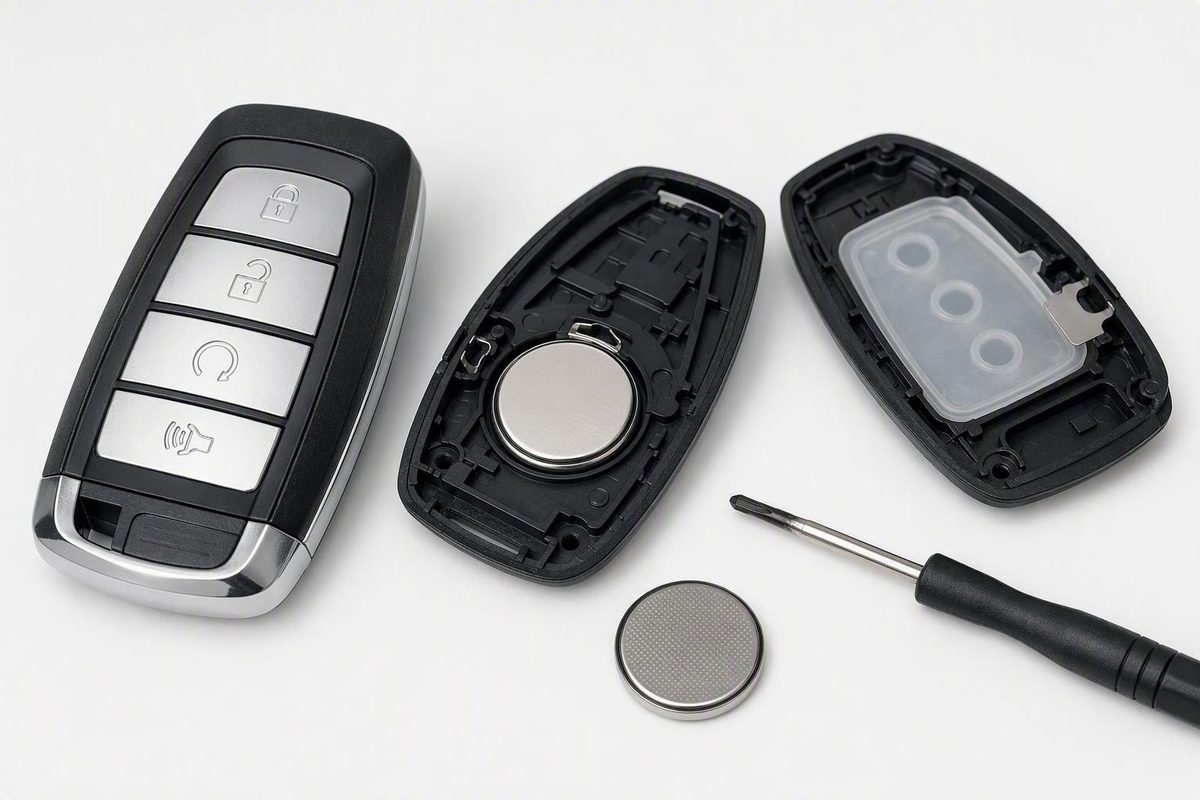
Ford's manual names CR2032 and CR2025 cells, a retailer names CR2450. Here's how to confirm the size from your own remote and swap it without guessing.
There is no single 2017 Ford Explorer key fob battery. Ford’s 2017 Explorer Owner’s Manual lists one CR2032 for the integrated keyhead transmitter and two CR2025 cells, fitted with the + sides facing each other, for the Intelligent Access transmitter. The CR2450 size many people quote comes from a third-party retailer instead: a Rometech listing at Best Buy sells a non-rechargeable CR2450 for 2017–2023 Explorer fobs, and the listing itself tells you to check the battery already in your remote. Those answers describe different remotes, so the working rule is: open the fob with instructions matched to your exact remote, read the full code on the old cell, buy that code, and fit the new cell the same way round.
Pick what is printed on your old battery and what you can see on the fob; the verdict updates beside the controls.
Which Cell Does Your 2017 Explorer Fob Take?
Verdict
Don’t buy yet
Open the fob using instructions that match your exact remote, then read the full code on the old cell. The size cannot be taken from the model year.
Source: Rometech CR2450 listing at Best Buy (2017–2023 Explorer, FCC IDs as listed by the retailer); Ford 2017 Explorer owner’s manual (CR2032 integrated keyhead transmitter; two CR2025 Intelligent Access transmitter) and 2017 Police Interceptor Utility owner’s manual (CR2032). The printed code on your cell is the deciding check.
Where the CR2450 Figure Comes From
Ford’s manual and the retailer listing name different sizes. Three things about the retailer listing matter.
It is a battery-only product. No replacement fob, no shell, no programming. Treat it as a possible match for the cell inside your remote, not as a kit.
It ties the battery to two FCC IDs, M3N-A2C931426 and M3N-A3C054339. Those are the retailer’s association, not a Ford-published list of every remote shipped on a 2017 Explorer. The sources do not say where an ID sits on every fob, so use one you can already see or find in your paperwork rather than prying the case apart to hunt for it.
Its product image carries a coin-cell handling warning. Keep new and spent cells away from children; a swallowed lithium coin cell is an emergency.
On the Ford side, the civilian manual’s Remote Control section covers two remote types. The integrated keyhead transmitter takes one CR2032, fitted + side up. The Intelligent Access transmitter takes two CR2025 cells with the + sides facing each other, and the label between them goes back in. The manual does not mention CR2450 or list FCC IDs, so it cannot tell you whether a fob sold under M3N-A2C931426 is one of those two remotes. That is why this guide will not hand you one size for “the 2017 Explorer fob”. At a locksmith counter the rule that never failed was simpler: the code stamped on the cell you take out is the code you put back in.
Match the Code on the Old Cell, Not the Model Year
CR2032, CR2025 and CR2450 share a prefix and nothing else that matters. Different diameter or thickness means the cell rattles, fails to make contact, or will not let the shell close. Read the whole marking.
| What you find | What it means | Do this |
|---|---|---|
| One CR2032 in a flip key with a blade | Matches Ford’s integrated keyhead transmitter | Buy a CR2032; fit it + side up |
| Two CR2025 cells stacked together | Matches Ford’s Intelligent Access transmitter | Buy two CR2025; + sides facing each other, label between them |
| Old cell marked CR2450 | Agrees with the retailer listing | Buy a CR2450; note which side faced out |
| Old cell marked something else | Your remote takes a different cell | Buy that exact code; ignore the model-year listing |
| FCC ID M3N-A2C931426 or M3N-A3C054339 visible | Listed under the retailer’s CR2450 battery | Supporting clue only; the printed code still decides |
| Marking missing or unreadable | No reliable size match | Do not guess; have a Ford dealer or automotive locksmith identify the remote |
A readable battery code outranks a retailer’s FCC ID association. If the two disagree, re-read the cell under good light before you trust either.
Opening the Case and Swapping the Cell
Start only once you have opening instructions that explicitly match that remote. Compare the case shape, button layout and any visible identifier against the instructions before you touch it. A walkthrough for a different-looking Ford remote does not count.
Once the case is open, photograph the cell in place before lifting it out. The photo needs to capture two things: the full printed code and which face points outward. If a photo cannot show both, write them down.
Buy a replacement with the same letters and numbers on the package. Do not rely on a product title that says “Explorer 2017–2023”; rely on the code.
Fit the new cell in the recorded orientation. Use the photo, not memory or an assumption about which way “usually” goes.
Check the fit before snapping the shell shut. The cell should sit flat and the halves should meet the way they did before. If the case fights you, stop, reseat the cell and check for anything out of alignment. Forcing it is how buttons and contacts get bent.
A battery change is separate from replacing a lost or damaged key; nothing here covers cutting or programming a new remote.
Test Every Button Before the Fob Goes Back on the Ring
Stand near the vehicle and press each control the remote has: lock, unlock, panic, liftgate, remote start if fitted. If the Explorer has proximity entry or push-button start, walk up to the door and try the handle, then start the engine.
If the fob does nothing, the fault is almost always in the work just done. Recheck, in order: the new cell’s full code matches the old one; the orientation matches the photo; the cell is seated flat, not tilted; the shell is closed evenly all round; you tested within a few feet of the vehicle.
Ford’s manual states that replacing the battery does not delete the transmitter from the vehicle, so do not run an unverified resynchronisation sequence from a forum post. If the code and orientation are right, the cell is seated and the remote still does not respond, the symptoms alone cannot tell you whether the problem is the installation, the fob or the vehicle side. That is the point to consult Ford’s Remote Control section for your exact remote, or a dealer or automotive locksmith.
Police Interceptor Utility Has Its Own Manual
Ford publishes a separate 2017 Police Interceptor Utility Owner’s Manual. Its Remote Control section specifies one CR2032, reached by twisting a thin coin in the slot near the key ring, with symbols inside the transmitter showing the orientation. It gives no battery for an intelligent access key. If your title or paperwork says Police Interceptor Utility, work from that manual and the cell in your own remote, not from civilian Explorer instructions.
The rule for every version of this vehicle is the same: Ford’s manuals name CR2032 and CR2025, a retailer names CR2450, and the code on the old cell decides which one your remote takes.