
Find the Right Toyota 4Runner Key Fob Battery Before Opening the Case
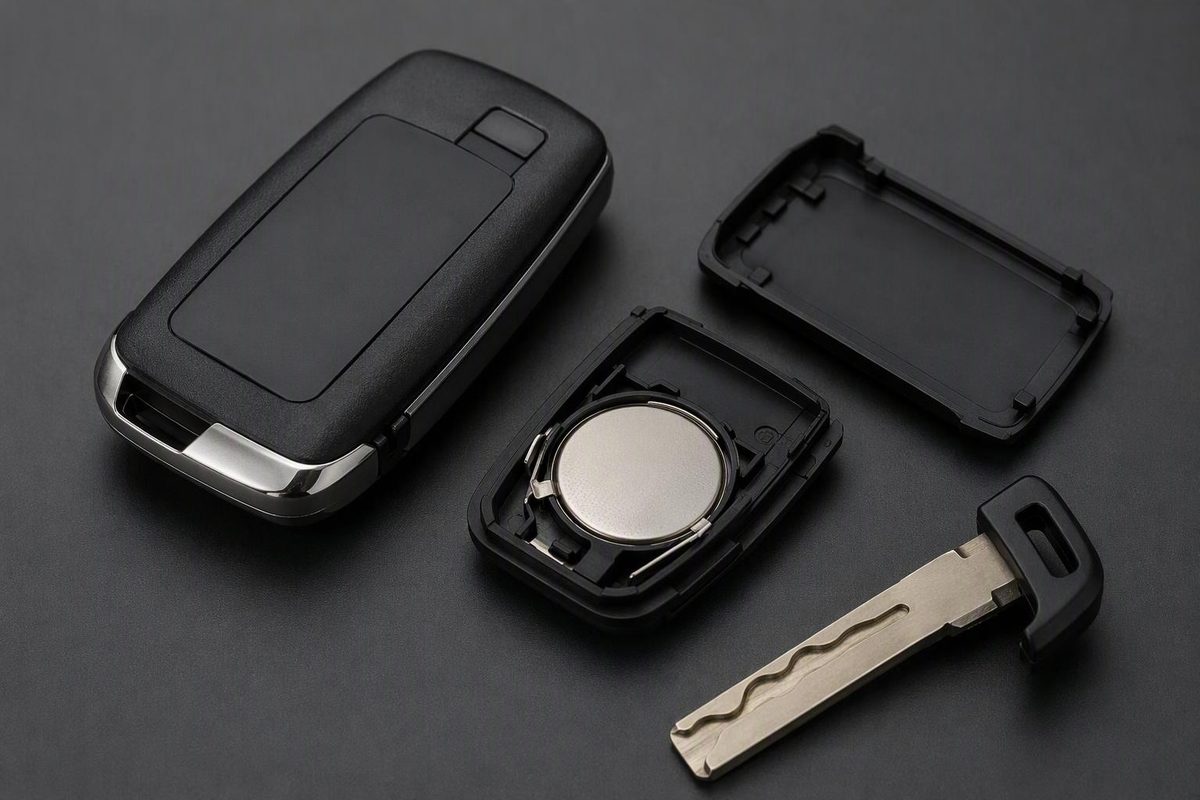
Find documented Toyota 4Runner key-fob battery sizes, match the replacement steps to your remote, and check backup starting for a dead smart key.
A Toyota 4Runner key fob does not always take a CR2032. Toyota manuals specify different cells depending on the year and key system—including CR2016, CR1632, CR2032 and CR2450.
Identify whether you have a separate remote, a key with buttons in its head, or a smart key with a removable mechanical key. Then match the full battery code to your fob and its model-year manual before buying.
Which battery does your 4Runner key fob take?
These are documented examples from U.S./Canada owner manuals, not a fitment chart for every model year or aftermarket remote.
| Model year and key system | Specified battery | Manual reference |
|---|---|---|
| 2008 wireless remote transmitter | CR2016 | 2008 manual, “Replacing battery” |
| 2016 and 2020, without smart key | CR2016 | 2016 manual, pp. 379–381; 2020 manual, pp. 442–444 |
| 2016 and 2020, with smart key | CR1632 | Same manual sections above |
| 2024 electronic key | CR2032 | 2024 manual, pp. 447–449 |
| 2025 electronic key, non-hybrid manual | CR2450 | 2025 manual OM35B85U, pp. 558–560 |
If your year or fob is not listed, do not choose the nearest year. Check your own manual and the installed cell’s markings. If they disagree, confirm the remote’s identity with a Toyota parts department before forcing a different battery into the holder. A previously replaced remote may not match the original design.
Replace the battery using the matching case design
Work on a clear surface with dry hands. Have the correct replacement cell, a small flathead screwdriver and a cloth or tape to protect the tool tip. Photograph the installed battery before removing it.
Keep new and used coin cells away from children. If a battery is swallowed or inserted into any part of the body, seek emergency medical attention immediately. If the case will not close firmly, stop using the fob, keep it inaccessible to children and contact your Toyota dealer. Dispose of used batteries according to local rules. Toyota’s battery precautions
Smart key with a removable mechanical key
For the smart-key designs documented above:
- Release and pull out the mechanical key.
- Remove the outer cover using a protected flathead screwdriver at the opening point shown in your manual. Stop if the case requires excessive force.
- Read the battery code before removal. On the 2024 design, the electronic key module can stick to the cover and hide the battery; remove that module if necessary to reach the cell.
- Remove the depleted battery without bending its terminals or disturbing other components.
- Install the matching new cell with the “+” side facing up, as these manuals specify.
- Refit the cover and mechanical key. Test lock and unlock, then proximity entry and normal starting.
These steps follow the 2016 smart-key instructions, 2024 electronic-key instructions and 2025 electronic-key instructions. The 2025 manual recommends having a Toyota dealer replace the battery because an incorrectly performed procedure can damage the key.
Key-head remote without smart key: 2016 and 2020 examples
Remove the outer cover with a cloth-protected screwdriver, then lift out the remote module. Open the module’s case using a tape-protected coin, replace its CR2016 with the “+” side up, and reassemble in reverse order. Keep the module and other small parts together. Toyota’s key-head instructions
Separate remote: 2008 example
Toyota specifies opening the transmitter case with a coin, lifting the old CR2016 at its guide groove with a ballpoint pen, and inserting the replacement positive side up. Close the case securely and test it. This is a different opening method from the key-head remote. 2008 replacement instructions
For another Toyota fob design, see our Toyota key-fob battery replacement guide.
If the fresh battery changes nothing
Recheck the full cell code, polarity and seating first. Do not bend contacts to make an incorrect cell fit.
Then compare the spare key under the same conditions:
- Only one fob fails: have that fob checked before buying a replacement.
- Both fobs fail: check for interference or a vehicle-side problem rather than assuming both need programming.
- Buttons work but proximity entry does not: check smart-key settings and battery-saving mode. Toyota identifies both as checks when an electronic key malfunctions. 2024 troubleshooting instructions
Toyota’s battery-change procedures do not prescribe a routine reprogramming sequence. A coin-cell replacement is not the same job as registering a replacement key for the immobilizer. The immobilizer checks whether the key is registered; persistent key-system trouble should go to a Toyota dealer with the vehicle and all available keys. Immobilizer explanation; Toyota’s service guidance
Dead smart-key battery? Backup entry and starting
For a 2024 4Runner, use the removable mechanical key to unlock the driver’s door. With the transmission in P and the brake depressed, touch the Toyota-emblem side of the electronic key to the engine switch. After the detection buzzer sounds, keep the brake firmly depressed, confirm the start prompt on the multi-information display and press the engine switch briefly and firmly. If the engine still will not start, contact your Toyota dealer. 2024 emergency procedure, pp. 512–513
For other years, follow that vehicle’s emergency-start section. This backup addresses a depleted fob battery—not a discharged vehicle 12V battery or an unregistered replacement key.