
Which Battery Does Your Ford Explorer Key Fob Need?
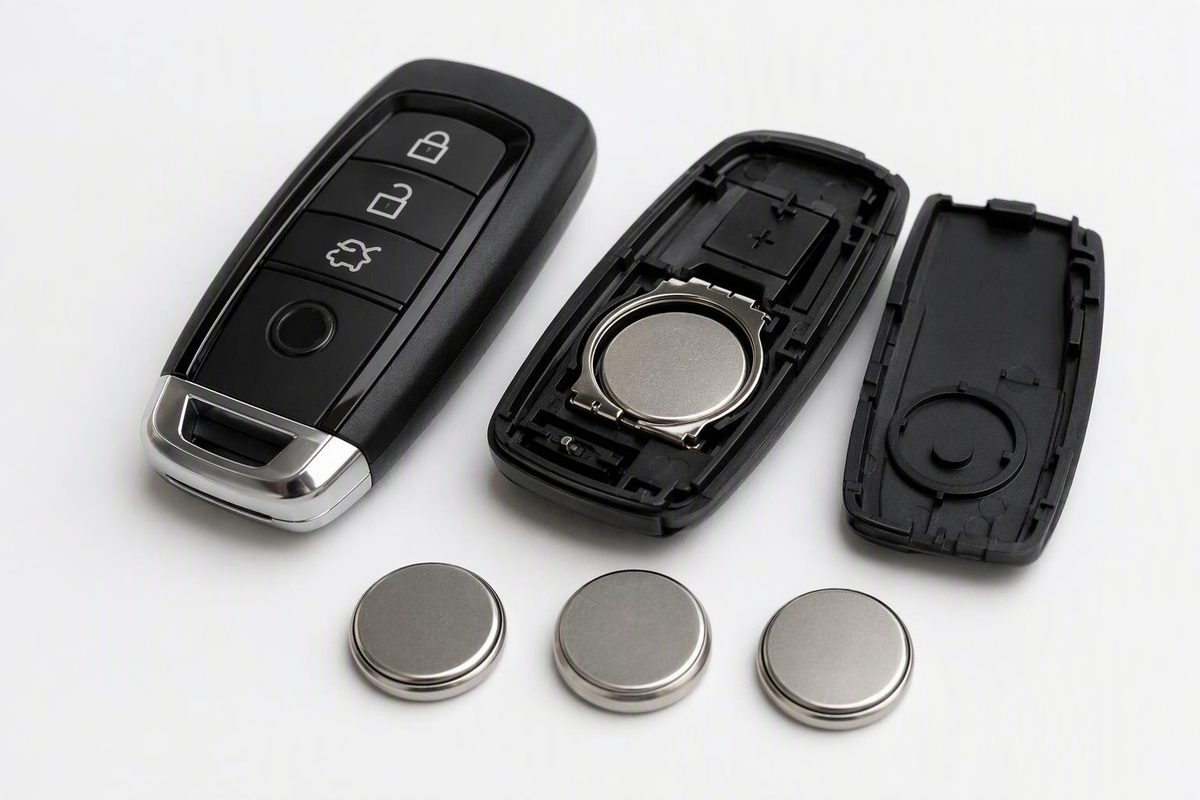
Match your Ford Explorer fob to the right CR2032, CR2025 or CR2450 battery, check polarity, and replace it without unnecessary programming.
Ford Explorer key fobs do not all take the same battery. Ford manuals specify one CR2032, two CR2025 cells, or one CR2450 depending on the model year and remote design. Before buying, match your fob to the manual’s illustration and check the full code on the installed battery.
Identify the battery before buying
These are confirmed examples from Ford’s U.S. and U.S./Canadian Explorer manuals—not a year-range chart covering every Explorer:
| Model year and documented fob | Battery required | Installation orientation |
|---|---|---|
| 2011 integrated keyhead transmitter or Intelligent Access key | One 3-volt CR2032 | Follow the markings inside the fob |
| 2017 integrated keyhead transmitter with folding blade | One 3-volt CR2032 | Positive (+) side up |
| 2017 Intelligent Access transmitter with two-cell compartment | Two 3-volt CR2025 cells | Positive (+) sides facing each other; retain the label between them |
| 2026 push-button-start remote, excluding Police | One 3-volt CR2450 | Positive (+) side up |
Sources: Ford’s 2011 Owner’s Guide, pages 147–148, 2017 Owner’s Manual, pages 51–52, and 2026 Owner’s Manual, pages 75–76.
The Police remote is another exception: the 2026 manual specifies one CR2032, with orientation determined by the symbols inside its compartment. Do not buy CR2450 solely because the vehicle is a 2026 Explorer. Ford’s Police-remote instructions appear on page 77.
For a year not listed, use its exact Owner’s Manual. If the remote does not match the illustration, or its installed cell conflicts with the specification, stop and identify the remote before choosing a battery. Do not force a different-size cell into the holder. For that model year, see our focused 2017 Explorer battery guide.
Replace the battery using the matching opening method
Work on a clear surface. Have the correct replacement cell—or both cells for the two-battery design—and a thin coin or small screwdriver as specified below. Photograph the battery arrangement before removal.
Keep new and used coin cells away from children. If swallowed, seek immediate medical attention. If the compartment will not close securely, stop using the remote and keep it away from children until replaced. These are explicit Ford safety warnings.
2011 keyhead or Intelligent Access fob
- Keyhead transmitter: Twist a thin coin in the slot near the key ring to release the battery cover. Carefully lift the rubber gasket if it remains on the transmitter.
- Intelligent Access key: Remove the backup blade, then twist a thin coin in the slot hidden behind the backup-key slot to release the cover.
Remove the old CR2032, install the new one according to the internal polarity markings, and press it fully into the holder. Refit the gasket where applicable, snap the cover closed, and reinstall the backup blade where applicable. Follow the diagrams in the 2011 Ford guide.
2017 folding-blade fob
Release the blade first. Using the manual’s diagram to locate the clip, gently depress it with a screwdriver and remove the battery cover. Release and remove the old cell, install one CR2032 positive side up, then replace the cover. Do not touch the contacts or circuit board with the screwdriver. Ford’s illustrated procedure is on pages 51–52.
2017 two-cell Intelligent Access fob
Slide the rear release and pivot the cover off. Insert a coin into the designated slot and twist to separate the housing. Replace both CR2025 cells, with their positive sides facing each other, and put the label back between them. Reassemble the housing and cover. Do not apply a generic “positive side up” instruction to this design. Ford’s two-cell instructions are on page 52.
2026 non-Police push-button-start fob
Press the release and withdraw the blade. Twist a thin coin under the tab hidden behind the blade head to release the cover. Carefully remove the old battery with a screwdriver at the illustrated point, install one CR2450 positive side up, and refit the cover and blade. Use the 2026 manual’s diagrams, rather than prying around the entire seam.
For all designs, leave factory grease on the terminals and circuit-board surface in place; Ford specifically says not to wipe it off. Dispose of used cells according to local regulations. Ford battery-replacement guidance.
Test before considering programming
Test lock and unlock near the vehicle, then check proximity entry and normal starting if equipped. A battery change does not erase the programmed key, according to Ford. An ignition-cycling “reset” is not a routine replacement step.
If the fob still fails, recheck the battery code, quantity, polarity and seating. Compare it with a working spare: if the spare works, concentrate on the serviced fob; if both fail, do not assume another coin cell will solve the problem. Stop if the holder or case is damaged. For further assistance, Ford recommends taking all keys to a dealer.
Emergency entry and engine-start authorization are separate functions. An Intelligent Access fob’s removable blade provides mechanical entry; a depleted fob battery may require the vehicle’s backup slot for starting. The slot’s location varies by year and model, so follow the Starting and Stopping section of your manual—not a universal cupholder instruction. Ford explains backup-slot use here.
If you are replacing the entire remote rather than its battery, use our Explorer programming guide. That is a different task: for example, Ford’s 2026 DIY procedure, page 78, requires two previously programmed remotes; without them, the manual directs owners to an authorized dealer.