
Why a New Coated CR2032 Can Act Dead and What to Test First
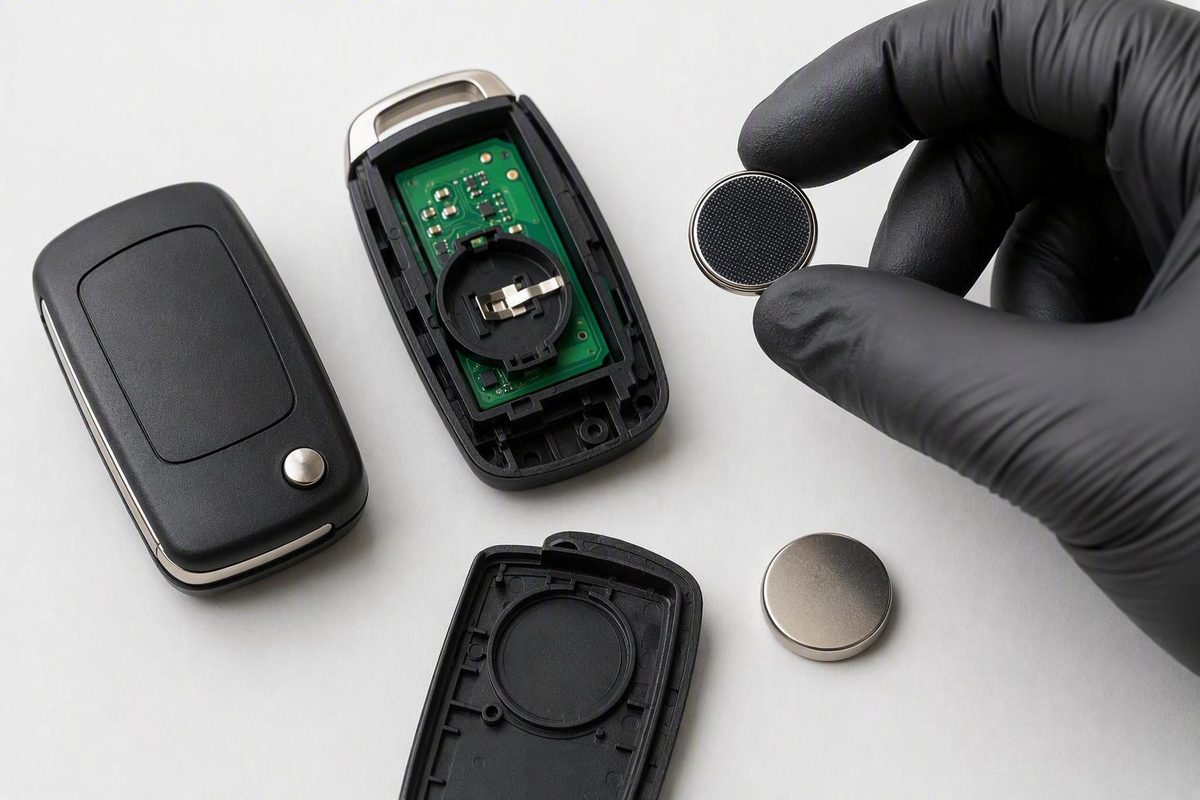
Coated CR2032 cells are sold for key fobs, yet some owners report dead or flaky remotes. Run seven checks and a second-cell test before wiping anything.
A bitter-coated CR2032 is a normal 3-volt cell, and Duracell sells its coated version for key fobs, so the coating alone does not make the battery wrong for your remote. A fresh coated cell can still leave a fob dead or intermittent if a terminal lands on coated metal with light spring pressure. That cause is plausible, not proven, in car fobs. Check the battery code, polarity, seating, contacts and voltage, then fit a second intact CR2032 from a different package or product line. Leave the coating on the cell.
Pick your battery, the symptom and what you have already tested; the likely cause and next steps update beside the menus.
Coated CR2032 Fob Fault Finder
Likely cause
Recheck the install first: wrong code, reversed polarity, or a cell not sitting flat under its clips. A coating-to-contact problem comes after those.
Do this, in order
- Match the code on the old cell and in the owner's manual. CR2032 and CR2025 differ in thickness.
- Follow the polarity diagram inside the fob, not habit.
- Seat the cell flat under the tabs and close the case without force.
- If you have a meter, look for about 3 V. A low reading points at the cell.
- Fit a second intact CR2032 from another package or product line, then test every button at close range.
Stop point
If the second cell also fails, set the third menu to: A second intact CR2032 also fails.
Duracell lists key fobs as an intended use and says the bitter coating is on both sides, so there is no bare face to aim at the contact. A contact interaction is plausible but unproven in car fobs.
Do not scrape, sand, wash or solvent-wipe the cell. Alcohol-wipe fixes are owner anecdotes, not manufacturer-approved.
All outcomes at a glance
| What you see | Points to | Next step |
|---|---|---|
| Dead after swap | Code, polarity, seating | Recheck, then a second intact cell |
| Intermittent | Marginal contact | Reseat, inspect contacts |
| Only when pressed hard | Contact pressure or button pads | Compare all buttons; locksmith |
| Low-battery warning | Weak cell under load or poor contact | Measure, then a second cell |
| Second cell works | First cell or its contact fit | Tape and recycle the first cell |
| Second cell fails | Fault beyond the battery | Contacts, resync, signal test |
| Spare fob fails too | Vehicle side more plausible | Fuse, vehicle voltage, diagnosis |
Sources: Duracell CR2032 product page (key fobs listed; coating on both sides); MacRumors, 6 May 2026 (reported AirTag contact warning); Consumer Reports, 22 Jul 2026. Owner reports are anecdotal. Tested contact data for coated cells in specific car fobs: —.
The Coating Is a Plausible Cause, Not a Proven One
A coating-related contact problem is electrically plausible where a fob’s terminals press against a coated part of the cell with limited force. It has not been demonstrated as a general automotive key-fob defect.
Coated cells are not inherently incompatible with fobs. Duracell describes its bitter-coated CR2032 as a 3-volt lithium coin battery, lists key fobs among its intended applications, and says its current coating is applied to both sides to discourage swallowing (Duracell’s CR2032 specifications). With coating on both faces, there is no bare side to aim at the contact.
Three levels of evidence sit behind this topic, and they do not carry equal weight:
- Manufacturer product information: a bitter-coated CR2032 is marketed for key-fob use.
- Device-specific reporting: MacRumors reported that Apple had warned some bitter-coated CR2032 batteries might not work in AirTags, depending on how the coating aligns with the device contacts (the reported AirTag warning). That supports a contact interaction in one product. It is not guidance for automotive remotes.
- Owner reports: participants in a Lucid owners’ discussion describe coated batteries appearing dead or working inconsistently in their key fobs. Those accounts lack controlled measurements and contain conflicting claims about coating placement and package symbols, so they cannot establish causation.
More shoppers are meeting these cells now. Energizer launched its Ultimate Child Shield CR2032 in March 2026 and it reached retail in May, and Consumer Reports compared in July 2026 which brands rely on bitter coating, burn prevention or child-resistant packaging alone. None of that reporting tests contact reliability in car fobs, and I have no fob-specific data for any of those product lines.
A failure right after a swap is a reason to recheck the installation first. It is not proof that every bitter-coated CR2032 is unsuitable.
Seven Checks to Run Before Blaming the Coating
Work through these in order and change one thing at a time so each result stays useful. Installation errors, poor contact, the wrong battery type, lost synchronization, internal fob damage and vehicle-side faults all produce similar symptoms.
-
Confirm the exact battery code. Compare the replacement with the old cell and the specification in the owner’s manual. CR2032 and CR2025 are different battery types, including in thickness. Do not substitute one because it appears to fit.
-
Verify polarity. Follow the diagram inside the fob or the vehicle manufacturer’s instructions. The numbered positive face does not point the same way in every fob; contact layouts differ.
-
Confirm secure seating. The battery should sit flat and fully beneath its retaining tabs or clips. The case should close normally without forcing the cell into position.
-
Inspect the contacts. Look for contamination, corrosion, bent terminals, or a spring contact that no longer presses firmly against the battery. Do not bend a terminal aggressively; it can break away from the circuit board.
-
Test voltage when practical. A CR2032 is specified as a 3-volt cell, and a reading of approximately 3 volts is a useful open-circuit check. A low reading implicates the battery. A near-3-volt unloaded reading does not prove the cell makes good contact when installed or performs adequately under load. The sources behind this article give no pass/fail voltage cutoff, so I am not going to supply one.
-
Try a second fresh, intact CR2032. Use the exact specified type, preferably from another package or product line. This reversible comparison tells you more than altering the suspect battery.
-
Test every button at close range. If operation changes after the cell is reseated, the battery-contact interface becomes more suspect than synchronization, although the result is not conclusive.
What Each Test Result Points To
| Observation | What it suggests | Next action |
|---|---|---|
| Old cell still works, new one does not | New cell, polarity, seating or contact interaction | Recheck the install; try a second intact CR2032 |
| A second new CR2032 works | First cell or its contact interaction | Replace the first cell; do not write off all coated cells |
| Operation changes when reseated | Seating, contamination, bent or weak contacts | Inspect the holder and contacts |
| Spare fob works normally | Primary fob, not the vehicle | Continue fob inspection or signal testing |
| Neither fob works | Receiver, fuse or low vehicle voltage more plausible | Check the manual; get model-specific diagnosis |
| Fob shows activity, car ignores it | Out of sync, damaged, or not communicating | Run the documented sync procedure before paying for programming |
These comparisons line up with published automotive-locksmith guidance on battery orientation, seating, contacts, exact battery type, spare-fob testing and vehicle-side faults. No single result proves the cause. Two failed fobs make a vehicle-side problem more plausible, but they do not establish that the receiver or a control module has failed.
Leave the Coating on the Cell
Do not scrape, sand, lick, wash or apply solvents to the battery to remove a suspected bitter coating. Reports of rubbing-alcohol remedies are anecdotes, not battery- or vehicle-manufacturer-approved repair procedures.
Modifying the cell may affect its surface or contact conditions. It also ruins the value of an intact comparison, and it could remove an ingestion-deterrence feature without proving the coating caused the electrical fault.
Replace the suspect cell with another intact, correctly specified CR2032 instead. If the second battery works, recycle the first safely rather than trying to rehabilitate it.
When a Second CR2032 Also Fails, Look Past the Battery
If a known-good battery still produces no reliable operation, inspect the rest of the fob. Possible faults include dirty or bent contacts, worn button pads, impact or water damage, a cracked circuit-board solder joint, or another internal electronic failure.
Battery replacement does not automatically mean the fob needs programming. Some vehicles require a model-specific resynchronization procedure, and the steps vary. Use the owner’s manual or manufacturer instructions, not a generic sequence written for another make or model.
A spare fob is the most useful comparison you have. If it operates normally from the same spot, concentrate on the primary fob. If neither works, consider the vehicle receiver, an associated fuse, or the vehicle’s electrical condition, but do not replace parts on that observation alone.
If the correct battery has adequate voltage, correct polarity and secure contact and the fob still produces no usable signal, ask a qualified automotive locksmith or dealer to test its transmission and do model-specific diagnosis.
Keep New and Spent Coin Cells Away From Children
Bitter coatings exist to discourage swallowing, not to improve electrical performance. They are one of several safety approaches used alongside child-resistant packaging, dye alerts and other technologies (Consumer Reports on button-battery safety approaches).
Keep both new and depleted coin cells secured away from children. A spent battery may no longer power a fob but can retain enough energy to cause severe injury if swallowed or inserted into the nose or ear. Poison Control recommends wrapping discarded button batteries all the way around with tape twice, and says taping does not prevent recycling.
Federal coin-battery requirements address ingestion protections such as secured compartments, testing, warnings and labeling. The CPSC notice published on 3 September 2026 requested comment on the revised UL 4200A-2026 standard, with comments closing 17 September. It covers those safety requirements, not whether a coated CR2032 makes reliable contact in a particular automotive fob (the CPSC’s UL 4200A-2026 notice).
Package Symbols Do Not Reliably Identify a Bitter Coating
Owner discussions contain conflicting interpretations of an adult-and-child symbol. The available sources do not establish that it identifies a bitter coating, its placement, or key-fob compatibility.
Use the manufacturer’s exact product description and model information instead. Even when the package confirms a bitter coating, that does not predict whether the battery will work with your fob’s particular contact design.
An AirTag-Compatible Label Does Not Cover Your Car Fob
AirTag compatibility concerns the AirTag’s battery compartment and contact geometry. An automotive key fob may touch different parts of the cell or apply different pressure.
The practical test is an intact CR2032 of the exact type specified for your fob, installed with the correct polarity and secure contact. If one known-good battery works and another does not, replace the failed cell. Do not assume an AirTag label guarantees automotive compatibility, or that bitter coating alone caused the difference.