
Hyundai Tucson Key Fob Not Working? Start With These Checks
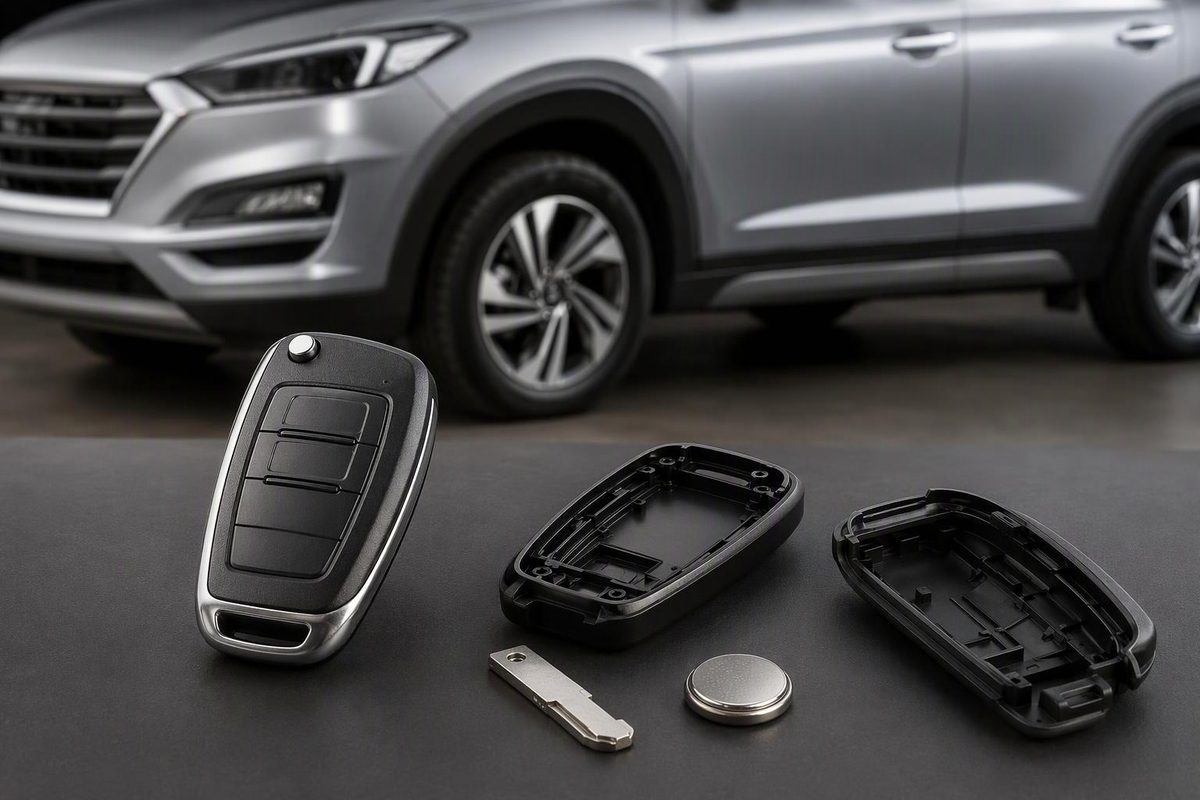
Troubleshoot your Tucson’s remote, battery and key-not-detected warning. Find emergency entry and start options before paying for a replacement fob.
First, try the fob close to the vehicle, away from your phone, then compare it with a known-working spare. If only one fob fails, check that fob’s battery and condition. If both fail, investigate interference and the vehicle’s power supply before buying replacement keys. An unused spare can also have a depleted battery, so it is not automatically a reliable comparison.
Identify your Tucson’s model year, market and key type before opening the case:
- Keyed ignition: a remote operates the locks, while a blade turns the ignition.
- Push-button start: a smart key supports key detection and starting as well as remote buttons.
Battery specifications and emergency procedures differ. Use the owner’s manual matching your vehicle—not a generic Hyundai reset video. The exact procedures below are labeled by year and market; they are not instructions for every Tucson.
1. Locked out or seeing “Key not detected”?
Use the mechanical key for entry
Locate the mechanical key supplied with your Tucson. Depending on the design, it may unfold from the remote, release from the smart fob or have its own protector.
On the 2025 U.S. Tucson, the driver’s door key cylinder is behind a plastic handle cover. Follow the manual’s cover-release procedure; do not simply pry against the painted handle. See the mechanical-key instructions on page 5-11.
Mechanical entry may trigger the alarm if it is armed. For this model, Hyundai instructs owners who cannot disarm with the smart key to enter mechanically and start by pressing the Start/Stop button with the smart key. Theft-alarm guidance, pages 5-34–5-35
Try the documented backup start on push-button models
For the 2025 U.S. Tucson, Hyundai says to press the Engine Start/Stop button directly with the smart key if its battery is weak or the key does not work correctly:
- Keep the vehicle stationary, apply the parking brake and select P (Park).
- Depress the brake pedal.
- Use the smart key itself to press the Start/Stop button.
This is a backup starting method, not a programming reset. Confirm the procedure in your own year’s manual before applying it to another Tucson. Hyundai’s starting instructions, pages 6-8–6-9
Stop point: If the dashboard is dark or the interior lights dim markedly during a start attempt, investigate the vehicle battery rather than repeatedly pressing the fob. Hyundai identifies interior lights dimming or going out during starter operation as a drained-battery symptom. Follow your exact powertrain’s emergency instructions or call roadside assistance. No-start guidance, page 8-3
2. Separate the failed functions
Test lock, unlock, door-handle entry and starting separately, where equipped. Record which ones work.
| What you observe | What to check next |
|---|---|
| The spare works, but the usual fob does not | Battery installation, contacts, buttons or damage in the usual fob |
| Both fobs fail in one location | Phone proximity, nearby transmitters or other interference |
| Both fail everywhere, with weak or absent vehicle electrical activity | Vehicle battery and power supply |
| Remote buttons work, but one door handle does not | Handle operation or sensor, rather than assuming the entire fob is dead |
| The vehicle starts when the fob presses Start, but remote buttons fail | Fob battery and remote-transmission checks; backup starting does not prove every fob function works |
| Only remote start fails | The required button sequence and operating conditions |
These comparisons help choose the next check; they do not conclusively identify a failed receiver or antenna.
For 2025 U.S. touch-sensor models, door-handle operation requires the key within about 1 metre (40 inches). Hyundai also documents a lock/unlock-prevention setting that can be cancelled by pressing either the lock or unlock button on the smart key. Check those conditions before treating a handle-only problem as a programming fault. Door-handle operation, pages 5-7–5-9
3. Rule out interference
Take the key out of the pocket or bag holding your phone. Remove it from any signal-blocking pouch, stand close to the Tucson and try again. If you can safely move the vehicle, repeat the test elsewhere.
Hyundai lists radio transmitters, mobile phones, nearby smart keys and a discharged vehicle battery among possible reasons for smart-key failure. On the 2025 U.S. model, detection can also pause when the key remains still; lift the key to reactivate detection. Smart-key operation and precautions, pages 5-11–5-12
For the folding remote documented in Hyundai’s 2025 global-market manual, remove the key from the ignition before testing the remote buttons: Hyundai lists a key in the ignition as a condition that prevents remote operation. Remote-key precautions
Stop point: If both keys work elsewhere, do not pay for reprogramming based only on the failure at that location.
4. Replace the battery—but verify the code first
There is no safe “every Tucson uses this battery” shortcut. For example:
- Hyundai’s 2025 global-market remote-key instructions specify CR2032 for the illustrated folding remote. Remote-key battery specification
- The 2025 U.S. Tucson smart-key manual specifies CR2450. Battery replacement, page 5-13
Match the fob design and manual specification, then check the installed cell’s full code. If they disagree, have the fob identified rather than assuming a previous replacement was correct.
Before removing the cell, photograph its orientation. Open only at the intended slot, fit the correct new battery with the documented polarity and make sure the rear cover seats properly. Hyundai warns that battery position must be correct. Keep new and used coin cells away from children; suspected swallowing or insertion into the body requires immediate medical attention. Hyundai battery instructions and warning
For help matching the housing, see our Hyundai key-fob battery replacement guide.
Still dead after replacement?
Recheck the code, polarity and seating. Look for loose contacts, corrosion, a displaced button pad or damage from a drop or liquid exposure. Try another fresh battery of the confirmed type before condemning the fob. After reassembly, test the remote buttons, proximity entry and starting separately, where equipped.
Do not make a reset your first response. Hyundai’s cited battery-replacement procedures finish with reinstalling the cover; they do not prescribe pairing after the swap. Our after-battery-change troubleshooting guide covers the installation checks in more detail.
5. Check remote-start conditions before blaming the key
If locking works but remote start does not, verify the sequence. For the 2025 U.S. Tucson, press Lock within about 10 metres (32 feet), then hold Remote Start for more than two seconds within four seconds of pressing Lock. The vehicle must be in Park; an open hood or liftgate prevents remote starting. Test outdoors, not in an enclosed garage. Remote-start instructions, page 6-10
6. When professional diagnosis or programming makes sense
Seek diagnosis when a correct fresh battery does not restore one fob, both known-working keys fail despite normal vehicle power, or key-recognition warnings persist. Ask the technician to check the existing keys and vehicle system before authorizing replacement.
Remote locking and immobilizer authorization are separate functions. A working unlock button does not establish that the vehicle recognizes the key for starting. For the 2025 U.S. Tucson, Hyundai directs owners to an authorized dealer if the immobilizer repeatedly fails to recognize the key. Immobilizer guidance, page 5-14
Do not buy a replacement smart key on the assumption that a universal button sequence will pair it. ProgramYourRemote’s 2024 Tucson guidance states that this model requires a qualified professional with specialized computer equipment. Confirm requirements for your exact year and key system. Hyundai recommends an authorized dealer for smart-key problems; if using an automotive locksmith, confirm that they support your vehicle before buying a fob.
Bring every remaining key and report which functions failed, whether the spare worked, the battery code installed and whether direct-to-Start backup starting succeeded.