
Pair Your F-150 Remote Without Confusing It With Key Programming
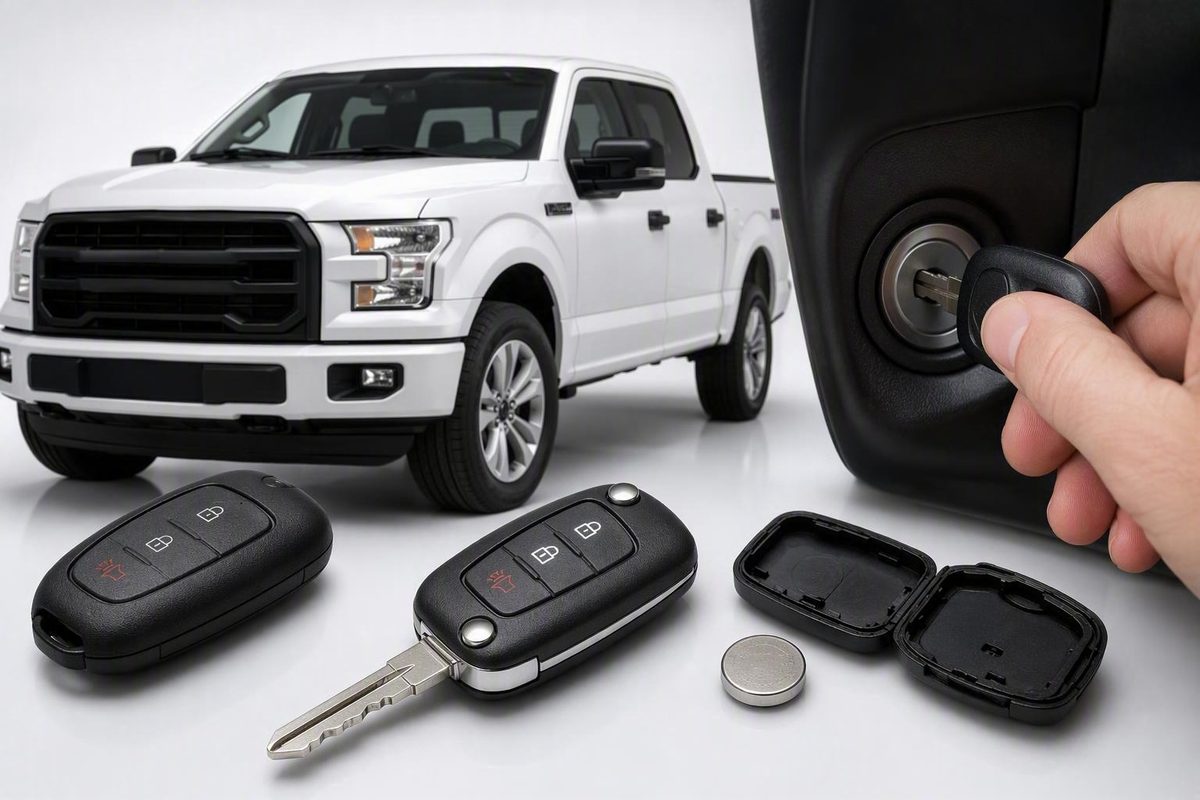
For compatible keyed-ignition trucks, turn OFF to RUN eight times within 10 seconds, then pair remotes—and learn what this method cannot program.
Programming a Ford F-150 key fob is not one universal task. You may need to pair the remote buttons, authorize a key to start the truck, cut a physical blade, or complete more than one of those jobs.
This guide covers a commonly cited eight-cycle remote-button pairing method for potentially compatible keyed-ignition trucks. The clearest F-150 demonstration in the available evidence involves a 2010 model. The procedure is not verified here as a year-by-year Ford standard, and it must not be treated as a way to program every transponder, intelligent-access key, push-button-start fob, or F-150 Lightning key.
Before attempting it, identify your truck’s model year and key system, then check the owner’s manual supplied for that exact vehicle. If you do not have the correct manual, obtain the model-year documentation from Ford or ask a Ford dealer to identify the applicable instructions using the truck’s year and VIN. Do not substitute a generic online procedure for model-specific documentation.
Start Here: Identify What You Need to Program
A replacement F-150 key or fob can involve three distinct tasks:
-
Cutting the physical key blade
-
Authorizing engine start A transponder key or intelligent-access fob must be recognized by the truck’s security system. This determines whether the truck will start normally.
-
Pairing the remote buttons Lock, unlock, panic, tailgate, and other remote commands rely on a remote-control function that may require a separate pairing process.
Diagnose the problem by what already works
If a replacement key starts and runs the truck but the lock, unlock, or panic buttons do nothing, basic engine-start authorization has probably already occurred. The remaining problem is more likely to involve:
- Remote-button pairing
- Fob compatibility
- Battery installation
- Fob hardware
- The vehicle-side remote-control system
This separation appears in a 2009–2014 F-150 owner discussion in which newly cut keys reportedly started the truck while their remote buttons remained inoperative. Participants treated remote pairing as separate from transponder authorization, although the discussion is not official Ford documentation (2009–2014 F-150 owner discussion).
Successful remote pairing does not prove that the immobilizer or intelligent-access portion has been authorized.
The eight-cycle method below concerns remote-control functions only. Do not rely on it to make an unrecognized key start the truck.
Remote start requires the same distinction. Pairing a button does not guarantee that remote start will become operational. Treat remote start as a function to test afterward, not as a promised result.
Compatibility Check Before You Turn the Key
Do not begin with the ignition sequence. First record:
- Model year
- Conventional F-150 or F-150 Lightning
- Keyed ignition or push-button start
- Original fob style and button arrangement
- Number of currently working, authorized keys
- Whether the truck has factory keyless entry
- Whether the replacement is new, used OEM, or aftermarket
The strongest concrete demonstration in the available evidence is an independent video showing two replacement remotes being paired to a 2010 Ford F-150 in one session. The presenter uses a conventional ignition key and tests lock and unlock afterward (2010 F-150 remote-pairing demonstration).
A similar procedure appears in an owner-forum section for 2009–2014 F-150 trucks. Generic dealership instructions also describe it for Ford vehicles more broadly. None of those sources establishes an official compatibility chart covering every F-150 year, trim, ignition type, or key system. Beach Automotive expressly says its instructions work for “most, but not all” Ford vehicles (Beach Automotive’s general Ford fob guide).
Do not assume the method applies to these systems
Treat the eight-cycle method as unverified for:
- Push-button-start F-150s
- Intelligent-access systems
- F-150 Lightning models
- Any truck whose manual specifies another procedure
- Any situation involving engine-start authorization rather than remote buttons
A 2021 F-150 owner reported that the eight-turn method did not work on that truck. Forum participants discussed a requirement for two already-authorized keys, but the discussion does not prove that two keys are universally required across all 2021 or newer configurations (2021 F-150 owner discussion).
Check the model-year manual first
Use the printed or digital owner’s manual for your exact model year and key system. Look for sections titled:
- Keys and remote controls
- Remote control programming
- Passive key
- Intelligent access
- SecuriLock
- Replacement keys
If you cannot identify the correct documentation with confidence, give a Ford dealer the model year and VIN and ask which owner instructions apply before attempting a generic sequence.
This check matters because the available sources conflict on door preparation. Generic dealership guidance says to close all doors, reopen the driver’s door, and press the driver-door unlock switch. The independent 2010 demonstration leaves a door open with the doors unlocked. Neither setup should be treated as a universal F-150 rule.
If the manual does not describe owner pairing for your system, do not infer that the legacy method applies.
Before Programming: Verify the Replacement Fob
Before buying or attempting to pair a replacement, compare it with a known-working original whenever possible.
Replacement-fob checklist
Check:
- Ford part number: Compare the complete number, including its prefix and suffix where available.
- FCC ID: Match the complete identifier rather than a partial code.
- Operating frequency: Confirm that the replacement uses the radio frequency required by the truck.
- Button layout: Match the number and purpose of the buttons.
- Ignition system: Do not treat a keyed-ignition remote and an intelligent-access fob as interchangeable because their cases look alike.
- Supported features: Check lock, unlock, panic, tailgate, remote start, and other equipped functions.
- Physical key style: Where applicable, confirm the blade and emergency-key design.
- Vehicle application: Verify the year, model, and key system rather than relying only on a marketplace listing.
If no original is available for comparison, ask a Ford parts department or qualified automotive locksmith whether it can identify a compatible replacement from the truck’s VIN and key-system details. Confirm what the provider can verify before purchasing a fob.
Genuine, aftermarket, and used OEM fobs
There is no supported universal rule that every fob in any one category will work.
Beach Automotive says its published directions require a genuine Ford fob and directs users of third-party fobs to the manufacturer. By contrast, participants in a Lightning owner discussion reported that some matching used OEM fobs can be programmed. These claims are not equivalent to an official compatibility guarantee.
The practical rule is to verify the identifiers and application. Branding, appearance, or a seller’s product title is not enough.
A Lightning example of why frequency matters
In one owner-reported 2024 F-150 Lightning case, an older fob was identified at about 314.95 MHz, while the truck’s original fob was reported at approximately 434 MHz. The replacement appeared to complete a programming event, but its lock and unlock buttons remained inoperative (2024 Lightning owner discussion).
That report is anecdotal and specific to one Lightning. It does not prove that frequency mismatch causes every failure. It does show why a success message alone cannot establish complete compatibility.
Participants in the same discussion also raised concerns that questionable additions could occupy available key memory. The evidence does not establish an authoritative capacity or supported deletion procedure, so avoid repeatedly adding uncertain fobs.
Finally, gather every verified remote you intend to use before beginning a legacy pairing session. Multiple remotes can be entered during the same programming window. The available evidence does not prove that an omitted remote will necessarily be erased, but having all intended remotes ready avoids an unnecessary repeat session.
Eight-Cycle Remote-Pairing Steps for Potentially Compatible Keyed-Ignition Trucks
Limited scope: This is a remote-button pairing method for potentially compatible keyed-ignition trucks. It is not a universal F-150 procedure, official Ford service documentation, or immobilizer and transponder programming.
Proceed only when:
- The truck has a conventional keyed ignition.
- Its year-specific documentation does not give a conflicting procedure.
- The replacement remote’s identifiers and features match.
- You are pairing remote buttons rather than authorizing engine start.
- The truck has the applicable factory keyless-entry equipment.
1. Gather the compatible remotes
Bring the known-working remotes and every verified replacement you want to pair. Do not start the engine during the sequence.
2. Prepare the doors as directed for your model year
Use the door position and lock-state preparation stated in the truck’s owner’s manual.
Generic dealership instructions commonly say to:
- Close all doors.
- Reopen the driver’s door.
- Press the driver-door UNLOCK switch.
Capitol Ford publishes that setup before the ignition sequence, while the independent 2010 F-150 demonstration instead uses an open door and unlocked doors. Follow the arrangement specified for your truck rather than treating either version as universal.
3. Cycle the ignition eight times
Insert the ignition key. Turn the ignition from OFF to RUN eight times within 10 seconds, ending the eighth movement in RUN. Do not start the engine during the sequence (Capitol Ford’s remote-pairing procedure).
Count each movement carefully:
- OFF → RUN
- OFF → RUN
- OFF → RUN
- OFF → RUN
- OFF → RUN
- OFF → RUN
- OFF → RUN
- OFF → RUN, then remain in RUN
4. Wait for the initial lock cycle
The power door locks should cycle if programming mode opens. This initial response indicates that the truck recognized the ignition sequence.
If the locks do not cycle, stop and use the diagnostic section below rather than repeating the procedure many times.
5. Press a button on the first remote
Within eight seconds, press any button on the first compatible remote. Another door-lock cycle is the expected acceptance feedback for that remote (Beach Automotive’s pairing sequence).
6. Pair each additional intended remote
Press a button on each additional compatible remote during the active programming window, checking for an acceptance cycle after each one.
The independent 2010 demonstration paired two replacement remotes in one session. That supports preparing all intended remotes in advance, but it does not establish a universal capacity or prove that a remote omitted from the session will be erased.
7. Turn the ignition OFF
After entering the intended remotes, turn the ignition to OFF. The generic dealership procedure says a final lock cycle may indicate that the programming session has ended.
8. Test the remote functions
After leaving programming mode, test each fob individually:
- Lock
- Unlock
- Panic
- Tailgate or another equipped function
- Remote start, if equipped and otherwise authorized
Use the panic function considerately and be ready to stop it. Confirm separately whether the mechanical key and engine-start function work. Remote-button pairing alone does not guarantee remote-start operation.
Read the Truck’s Feedback to Find the Failure Stage
| What happens | Likely failure stage | What to check next |
|---|---|---|
| No initial lock cycle after the eighth turn | Programming mode did not open | Make one careful retry within 10 seconds, end the eighth turn in RUN, verify the model-year door setup, and confirm applicable factory keyless entry (Capitol Ford procedure) |
| Initial lock cycle occurs, but there is no cycle after pressing the fob | The truck entered programming mode but did not accept the remote | Check battery installation, part number, FCC ID, frequency, button layout, and fob condition |
| The key starts the engine, but remote buttons fail | Start authorization works; remote operation does not | Investigate remote pairing, radio compatibility, battery installation, and the remote’s condition |
| Remote buttons work, but the engine does not start | Remote pairing works; start authorization does not | Use the model-specific key-authorization process or seek professional programming |
No initial lock cycle
Confirm that:
- All eight OFF-to-RUN cycles were completed within the stated time.
- The eighth turn ended in RUN rather than OFF.
- The door and lock preparation matched the year-specific instructions.
- The truck has the applicable keyless-entry equipment.
Generic dealership guidance says that no lock cycle can mean the ignition was turned too slowly or that the vehicle lacks the relevant keyless-entry function. Those are possibilities, not a complete diagnosis.
Make one careful retry. If the locks still do not cycle, stop treating speed as the only explanation. The procedure may not apply to that model year or key system.
Programming mode opens, but the fob is not accepted
An initial lock cycle indicates that the truck recognized the entry sequence. It does not prove that the replacement fob is compatible.
Check:
- Battery orientation
- Whether the battery is seated securely
- Visible damage to the buttons or fob
- Ford part number
- FCC ID
- Operating frequency
- Button and feature compatibility
The engine starts, but the buttons fail
This pattern indicates that the truck recognizes the key sufficiently for engine start while remote operation remains unresolved.
Possible areas to investigate include:
- The remote was never paired.
- The fob uses an incompatible radio specification.
- The battery is depleted, reversed, or not seated correctly.
- The fob is damaged.
- The remote portion is incompatible even though the engine-start portion works.
Do not redo engine-start authorization merely because the buttons are dead. Diagnose the remote side first.
The buttons work, but the engine does not start
This is the opposite separation. The truck has accepted the remote commands, but it does not recognize the key for normal starting.
Repeating the eight-cycle procedure will not resolve that authorization problem. Use the owner’s manual procedure for the exact model and key system if one is available and you have the required working keys. Otherwise, contact a Ford dealer or qualified automotive locksmith.
What each lock response means
For the generic procedure, the responses represent different stages:
- Initial cycle after the eighth ignition turn: programming mode appears to have opened.
- Cycle after a fob button press: that remote appears to have been accepted.
- Possible final cycle after switching OFF: the pairing session has ended.
If the first response occurs but the second does not, the ignition sequence is no longer the most useful part to repeat.
When Programming Appears Successful but the Buttons Still Fail
It does not conclusively prove that every fob function is compatible.
Compare the replacement with the original again:
- Exact Ford part number
- Complete FCC ID
- Operating frequency
- Button count and icons
- Keyed-ignition or intelligent-access design
- Supported model year and features
What emergency-slot starting does—and does not—prove
In the owner-reported 2024 Lightning case, the truck displayed a successful-programming message and flashed its hazard lights. The replacement fob could start the vehicle when placed in the emergency or programming slot, yet remote lock and unlock did not work.
It did not establish that the fob’s remote radio matched the truck.
That produces an apparently contradictory but useful diagnostic pattern:
- Close-range or emergency-slot recognition works.
- Remote lock and unlock commands do not.
The reported difference between approximately 314.95 MHz and 434 MHz offered a possible explanation in that case, not a universal diagnosis.
A fresh battery is a test, not proof of compatibility
Install the specified battery in the correct orientation and make sure it is seated properly. If the buttons begin working, the battery or its installation was likely involved.
It cannot correct:
- The wrong frequency
- An incompatible FCC ID
- An incorrect part number
- Unsupported buttons
- A damaged fob
- A mismatched key system
Avoid repeatedly attempting to add an uncertain fob. The evidence does not establish an authoritative memory limit or a supported owner procedure for deleting an incompatible stored fob.
Newer F-150s, Push-Button Start, and Lightning
Keep intelligent-access and Lightning systems separate from the legacy ignition-cycle procedure. The available evidence does not provide verified owner-programming instructions for push-button-start F-150s or the F-150 Lightning.
The correct path depends on:
- Model year
- Conventional F-150 or Lightning
- Keyed ignition or push-button start
- Key and intelligent-access system
- Number of currently authorized keys
- Replacement-fob specifications
The F-150 name alone does not determine the procedure.
If you have a 2021 or newer truck
Do not assume that the eight-turn method works with your key system. One 2021 F-150 owner reported trying it without success. Participants in that discussion said owner programming generally required two working keys, but that forum claim is not official proof for every newer configuration.
If you have two working authorized keys, check the owner’s manual for an additional-key procedure and follow it exactly.
If you have only one working key—or none—owner programming may not be available for your configuration. Contact a Ford dealer or qualified automotive locksmith and ask whether the provider supports your exact model year, ignition system, and key type.
If you have an F-150 Lightning
Do not use the legacy ignition-cycle method.
Instead:
- Obtain the owner’s manual for the exact Lightning model year.
- Compare the replacement’s part number, FCC ID, and frequency with an original.
- Record how many authorized fobs currently work.
- Treat emergency-slot recognition and remote-button operation as separate observations.
- Seek model-specific assistance when the manual does not provide an applicable owner procedure.
Do not use an unverified FORScan workflow to add or delete keys. The available forum discussions are uncertain about compatibility and do not establish a supported programming or deletion process.
When to Stop DIY Attempts and Get Professional Help
Stop repeating the sequence and request model-specific help when:
- The truck never enters programming mode after one careful retry.
- The owner’s manual does not provide the legacy remote-pairing procedure.
- The truck has push-button start, intelligent access, or is an F-150 Lightning.
- You lack the number of authorized keys required by the model-specific instructions.
- The replacement’s part number, FCC ID, or frequency cannot be verified.
- The truck appears to accept the remote, but its buttons remain inoperative.
- The buttons work, but the truck does not authorize engine start.
- Remote-start behavior remains unresolved after basic button pairing.
- The replacement fob is visibly damaged.
- The evidence points to a vehicle-side problem rather than a pairing error.
A qualified automotive locksmith and a Ford dealer are both possible service paths. Before making an appointment, ask whether the provider handles your exact model year, ignition system, and key type. Do not assume that every provider has the equipment for every F-150 configuration.
Bring:
- The truck
- Model year and trim
- VIN
- Every existing key and remote
- The replacement fob
- Ford part number
- FCC ID
- Any frequency or application information supplied with the replacement
- A concise symptom history
Describe the symptoms precisely. “The blade turns, the engine starts, but none of the buttons work” is more useful than “the key will not program.” Also report whether the locks cycled after the ignition sequence, whether they cycled after the fob button press, and whether the fob works only in an emergency slot.
The shortest safe decision path is:
- Decide whether the problem involves blade cutting, engine-start authorization, or remote-button pairing.
- Identify the model year, truck type, ignition system, and number of working keys.
- Verify the replacement’s part number, FCC ID, frequency, and buttons.
- Use the eight-cycle procedure only for a potentially compatible keyed-ignition truck.
- Use the lock-cycle feedback to identify where the attempt failed.
- Stop for model-specific guidance or professional help when the truck is newer, push-button-start, Lightning, short of authorized keys, or paired with uncertain hardware.
Key Fob Zone describes itself as an informational publisher covering key-fob programming and troubleshooting. Its terms state that its content is general information provided without warranties; this article does not represent a locksmith, key-cutting, programming, repair, retail, or emergency lockout service.
Frequently Asked Questions
Will the eight-turn method program my F-150 key so it starts the engine?
No—not by itself. The eight-turn method described here pairs remote-control functions on potentially compatible keyed-ignition trucks. It is not transponder or immobilizer programming.
A key may start the truck while its buttons remain unpaired, and the buttons may operate while the key remains unauthorized for engine start. If the truck does not start, use the model-year procedure for adding an authorized key or contact a qualified service provider.
Does the eight-cycle procedure work on every Ford F-150 model year?
No. It has been demonstrated on a 2010 F-150 and discussed in a 2009–2014 owner-forum section, but those sources do not establish an official compatibility range.
Do not assume the method applies to intelligent-access, push-button-start, or Lightning systems. A 2021 owner reported that it failed on that truck. Check the owner’s manual for the exact model year and key system.
Do I need to have every remote with me during programming?
Have every compatible remote you intend to use ready. The generic procedure provides a short window for entering additional remotes, and the 2010 demonstration paired two replacements during one session.
The available evidence does not establish that a remote omitted from the session will always be erased. Gathering all intended remotes is a practical precaution, not a claim that omission necessarily deletes one.
Why won’t the door locks cycle after eight ignition turns?
Possible explanations include:
- The eight cycles took longer than 10 seconds.
- The eighth turn ended in OFF rather than RUN.
- The door and lock preparation did not match the truck’s requirements.
- The truck lacks the applicable keyless-entry equipment.
- The procedure does not apply to that model year or key system.
The generic dealership procedure requires eight OFF-to-RUN movements within 10 seconds, ending in RUN. Retry once with deliberate counting. If there is still no initial lock cycle, consult the model-specific documentation rather than repeating the sequence indefinitely.
Why can my F-150 recognize or start with the fob while its lock and unlock buttons do not work?
Engine-start recognition and remote radio operation can be separate. The transponder or intelligent-access portion may be recognized while the remote buttons remain unpaired, unpowered, damaged, or radio-incompatible.
Recheck the battery installation, Ford part number, FCC ID, operating frequency, and button layout.