
First Identify Which Civic Key System You Need to Pair
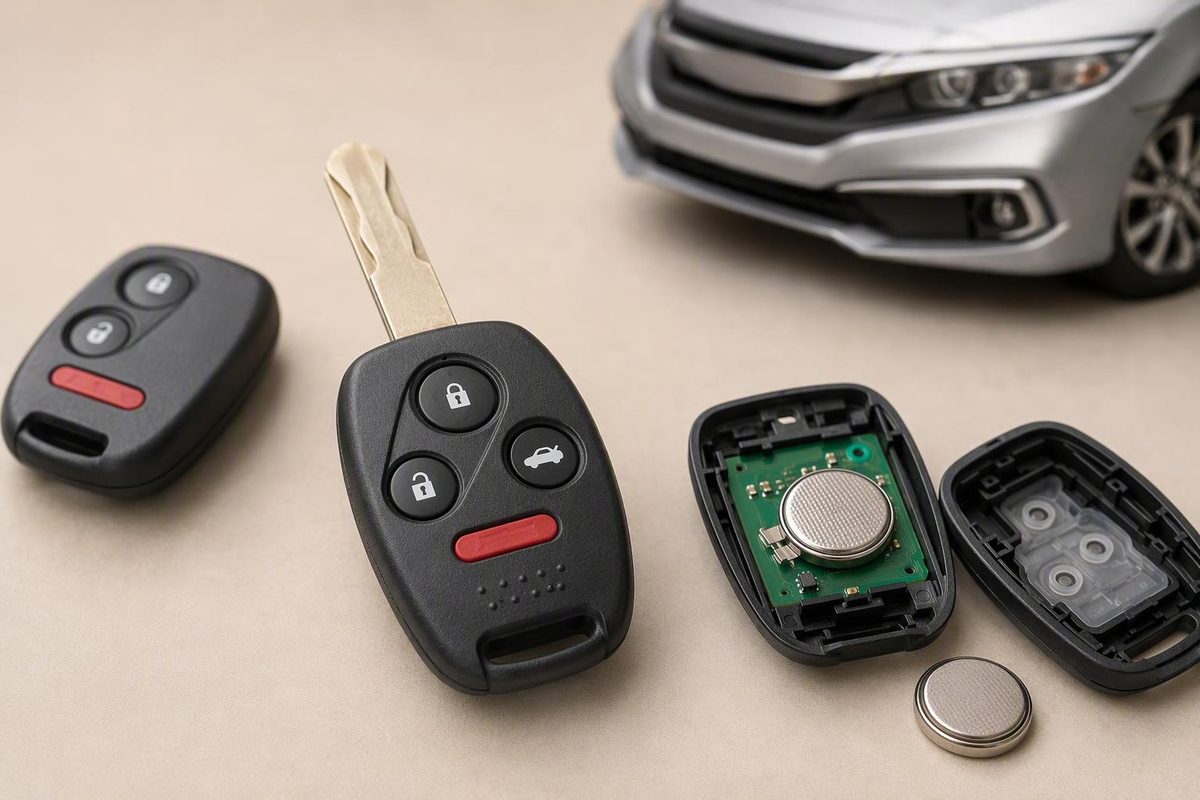
For a confirmed-compatible older remote, use three ON–LOCK–OFF cycles, then a fourth ON-and-LOCK; push-button and no-start issues take another path.
There is no evidence-supported procedure that applies to every Honda Civic key fob. It also depends on which function has failed: remote buttons, proximity detection, engine-start authorization, or a combination of these.
This guide therefore begins with system identification—not a universal programming sequence. The timed ignition-and-button method described below comes from guidance for unspecified older Honda systems. It has not been verified here for any particular Civic year, trim, or market.
Before proceeding: Use the DIY sequence only if owner or service information for your exact Civic confirms that its older remote-entry system supports it. Push-button smart keys, engine no-start problems, and uncertain fob compatibility require vehicle-specific information or professional help.
Start Here: Identify the Civic, the Fob, and the Failed Function
Before searching for a way to program a Honda Civic key fob, gather the information needed to identify the system.
-
Record the vehicle details - Model year - Trim - Country or sales market - Keyed ignition or push-button start - Vehicle identification number
-
Inspect the existing and replacement fobs - Record every printed part number or identifier. - Compare identifiers rather than relying on case shape. - Note whether the mechanical key is separate, integrated into the remote, or stored as an emergency blade inside a smart key.
-
Identify the failed function - Do the lock, unlock, trunk, or panic buttons fail? - Does the key turn while the engine refuses to start? - Does a push-button Civic report that no key is detected? - Do the buttons work even though the engine will not start? - Does one remote fail while another works?
-
Choose the appropriate path - A confirmed-compatible older keyed-ignition remote may support owner-performed remote pairing. - A proximity key for a push-button Civic belongs on a smart-key registration or diagnostic path. - A replacement key associated with an engine no-start belongs on an immobilizer, transponder, or starting-system path. - A fob that remains dead after a battery change may have a battery-installation, hardware, compatibility, or vehicle-side problem rather than a pairing problem.
A physical ignition key does not prove that the complete key can be programmed at home. Those functions can have different registration requirements despite sharing one case.
Use printed identifiers and documentation applicable to the exact vehicle system.
The available procedural evidence is narrow: one Honda dealership article describes a generic process for older Honda remotes without identifying compatible Civic years, while a separate demonstration uses an Accord rather than a Civic. Neither source establishes a universal Civic procedure.
Quick decision: If the Civic has a physical ignition key, already starts normally, and vehicle-specific information confirms manual remote pairing, the conditional sequence below may be relevant. If the vehicle has push-button start, reports a key-detection or security warning, will not start with the replacement key, or has uncertain fob compatibility, consult the owner’s manual, applicable Honda service information, a Honda dealer, or a qualified automotive locksmith.
Remote Pairing Is Not the Same as Programming the Key to Start the Engine
“Key fob programming” can describe two different tasks.
Remote-entry pairing registers the transmitter used for functions such as locking and unlocking the doors.
Immobilizer or transponder registration concerns the security authorization associated with starting the engine.
The ignition-and-LOCK-button sequence described later addresses remote-entry functions only. It does not demonstrate immobilizer or transponder registration.
That distinction explains several common symptom combinations:
- The key starts the engine, but the buttons do nothing. The engine-start function may be valid while the remote transmitter is unpaired, discharged, damaged, or incompatible.
- The buttons operate the locks, but the engine will not start. Remote pairing may be working while engine-start authorization—or another part of the starting system—still requires attention.
- Neither function works. The vehicle may require more than one registration task, or the replacement fob may be incompatible or defective.
- A push-button vehicle intermittently fails to detect the key. The problem may concern fob power, proximity communication, registration, or the vehicle system. An older keyed-ignition sequence does not address all of those possibilities.
The Accord demonstration used as contextual evidence identifies its task as “Keyless Entry Transmitter Programming” and demonstrates restoration of remote lock and unlock operation. Its use of the ignition switch does not mean the procedure authorizes engine starting.
If a replacement key does not start the Civic, stop repeating remote-entry sequences. Check the vehicle’s documentation for key or immobilizer information and ask a qualified provider specifically about transponder, immobilizer, smart-key, or starting-system diagnosis—not merely “fob programming.”
Preflight Checklist for a Possible Older Remote-Entry Pairing
Do not begin solely because the Civic has a physical ignition key. First confirm through information applicable to the exact year, trim, market, and remote system that owner-performed remote pairing is supported.
If compatibility is confirmed, complete this checklist:
- [ ] The objective is remote-button operation. You are not trying to authorize a key to start the engine.
- [ ] The exact Civic is confirmed compatible. Vehicle-specific information supports a manual pairing procedure.
- [ ] The replacement remote matches the required system. Its identifiers have been checked rather than inferred from appearance.
- [ ] Every remote that should remain active is present.
- [ ] Every door is closed and unlocked.
- [ ] The interior power-lock switch operates normally.
- [ ] Each remote has an adequate, correctly installed battery.
- [ ] You can distinguish OFF, ON, and START. Do not start the engine during the cited process.
- [ ] You have read the entire sequence before beginning.
- [ ] The ignition is OFF at the start.
Bring every remote that should continue working. The generic dealership guidance says all remotes must be registered in the same session because previously stored remotes may be forgotten. Treat that as guidance for the procedure it describes—not as a confirmed rule for every Civic.
Check the battery before concluding that programming has been lost. If the problem began immediately after opening the fob, recheck the battery type, polarity, seating, contacts, and case assembly. A fresh battery may restore a weak or nonresponsive transmitter, but a battery change alone does not establish that programming is required.
Test the interior power-lock switch as well. Accurate timing also cannot make an incompatible or defective remote communicate with the vehicle.
Do not attempt to bypass the immobilizer, anti-theft system, or ownership controls. If documentation for the exact Civic conflicts with the generic sequence, follow the vehicle-specific information and stop the generic attempt.
Conditional DIY Sequence for a Confirmed-Compatible Older Honda Remote
This is contextual guidance for an older remote-entry system already confirmed compatible. It is not verified here for any specific Honda Civic year, trim, or market, and it does not register a transponder or authorize engine starting.
The dealership-described method uses three complete ON–LOCK–OFF cycles followed by a fourth ON-and-LOCK action. It calls for pressing LOCK for about one second within five seconds of turning the ignition on, with each subsequent action completed within the stated five-second interval. Smart Honda of Des Moines publishes the full older-remote procedure.
Visual timeline
Start: OFF
        │
Cycle 1: ON → press LOCK → OFF
        │
Cycle 2: ON → press LOCK → OFF
        │
Cycle 3: ON → press LOCK → OFF
        │
Entry:   ON → press LOCK → keep ignition ON
                              │
                              ├─ Listen for lock actuation or a clunk
                              ├─ Press LOCK on every remote to retain
                              └─ OFF → remove key → test all remotes
Step-by-step procedure
-
Get into the vehicle with every remote. Close all doors and leave them unlocked. Insert the ignition key but keep the ignition OFF.
-
Turn the ignition to ON without starting the engine. Use the position at which the dashboard illuminates. Do not turn the key far enough to crank the engine.
-
Within five seconds, press and hold LOCK for about one second.
-
Turn the ignition OFF. This completes the first ON–LOCK–OFF cycle.
-
Perform two more complete cycles. Repeat: - Ignition ON - Press LOCK for about one second - Ignition OFF
You should now have completed exactly three ON–LOCK–OFF cycles.
-
Turn the ignition ON a fourth time and press LOCK. Do not turn the ignition off immediately after this press.
-
Listen for the programming-mode acknowledgment. The dealership instructions describe a lock-like clunk as the indication that remote-programming mode has started. They say the sound does not necessarily mean the doors have locked.
-
Register every remote while the ignition remains ON. Press LOCK for about one second on each remote that should remain active, including the remote used to enter programming mode. Listen for an acknowledgment after each one.
-
Exit programming mode and test. Turn the ignition OFF, remove the key, and then test every remote. Check lock and unlock separately before testing any other applicable buttons.
The dealership page describes programming mode as active for ten seconds and says the remote will not operate while the key remains in the ignition. It also states a three-remote maximum, but does not tie that limit to a particular Civic generation; it should not be treated as a Civic-wide capacity specification. Those timing and capacity statements come from the dealership’s generic older-Honda instructions.
The most common sequence error
The pattern is not four identical complete cycles. It is:
- ON → LOCK → OFF
- ON → LOCK → OFF
- ON → LOCK → OFF
- ON → LOCK → remain ON
Turning the ignition off immediately after the fourth LOCK press ends the sequence before additional remotes can be registered. Testing while the key remains inserted can also create the appearance of failure under the dealership-described process.
If no lock actuation occurs after the fourth ON-and-LOCK action, turn the ignition off and review the troubleshooting checks below. A careful repeat may help identify a timing mistake, but repeated attempts cannot resolve an unsupported system, incompatible remote, defective fob, or vehicle-side fault.
Why the 2004 Accord Example Does Not Prove Civic Compatibility
A similar ignition-and-button process was demonstrated on a 2004 Honda Accord 2.4L EX sedan, not a Civic. In that example, the procedure restored remote lock and unlock operation after replacement of the master power-window switch or control unit. On the fourth stage, the locks actuated, after which the presenter registered the remote while the system remained in programming mode. The Big Dog50001 Automotive demonstration identifies the exact vehicle and repair context.
That example provides contextual evidence that at least one older Honda remote-entry system can enter pairing mode through coordinated ignition and transmitter-button actions. It also shows that work involving a related control unit preceded the need to restore remote functions on that vehicle.
It does not prove that the procedure applies to a Civic. The video is a third-party demonstration, not a model-by-model Civic compatibility list or official Honda service instruction.
Factors that may change the applicable procedure include:
- Model and model year
- Trim and equipment
- Country or sales market
- Keyed ignition versus push-button start
- Separate remote versus integrated key
- Proximity smart-key system
- Remote and receiver identifiers
- Installed door-lock or keyless-access control modules
- Previous control-module replacement or configuration work
A procedure that worked on an older Accord—or on another Civic that appears similar—should be treated as a lead to verify, not proof of compatibility. Obtain owner or service information applicable to the exact Civic before using the conditional sequence. If that information specifies another procedure or equipment-assisted registration, do not substitute the generic method.
Push-Button Smart Keys and Engine-Start Registration
A push-button smart key may participate in several distinct functions:
- Remote button operation
- Proximity entry
- In-vehicle key detection
- Push-button engine starting
- Emergency mechanical entry through a removable blade
Smart Honda of Des Moines says most newer smart-key fobs require manufacturer computer equipment rather than its older-remote procedure. The Big Dog50001 Automotive presenter similarly says most newer push-button Hondas require a Honda-capable scan tool. These are broad third-party statements, not proof that every push-button Civic uses the same equipment, software, access, or registration process. The video presents that scan-tool claim alongside its older-Accord demonstration.
Do not adapt the ignition-cycle sequence for smart-key or immobilizer registration. Instead, gather:
- VIN
- Model year and trim
- Country or sales market
- Keyed ignition or push-button start
- Identifiers from the existing and replacement fobs
- Every existing key, remote, and emergency blade
- Whether the replacement is new, used, refurbished, or aftermarket
- Whether the remote buttons work
- Whether proximity entry works
- Whether the vehicle detects the key inside
- Whether the engine starts
- Any key-related or immobilizer message
- Any recent battery, switch, module, door, lock, or electrical work
Consult vehicle-specific Honda information, a Honda dealer, or a qualified automotive locksmith that can confirm capability for the exact Civic. Ask whether the supplied fob can be registered before authorizing work; a visually matching remote is not necessarily compatible.
Avoid relying on a universal programming-price estimate. Remote pairing, transponder registration, smart-key registration, and emergency-blade cutting may be separate tasks, and no current local cost evidence is supplied here.
Troubleshooting When the Locks Do Not Cycle or a Remote Still Fails
Use the symptom to select the next step rather than repeating the sequence without new information.
| Symptom | What it may indicate | Next step |
|---|---|---|
| No lock clunk or actuation after the fourth action | The sequence or timing may have been missed, the vehicle may not support the method, or the fob or vehicle system may require diagnosis | Recheck the three-cycle-then-fourth-ON pattern, door status, ignition position, battery, power locks, and compatibility. If the system still gives no acknowledgment, stop and seek vehicle-specific information. |
| One remote fails while another works | A problem localized to the failed remote, including its battery, contacts, buttons, electronics, or compatibility | Inspect that remote and compare its identifiers. Do not assume a vehicle-wide receiver fault when another remote works. |
| Every remote fails after the session | The procedure may not apply, testing may have occurred with the key inserted, remotes may have been omitted, or a vehicle-side issue may exist | Switch off, remove the key, and test again. If all remotes still fail, move to model-specific instructions or diagnosis. |
| Buttons work but the engine does not start | Remote pairing is functioning, but engine-start authorization or another starting-system issue remains | Stop the remote-entry procedure and seek Civic-specific immobilizer or starting-system guidance. |
| Engine starts but remote buttons fail | The engine-start function may be valid while the transmitter is unpaired, discharged, damaged, or incompatible | Check the battery and fob compatibility. Use a pairing method only if confirmed for that Civic. |
If there is no lock clunk on the fourth action
Turn the ignition off and reconstruct the sequence. Confirm that you completed three ON–LOCK–OFF cycles, followed by a fourth ON-and-LOCK action while leaving the ignition on. Make sure ON meant the dashboard-on position without starting the engine.
Recheck that the doors were closed and unlocked. Confirm that the interior power-lock switch works, inspect the remote battery, and verify that the transmitter is intended for the exact vehicle system.
A deliberate repeat can help rule out a timing mistake. If the locks still do not acknowledge programming mode, continuing to repeat the sequence provides little diagnostic value. Move to Civic-specific information or professional diagnosis.
If one remote works and another does not
A working remote indicates that at least part of the vehicle’s remote-entry system is operating. Concentrate on the failed unit:
- Is its battery correctly installed and making contact?
- Are its buttons damaged or worn?
- Do its identifiers match the required remote?
- Was LOCK pressed during the active registration window?
- Did the locks acknowledge that individual remote?
- Is the remote used, refurbished, or of uncertain history?
Repeat a complete registration session only if the applicable vehicle instructions call for it and every remote is present. Otherwise, diagnose the individual remote rather than assuming a vehicle-wide failure.
If every remote fails
Remove the ignition key before final testing. The generic dealership instructions say the remotes do not operate while the key remains in the ignition, so testing too early can create a false failure.
If an existing remote worked before the session but was omitted, the dealership-described system may have forgotten it. That behavior has not been confirmed for every Civic, but it is a reason to bring all remotes whenever the applicable instructions call for a complete registration session.
If every remote was present and none works, consider whether:
- The Civic does not support the generic method.
- The remote identifiers are incompatible.
- The batteries or internal electronics are faulty.
- The power-lock or receiver system has a fault.
- A related control unit was replaced or configured.
- The correct procedure differs by year, trim, or market.
At that point, further timing attempts are unlikely to identify which possibility applies.
If the battery was recently replaced
A battery change alone does not show that remote registration has been lost. Reopen the fob and check the battery number, polarity, seating, contacts, and case assembly. Generic battery guidance notes that many fobs do not require reprogramming after a battery swap, while continuing failure can reflect a fob or vehicle-side issue; it does not provide Honda Civic-specific synchronization instructions. See the Key Fob Zone battery troubleshooting guide.
If the fob became completely unresponsive immediately after the battery change, verify installation before attempting vehicle programming. If it works intermittently or only at close range, inspect the battery and contacts and consider possible fob damage.
When to escalate
Move from generic DIY troubleshooting to vehicle-specific help when:
- Civic compatibility remains uncertain.
- The locks never acknowledge programming mode after a careful attempt.
- The vehicle has push-button start.
- The engine will not start with the replacement key.
- A key-detection or security warning remains active.
- The interior power-lock system is abnormal.
- The replacement fob’s identifiers cannot be confirmed.
- Related control-module work preceded the failure.
- The remote or vehicle hardware may be defective.
Describe the symptom precisely. “The buttons do not work, but the key starts the engine” is more useful than “the fob needs programming.”
What to Ask a Honda Dealer or Automotive Locksmith
Ask the provider to identify the exact service rather than requesting generic “fob programming.” Possible tasks include:
- Remote lock and unlock pairing
- Immobilizer or transponder registration
- Proximity smart-key registration
- Emergency mechanical-key cutting
- Replacement of a damaged remote
- Diagnosis of vehicle-side keyless-entry or lock faults
- A combination of registration and cutting services
Provide the VIN, model year, trim, sales market, ignition type, fob identifiers, and every existing key or remote. Explain which functions work and which fail, including remote buttons, passive entry, in-vehicle detection, and engine starting.
Before authorizing work, ask:
- Is this replacement fob compatible with my exact Civic?
- Can you verify compatibility from its identifiers rather than its appearance?
- Does the vehicle need remote pairing, transponder registration, smart-key registration, or multiple services?
- Must every existing remote or key be present?
- Could the session remove an omitted remote from memory?
- Can you service this model, market, and ignition system?
- Does the emergency key blade need to be cut?
- What proof of ownership and identification should I bring?
- Will you test remote buttons, proximity detection, and engine starting separately?
- What happens if the supplied fob proves incompatible or defective?
If the failure began after replacement of a master switch, door module, body-control component, or related control unit, disclose exactly what changed. The Accord demonstration establishes that replacement of a related control unit preceded the need to restore remote functions on that vehicle; it does not establish the same repair requirement for a Civic.
Do not assume that a locksmith is always less expensive, that a dealer is always required, or that either provider can register every used or aftermarket fob. Confirm capability for the exact system before paying for programming or cutting.
Frequently Asked Questions
Can I program every Honda Civic key fob with the ignition and LOCK-button method?
No. The available ignition-and-LOCK instructions concern unspecified older Honda remote-entry systems and do not identify compatible Civic years, trims, markets, or fob identifiers. The separate demonstration used an Accord rather than a Civic.
Use the method only if information applicable to the exact Civic confirms support. Push-button smart keys and other systems may require a different registration process.
Does remote key-fob pairing program the transponder so the Civic will start?
The evidence supplied here does not show that it does. The timed process addresses remote lock and unlock functions on a compatible older remote-entry system; it does not demonstrate immobilizer or transponder registration.
If the buttons work but the Civic will not start, stop repeating remote pairing and seek model-specific immobilizer or starting-system guidance.
Do I need to bring all existing remotes into the programming session?
For the generic older-Honda procedure described here, the dealership guidance says yes. It states that all remotes should be registered in the same session because omitted remotes may be forgotten.
That behavior is not confirmed for every Civic. Nevertheless, bring all existing remotes whenever the applicable DIY or professional instructions call for a complete registration session.
What does it mean if the door locks do not make a clunk on the fourth cycle?
Under the conditional older-remote procedure, the system has not acknowledged entry into programming mode. Recheck the exact pattern—three complete ON–LOCK–OFF cycles followed by the fourth ON-and-LOCK action—as well as door status, ignition position, battery condition, power-lock operation, and fob compatibility.
If there is still no acknowledgment after a careful attempt, stop relying on the generic sequence and verify the procedure for the exact Civic.
Does replacing a Honda Civic key-fob battery automatically require reprogramming?
A battery replacement alone does not establish that programming is required. If the fob fails immediately afterward, first check the battery type, polarity, seating, contacts, and case assembly.
If a correctly installed fresh battery does not restore operation, investigate the fob’s condition, compatibility, and the vehicle’s remote-entry system rather than assuming that registration was erased.
Final decision path: Identify the exact Civic, fob, and failed function first. Use the timed ignition sequence only when vehicle-specific information confirms support for that older remote-entry method. Keep all remotes present and watch for lock actuation, but do not confuse remote-button pairing with engine-start authorization. Take push-button smart keys, engine no-start concerns, uncertain fob compatibility, and unsuccessful generic attempts to a provider equipped for the exact Civic.