
Program a Chevy Silverado Key Fob: Choose the Right Procedure
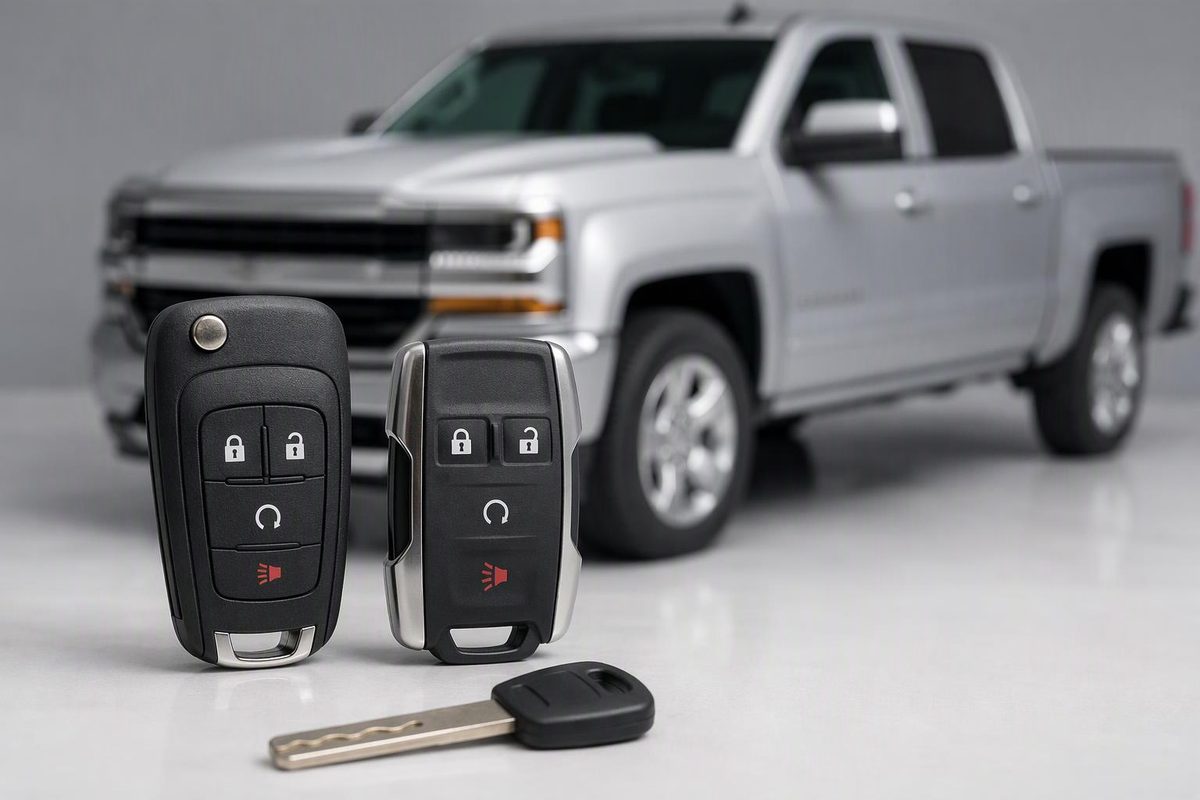
Match your Silverado’s year and ignition type before programming. See older remote pairing, DIC relearn, smart-fob steps, and professional stop points.
Some Silverado key fobs can be programmed without tools; others need programming equipment. The deciding factors are the exact model year, truck version, ignition type, and number of recognized keys or fobs—not simply the Chevrolet badge.
Before starting
Write down the model year and whether your truck is a 1500, HD, Classic, Limited, or EV. Identify whether you turn a separate ignition key or press ENGINE START/STOP. Then open the matching manual through Chevrolet’s manuals and guides page. The procedures below are documented examples, not permission to use one sequence across every Silverado.
Also:
- Confirm the replacement remote. Ask the supplier or programmer to verify compatibility using your VIN and the fob’s part number/FCC ID, where available. Do not buy solely by case shape or button count.
- Gather every fob you want to keep. Some relearns erase existing transmitter registrations.
- Separate the jobs. Pairing a separate lock/unlock remote is not the same as programming an ignition key’s immobilizer authorization. A cut mechanical blade provides physical lock access; it does not enroll the remote electronics. The 2020 manual covers ignition keys, remote transmitters, and immobilizer operation separately.
If an existing fob has become intermittent rather than being replaced, check its battery first. Chevrolet recommends checking distance, signal obstruction, and the battery before seeking service for poor remote operation. Use our Silverado key-fob battery replacement guide to identify the correct fob and cell. Chevrolet troubleshooting guidance, p. 12.
Older separate remote: documented 2004 procedure
For a compatible 2004 Silverado separate keyless-entry remote, Keyless2Go and ProgramYourRemote publish the following ignition-and-door-switch procedure. It pairs the remote buttons; it is not a smart-key programming procedure. Keyless2Go instructions, matching ProgramYourRemote instructions.
- Close all vehicle doors and insert the ignition key.
- Hold the UNLOCK switch on the driver’s door.
- While holding it, turn the ignition ON → OFF → ON → OFF in fairly rapid succession. Do not start the engine.
- Release the door’s UNLOCK switch. The doors should lock and unlock automatically.
- Hold LOCK and UNLOCK together on the first remote until the doors lock and unlock. This can take up to 30 seconds.
- Repeat step 5 for every other remote, including existing remotes.
- Turn the ignition ON to exit programming mode, then turn it off and test each remote.
Stop if the locks do not cycle at step 4. Do not keep applying this older sequence to a newer truck; verify the exact procedure and remote compatibility.
Dashboard relearn: documented 2010 procedure
The 2010 Silverado manual provides two ways to activate remote learning, depending on the dashboard controls. This procedure erases all previously learned transmitters, so have every intended remote ready before entering learning mode. Manual with DIC buttons, p. 4-54, manual without DIC buttons, p. 4-59.
- Put the truck in Park and turn the ignition on. The Driver Information Center (DIC) comes on with the ignition. DIC operation.
- Enter learning mode using the appropriate control: - With DIC buttons: press the vehicle-information button until PRESS ✓ TO RELEARN REMOTE KEY appears. Press the set/reset button until REMOTE KEY LEARNING ACTIVE appears. - Without DIC buttons: press the trip-odometer reset stem until RELEARN REMOTE KEY appears, then hold the stem for three seconds until REMOTE KEY LEARNING ACTIVE appears.
- Hold the first remote’s LOCK and UNLOCK buttons together for about 15 seconds, until a chime confirms pairing.
- Repeat step 3 for every remaining remote.
- Turn the key to LOCK/OFF to exit, then test each remote.
If your truck’s manual does not include this feature, a missing menu is a reason to stop—not to try unrelated dashboard resets.
Push-button start: documented 2020 add-a-fob procedure
The 2020 Silverado keyless-access procedure requires two currently recognized transmitters for the short add-a-fob method. The vehicle must be off, with both recognized fobs and every new fob present. You also need the mechanical key that operates the driver-door lock. Use the transmitter-pocket illustration for your seating arrangement in the 2020 manual, pp. 20–21.
- Remove the mechanical key from a recognized fob.
- Place the two recognized fobs in the cupholder or on the passenger seat.
- Insert the mechanical key into the driver-door lock cylinder. Turn it counterclockwise to unlock five times within 10 seconds.
- Wait for READY FOR REMOTE #3, 4, 5 ETC. on the DIC. If it does not appear, stop and verify the prerequisites rather than continuing.
- Place the new fob in the designated transmitter pocket/insert and press ENGINE START/STOP.
- When the display indicates readiness for the next transmitter, remove the learned fob and press its LOCK or UNLOCK button.
- Repeat steps 5–6 for additional fobs. When finished, hold ENGINE START/STOP for approximately 12 seconds to exit programming mode, then return the mechanical key to its fob. Test each fob’s locking and starting functions.
Only one recognized fob—or none? The same manual provides a different procedure taking approximately 30 minutes. It still requires a mechanical key that operates the driver-door lock. The procedure is not available in Canada, and after the third timed cycle previously known transmitters no longer work unless relearned. Use that complete manual section, with every intended fob present, or arrange professional programming. Do not substitute the short procedure above. 2020 manual, pp. 21–22.
When to use a dealer or automotive locksmith
The 2011 Silverado manual explicitly says to see a dealer for transmitter programming and requires remaining transmitters to be reprogrammed when a replacement is programmed. 2011 manual, p. 2-4. The 2020 keyed-ignition remote section also directs transmitter programming to a dealer; the owner sequence above is for keyless access only. 2020 manual, p. 14.
For a 2018 Silverado, Keyfobprogram’s remote-programming instructions specify diagnostic equipment and a locksmith or dealer, not a button-only sequence.
For the 2024 Silverado 1500, its manual directs replacement remote-key programming through a dealer and does not provide the 2020 owner relearn. Follow that route rather than assuming the older sequence applies. 2024 manual, p. 15. If choosing an automotive locksmith, confirm that they support your exact truck and replacement fob before booking.
Ask the provider whether the quote includes the fob, any blade cutting, programming, and removal of a lost fob from vehicle memory. Bring all remaining keys and fobs, plus identification and proof of ownership. Before leaving, test every retained fob’s locking functions and, where applicable, its ability to start the truck.