
Change Your Key Fob Battery Without Guessing the Size or Polarity
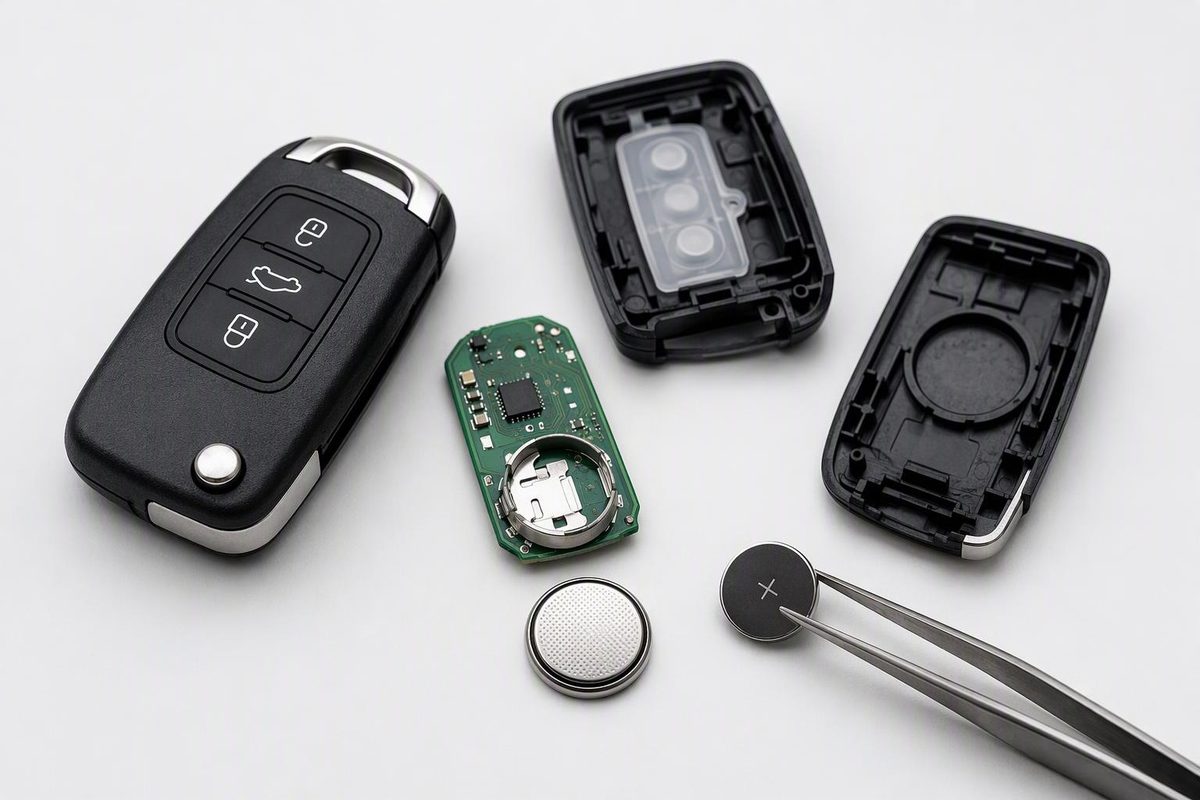
Identify your key fob, confirm the battery code and polarity, replace it safely, and check what to do if the remote still does not work.
To change the battery in a key fob, identify the remote, open its intended battery access point, fit the specified battery with the correct polarity, then reassemble and test it. Don’t buy a CR2032 or pry apart the case just because a similar-looking remote uses that method.
1. Identify your vehicle and remote first
Check the vehicle’s make, model, model year and market, then compare your physical remote with the owner’s manual illustration. Note whether it has a removable emergency key, a separate battery cover or a screw. For an aftermarket remote, use its manufacturer’s instructions rather than assuming the original vehicle manual applies.
Even within one brand, the cell and opening method can differ:
- Honda’s 2025 Civic Hatchback manual specifies a CR2032 and opening the housing at a slot after removing the built-in key. Honda’s instructions
- An earlier Honda remote-transmitter manual specifies a CR2025 behind a round cover that turns counterclockwise with a coin. Honda’s earlier instructions
Stop if the manual identifies a sealed, non-serviceable key. For example, Volvo’s Key Tag listed for the 2025 V60 has a closed battery compartment. Volvo directs owners to buy a replacement from an authorized dealer and hand the drained tag to an authorized workshop for erasure from the vehicle—it can still work for backup starting. Volvo Key Tag guidance
For more specific opening instructions, see our Ford, Hyundai or Subaru battery guides.
2. Prepare the battery and work area
Use a clean, dry, well-lit surface. Gather the tool specified for your remote—a coin, small screwdriver or the removable key may be appropriate—and keep a cloth and phone nearby.
Keep both new and used coin cells away from children. If swallowing is suspected, seek medical attention immediately; these batteries can cause severe injury in as little as two hours. CPSC battery safety guidance
3. Open only at the intended access point
Follow the matching manual’s release, screw or cover procedure. Don’t insert a screwdriver into an arbitrary section of the seam.
For the documented 2025 Civic Hatchback remote, Honda instructs owners to remove the built-in key, hold the buttons facing down and carefully pry at the slot with the key grip wrapped in cloth. That is a specific procedure, not a universal method. Honda’s opening instructions
If the housing will not release as shown, stop and recheck the remote design rather than applying more force.
4. Record the old battery before removing it
Photograph the exposed battery and holder. Record:
- The full battery code.
- Which direction the positive (+) side faces.
- The number of cells and their arrangement.
Compare these details with the manual. If the installed cell conflicts with the specification, resolve that mismatch before copying it—it may have been replaced incorrectly before.
Use the specified battery, not merely one that looks similar. Kia warns that the wrong battery can make a smart key malfunction. Kia battery guidance
5. Replace the cell and close the case
Remove the old cell using the documented method, without bending the holder or disturbing other components. Immediately secure the removed battery with non-conductive tape over its terminals or around the entire cell, and keep it away from children until you take it to a battery-collection center. Follow local disposal rules. CPSC disposal advice
Install the replacement with the correct polarity; positive-side-up is not a rule for every fob. Follow the matching manual and holder markings rather than guessing.
Avoid unnecessary contact with the circuit board. Don’t wipe away grease indiscriminately: Ford specifically says to leave grease on its battery terminals and the back of the circuit board. Ford replacement guidance
Align the cover and close it using the original fastening method. If it will not sit flush, reopen it and check the cell, holder and cover alignment rather than squeezing harder.
6. Test before attempting a reset
With the fob in your hand outside the vehicle, test lock and unlock. Test other fitted buttons only where it is safe to operate their functions. For a smart key, also test passive entry and normal starting separately.
Remote locking, mechanical emergency entry and immobilizer/start authorization are different functions. A dead remote battery does not necessarily prevent backup starting: Ford documents a backup slot for an Intelligent Access key with no charge. Its location depends on the vehicle’s year and model; check the manual’s Starting and Stopping section. Ford backup-start guidance
If the remote still fails, recheck the exact cell code, polarity, seating and case alignment, then compare with a working spare if available. Don’t assume it needs programming: Ford explicitly states that changing the battery does not erase the programmed key. For other vehicles, use only a reset or synchronization procedure documented for that exact system. Ford’s programming note
Continue with key-fob troubleshooting after a battery change before paying for a replacement or programming service.